

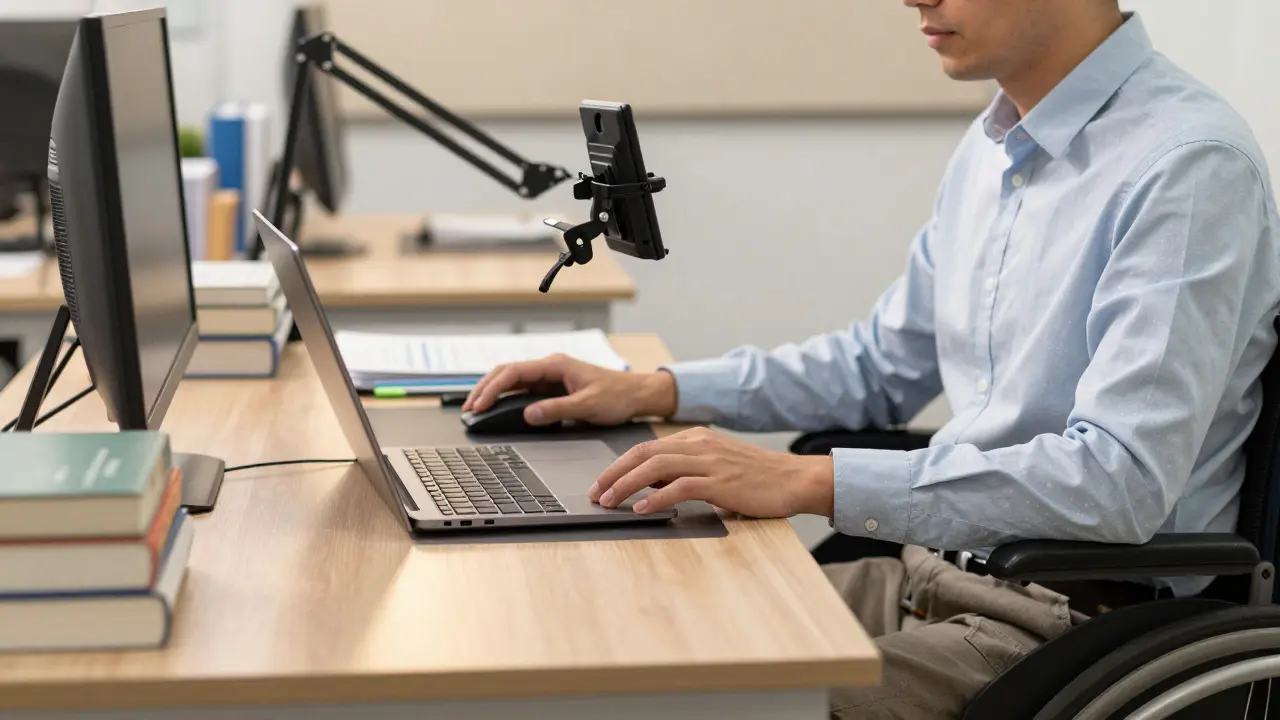
Imagine trying to grade papers while your hands shake uncontrollably, or attempting to lead a lecture when you cannot see the students’ faces clearly. For many educators, these are not hypothetical scenarios but daily realities. Teaching is physically and cognitively demanding, and for instructors with disabilities, standard classroom setups can feel like obstacle courses designed by someone who has never experienced physical limitation.
The good news? You do not have to choose between your health and your career. The landscape of assistive technology has evolved rapidly. From eye-tracking software that lets you control a computer without moving a finger, to AI-powered captioning that runs in real-time, there are tools specifically designed to remove barriers. This guide cuts through the noise to show you exactly what works, how to set it up, and how to advocate for yourself in an academic environment that often overlooks instructor needs.
Understanding the Unique Challenges of Disabled Educators
Most accessibility conversations in education focus on students. Universities spend millions on ramps, screen readers, and note-takers for learners. But who supports the teacher? When an instructor has a disability, the challenge is twofold: they must manage their own access needs while simultaneously ensuring their students can learn effectively.
Consider the physical toll of traditional teaching. Standing for hours with chronic pain, writing on whiteboards with limited dexterity, or navigating heavy campus buildings with mobility impairments can drain energy before class even starts. Then there is the cognitive load. Managing lesson plans, grading, and administrative tasks requires intense focus. If you rely on speech-to-text software, the ambient noise of a busy office or a crowded hallway can make simple emails impossible to draft.
The barrier is rarely just the disability itself; it is the lack of flexible infrastructure. A rigid expectation that all professors must teach face-to-face, use physical handouts, or attend long in-person meetings creates unnecessary friction. Recognizing these specific pain points is the first step toward solving them.
Core Assistive Technologies for the Modern Classroom
You do not need every tool on the market. You need the right ones for your specific situation. Here are the most impactful technologies currently available for instructors with disabilities.
| Tool Category | Specific Examples | Best For | Key Benefit |
|---|---|---|---|
| Screen Readers | JAWS, NVDA, VoiceOver | Visual impairments | Navigating LMS platforms and grading systems independently |
| Speech Recognition | Dragon NaturallySpeaking, Windows Speech Recognition | Mobility limitations, RSI | Dictating lectures, emails, and feedback without typing |
| Eye Tracking | Tobii Dynavox, EyeWriter | Severe motor impairments | Full computer control via gaze alone |
| Real-Time Captioning | Otter.ai, Live Transcribe | Hearing impairments | Following discussions and creating accessible records |
| Text-to-Speech | NaturalReader, Read&Write | Dyslexia, visual fatigue | Auditory processing of large amounts of text |
Dragon NaturallySpeaking remains the gold standard for voice dictation. Unlike basic smartphone assistants, it learns your vocabulary over time, allowing you to dictate complex academic terms, names, and formatting commands with high accuracy. For instructors with repetitive strain injuries (RSI) or arthritis, this can be life-changing. It allows you to write detailed feedback on student essays or compose syllabi without touching a keyboard.
For those with visual impairments, JAWS (Job Access With Speach) and the free alternative NVDA (NonVisual Desktop Access) are essential. These screen readers convert on-screen text into synthesized speech or Braille output. However, compatibility is key. Ensure your Learning Management System (LMS), such as Canvas or Blackboard, is properly coded for accessibility. If the LMS fails, even the best screen reader will struggle.
Eye-tracking technology, like Tobii Dynavox, offers a solution for instructors with severe motor control issues. By looking at icons on the screen, you can navigate browsers, click buttons, and type. While the setup cost is higher, the independence it provides is unmatched. Some universities offer grants specifically for this type of hardware.
Adapting Your Teaching Methods
Technology is only half the equation. How you structure your course matters just as much. Universal Design for Learning (UDL) principles benefit everyone, but they are critical for disabled instructors. UDL encourages multiple means of representation, engagement, and expression.
- Pre-recorded Lectures: Instead of delivering live, high-energy presentations that may be physically taxing, record video lectures. This allows you to edit out mistakes, pause when needed, and use captions automatically generated by platforms like YouTube or Panopto. Students also appreciate the ability to re-watch content.
- Asynchronous Participation: Replace mandatory in-person attendance with discussion boards or collaborative documents. This reduces the physical burden of commuting and standing, while still fostering community.
- Flexible Assessment: Allow students to submit assignments in various formats (video, audio, text). This mirrors your own adaptive strategies and models inclusivity.
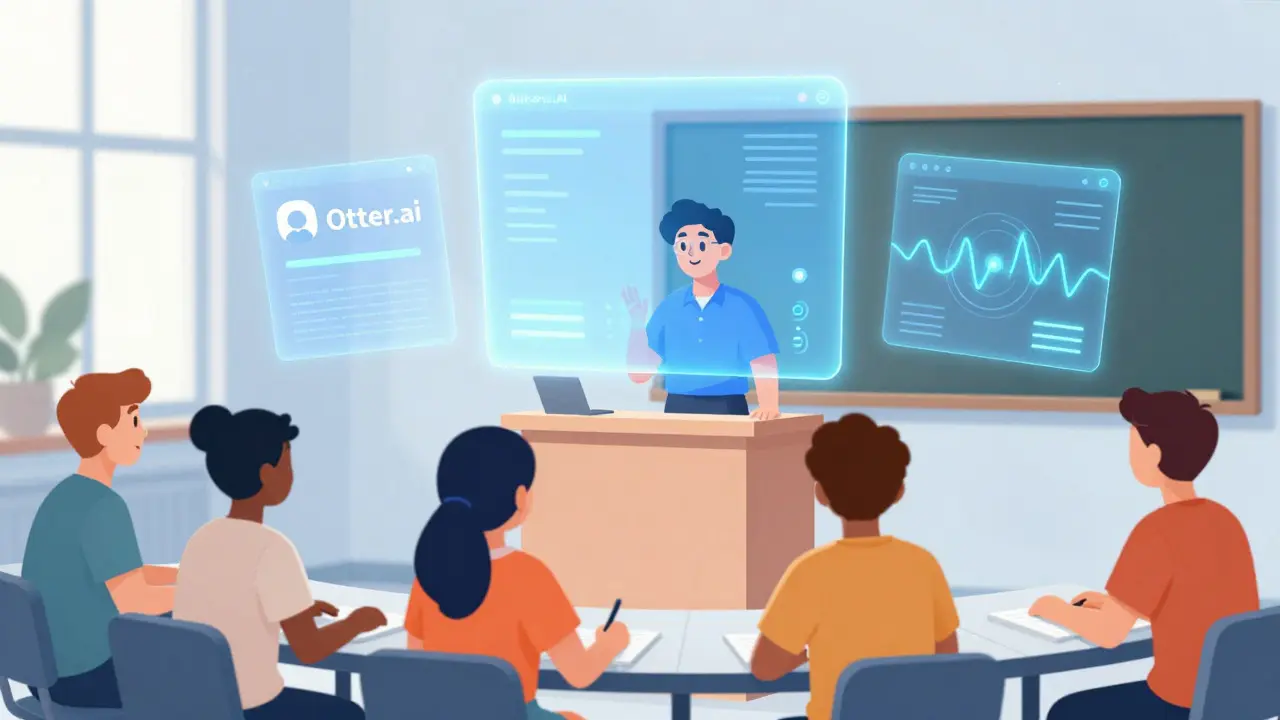
If you have a hearing impairment, using Otter.ai during live sessions can provide real-time transcripts. Share these transcripts with students afterward. Not only does this help you follow the conversation, but it also serves as an excellent study aid for all learners, including non-native speakers and those with ADHD.
Navigating Administrative Barriers
One of the biggest hurdles for disabled instructors is not technical-it is bureaucratic. Universities often have robust policies for student accommodations but vague guidelines for faculty. Here is how to advocate for yourself effectively.
First, document your needs clearly. Write a brief statement explaining how your disability impacts your teaching duties and propose specific solutions. For example, instead of saying "I need help," say "I require a laptop stand and footrest to maintain ergonomic posture during long grading sessions." Specificity reduces ambiguity for administrators.
Second, leverage existing legal frameworks. In the United States, the Americans with Disabilities Act (ADA) protects employees. In New Zealand, the Human Rights Act 1993 mandates reasonable adjustments. Know your rights. If your institution resists providing necessary equipment, cite these laws. Many departments hesitate because they fear precedent, not because they lack funds.
Third, build allies. Connect with other disabled faculty members or staff in diversity and inclusion offices. Collective voices are harder to ignore. Share resources and success stories. When one professor successfully negotiates for remote work options, it opens the door for others.
Physical Workspace Modifications
Your office is your command center. Making it accessible is crucial for productivity and well-being. Simple changes can yield significant results.
Ergonomics is paramount. Invest in a sit-stand desk if you have back pain or circulation issues. Adjust your monitor height so the top of the screen is at eye level to reduce neck strain. Use a vertical mouse or trackball if you experience wrist pain from traditional mice. These small adjustments prevent flare-ups of conditions like carpal tunnel syndrome.
Lighting and acoustics matter too. If you have migraines triggered by fluorescent lights, request LED lamps with adjustable color temperatures. For sensory sensitivities, noise-canceling headphones can create a quiet zone in open-plan offices. Keep a supply of fidget tools or stress balls handy to help regulate anxiety during high-pressure periods.
Don’t forget about mobility. If your office is on a high floor without elevator access, negotiate for a ground-floor space or a hybrid work arrangement. Even partial remote work can drastically reduce the physical toll of commuting and navigating inaccessible buildings.

Emotional Resilience and Community
Teaching with a disability can be emotionally exhausting. You may face microaggressions, pity, or outright discrimination. Building emotional resilience is as important as acquiring new software.
Set boundaries. It is okay to say no to extra committee work if it overwhelms your capacity. Protect your energy for what matters most: your students and your health. Delegate tasks where possible. Teaching assistants can handle routine grading or administrative duties, freeing you to focus on high-level instruction.
Find your tribe. Online communities like the Society for Disability Studies or local disability networks provide support and advice. Sharing experiences with peers who understand your struggles reduces isolation. Remember, your disability does not define your competence. Your expertise, passion, and dedication do.
Future Trends in Accessible Education
The field of educational technology is moving fast. Artificial Intelligence (AI) is poised to revolutionize accessibility. Imagine AI tutors that adapt to each student’s learning style, reducing the burden on instructors to personalize feedback manually. Or virtual reality (VR) classrooms that allow fully immersive participation regardless of physical location.
However, technology alone is not a silver bullet. The future depends on cultural shift. Institutions must move beyond compliance to genuine inclusion. This means hiring disabled faculty, consulting them on policy changes, and valuing diverse perspectives. As an instructor, you are part of this change. By modeling accessibility, you inspire others to do the same.
What is the best free screen reader for instructors?
NVDA (NonVisual Desktop Access) is widely considered the best free screen reader for Windows users. It is open-source, regularly updated, and compatible with most major applications, including Microsoft Office and web browsers. Mac users should utilize VoiceOver, which is built into macOS.
How can I make my online lectures more accessible?
Always add captions to video content. Use clear, descriptive file names for documents. Provide text transcripts for audio files. Ensure your slides have high contrast and readable fonts. Avoid relying solely on color to convey meaning, as this excludes students with color blindness.
Can I request remote work due to my disability?
Yes, in many jurisdictions, remote work is considered a reasonable accommodation under disability laws. Document how working from home reduces barriers (e.g., eliminating commute stress, allowing ergonomic setup) and propose a trial period to demonstrate effectiveness.
What should I do if my university refuses to buy assistive technology?
Start by citing relevant disability legislation. Gather evidence of how the lack of tools impacts your performance. Seek support from faculty unions or diversity offices. Sometimes, framing the purchase as an investment in retention and productivity helps overcome budget objections.
Are there grants available for disabled educators?
Yes, organizations like the National Center for College Students with Disabilities (NCCSD) and various private foundations offer grants for assistive technology and professional development. Check with your university’s disability services office for internal funding opportunities as well.
Comments
Elisabeth Ballet
Finally someone is talking about the instructors themselves instead of just the students. It is so frustrating how universities act like they have it all figured out for learners but then leave faculty to drown in inaccessible systems. I have been fighting with our LMS for years because the keyboard navigation is a nightmare. This guide is gold.
Dave Gibbeson
The point about Dragon NaturallySpeaking is spot on. Most people think voice recognition is just for dictating emails, but if you learn the formatting commands, you can write entire syllabi and grade papers without touching a mouse. It takes about two weeks to train it properly, but once it knows your academic vocabulary, the speed is insane. Stop typing if your hands hurt.
Sabrina Newland
i love this perspective 🙌 its so true that we forget teachers are human too. the part about cognitive load really hit home for me. sometimes i feel like im carrying the whole world on my back just trying to keep up with admin tasks while managing chronic pain. thanks for sharing these tools ✨
Amara Akbar
This is an incredibly well-researched post. The section on navigating administrative barriers is particularly vital. Many educators do not realize that specific documentation is often more effective than general requests. Being precise about ergonomic needs, such as specifying the type of desk or software required, removes the ambiguity that administrators often use as an excuse to delay accommodations. Well done.
Mark Harvey
great tips here. i started using otter ai last semester and it changed everything for me. having a transcript helps me focus on the conversation rather than trying to catch every word. plus my students loved having the notes later. dont be afraid to ask for what you need
Art HND
Most of this is just common sense repackaged as innovation. Universities already have policies for this. If you are struggling it is likely because you are not advocating correctly or you are choosing inefficient methods. Eye tracking is overpriced junk for most people.
Elisabeth Ballet
@Art HND oh please. common sense? try telling that to a department head who thinks 'accommodation' means letting you take a nap during meetings. the policies exist on paper but implementation is a joke. eye tracking is expensive yes but for someone with severe motor impairment it is the only way to work independently. stop being dismissive.
Elizabeth Brooks
I totally agree with Elisabeth. The bureaucratic wall is real. I spent three months just getting approval for a sit-stand desk. The IT department said it wasnt compatible with their security protocols which made zero sense. You have to be persistent and cite the ADA laws like the post suggests. It works eventually.
alex kobri
the emotional toll is underestimated here. it is exhausting to constantly explain why you need things. setting boundaries is key. say no to committees. protect your energy. teaching is enough of a job without adding administrative suicide to it
Deb Kortyna, MBA
While the technological solutions presented are adequate, one must consider the broader institutional inertia. Universities are notoriously slow to adapt. The mention of legal frameworks is crucial, yet many faculty members fear retaliation. A cultural shift requires more than just tools; it demands a fundamental restructuring of how academic labor is valued and perceived. This article serves as a necessary, albeit preliminary, step in that direction.
Anthony Miller
You are all whining about minor inconveniences. Real professionals adapt. If you cannot stand for class get a better chair. If you cannot type hire a secretary. The system works fine for everyone else. Stop making excuses and start working harder. The students deserve better than lazy instructors blaming their bodies.
Dave Gibbeson
@Anthony Miller wow. harsh much? hiring a secretary is not an option for most adjuncts or even tenure track profs nowadays. budgets are cut everywhere. saying 'just work harder' when someone has RSI or MS is not helpful it is just cruel. maybe try reading the whole post before commenting next time.