

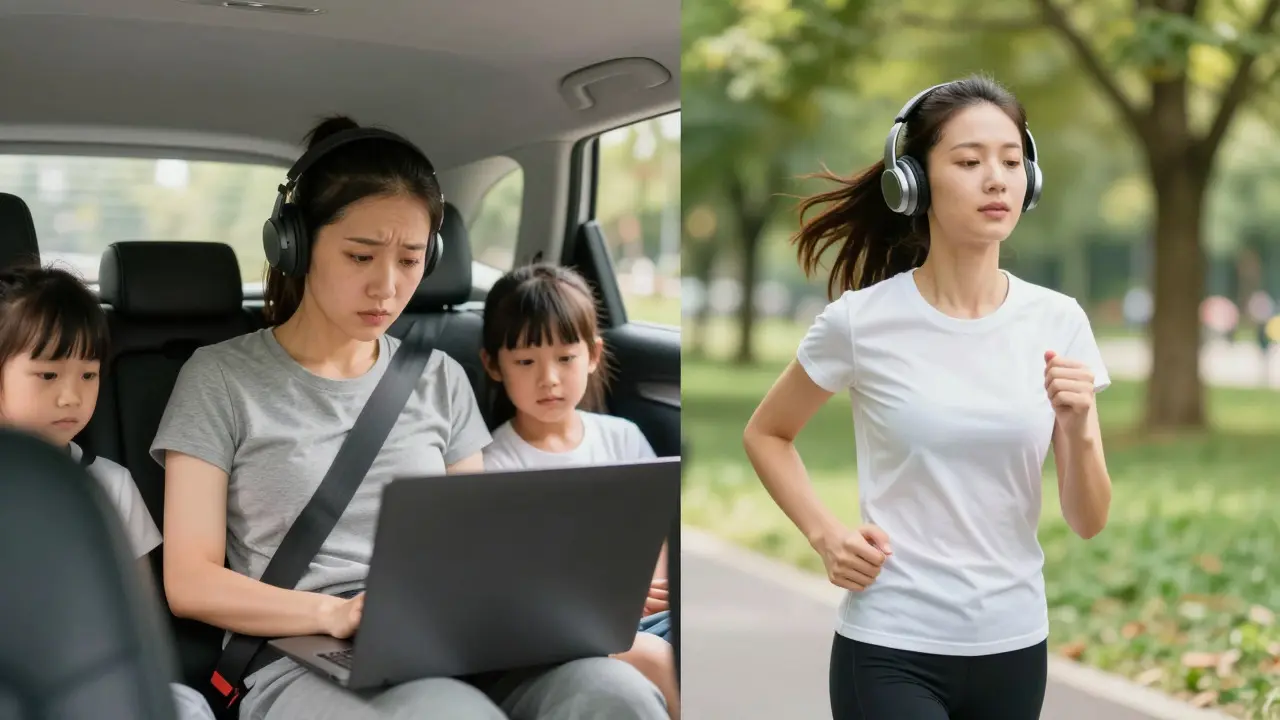
Imagine your student is driving a car with two kids screaming in the back seat. They want to learn from your course, but they can’t open a laptop or stare at a screen for more than five seconds. Now imagine that same student is jogging through Central Park, wearing headphones, and fully focused on what you have to say. The difference isn't the student's motivation; it's the format of your content.
Video dominates the e-learning space because it feels complete. We see the face, we hear the voice, we see the slides. But video is heavy. It demands visual attention. Audio, on the other hand, is invisible. It slips into the cracks of our day-commutes, chores, workouts-and turns dead time into learning time. If you are building an online course, ignoring audio means leaving money and engagement on the table.
The Psychology of Listening vs. Watching
Why do people listen to podcasts for hours but struggle to watch a 20-minute lecture? It comes down to cognitive load. When you watch video, your brain processes visual data (facial expressions, body language, text on screen) and auditory data simultaneously. That is a lot of work. Audio strips away the visual noise. It forces the listener to use their imagination to fill in the gaps, which actually increases retention for certain types of information.
Think about the last book you read versus the last audiobook you listened to. Did you remember the plot points differently? Often, audio creates an emotional connection that text or video misses. A human voice carries tone, pause, and emphasis in a way that feels intimate. When you speak directly to a learner’s ear, you bypass the skepticism they might feel toward a polished, high-production video. It feels like a conversation, not a broadcast.
This intimacy is crucial for asynchronous learning. In a live class, you have energy exchange. In recorded video, that energy is static. In audio, the proximity of the voice to the ear recreates a sense of presence. You aren't just delivering information; you are guiding them. This is why coaching programs and mentorship courses often benefit most from adding voice-only modules.
When Audio Beats Video (And When It Doesn't)
Not every lesson should be an audio file. Before you start recording, ask yourself: Does this content require visual demonstration?
If you are teaching someone how to edit photos in Photoshop, audio fails. They need to see the mouse movements. If you are teaching complex mathematical equations that change dynamically, video is superior. However, if your lesson involves storytelling, conceptual frameworks, motivational talks, interviews, or step-by-step mental models, audio is often better.
- Use Audio For: Storytelling, case studies, interviews with experts, motivational pep talks, summaries of key concepts, "behind-the-scenes" insights, and soft-skills training.
- Stick to Video For: Software tutorials, physical demonstrations, whiteboard explanations, and anything requiring precise visual reference.
A hybrid approach works best. Record your main lecture as video for those who prefer watching, but extract the audio track and offer it as a separate download. This gives your students choice without doubling your production effort significantly. Many platforms allow you to upload both formats under one module.
Production Reality: You Don't Need a Studio
One of the biggest myths about creating audio lessons is that you need expensive equipment. You don't. In fact, overly polished audio can sometimes feel sterile. Learners connect with authenticity. A slightly imperfect voice in a quiet room beats a perfect voice in a noisy studio every time.
To get started, you need three things: a decent microphone, a quiet environment, and basic editing software.
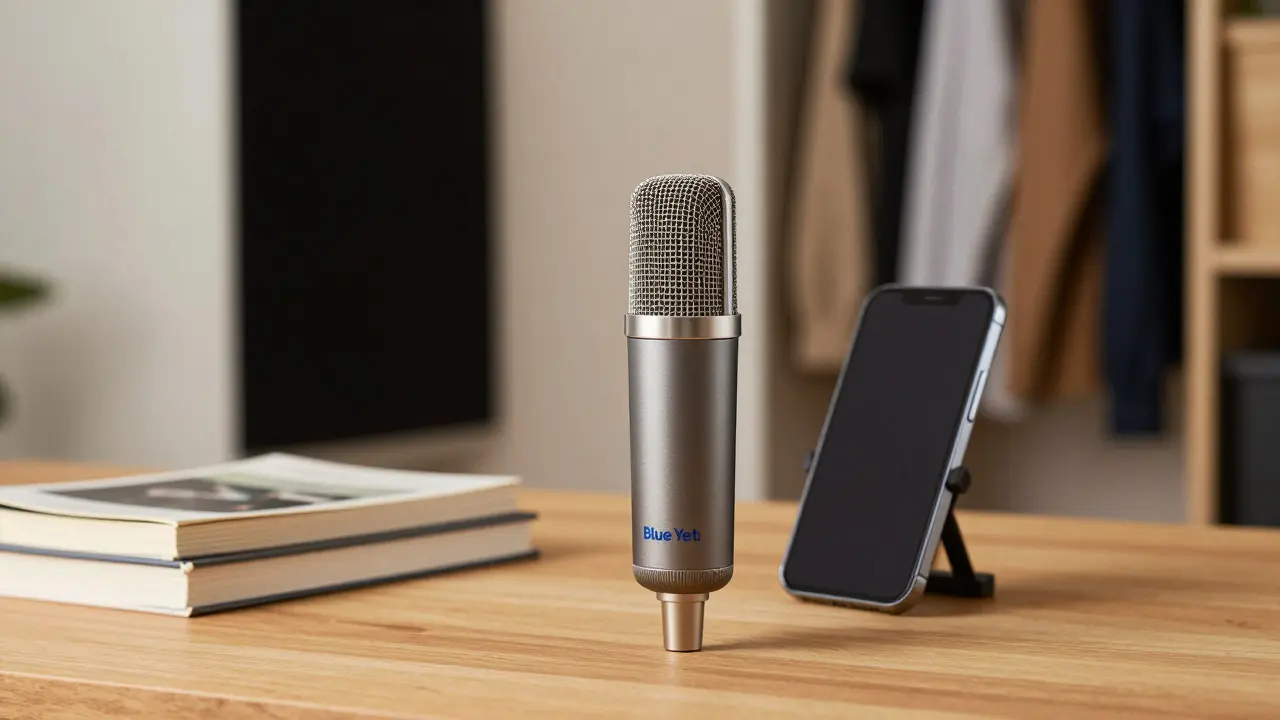
For microphones, a USB condenser mic like the Blue Yeti or Audio-Technica ATR2100x costs around $100-$150. These plug directly into your computer and sound far better than any built-in laptop mic. If you already have a smartphone, the built-in mic is surprisingly good if you hold the phone close to your mouth (about six inches away) and record in a closet full of clothes. Clothes absorb sound reflections, turning your closet into a makeshift vocal booth.
Software-wise, Audacity is free, open-source, and powerful enough for 99% of course creators. It allows you to cut out long pauses, remove background hum, and normalize volume levels. You don't need to be an engineer. Just aim for consistent volume and clear speech. If you stumble over a word, stop, take a breath, and repeat the sentence. Cut the mistake in post-production. It’s easier to fix in editing than to try to get a perfect take in real-time.
Structuring Audio Content for Retention
Writing for audio is different from writing for video or text. In video, you can rely on visuals to keep attention. In audio, you must keep the listener engaged solely through words and sound design. Long monologues can become boring quickly. Structure your audio lessons like a podcast episode, not a textbook chapter.
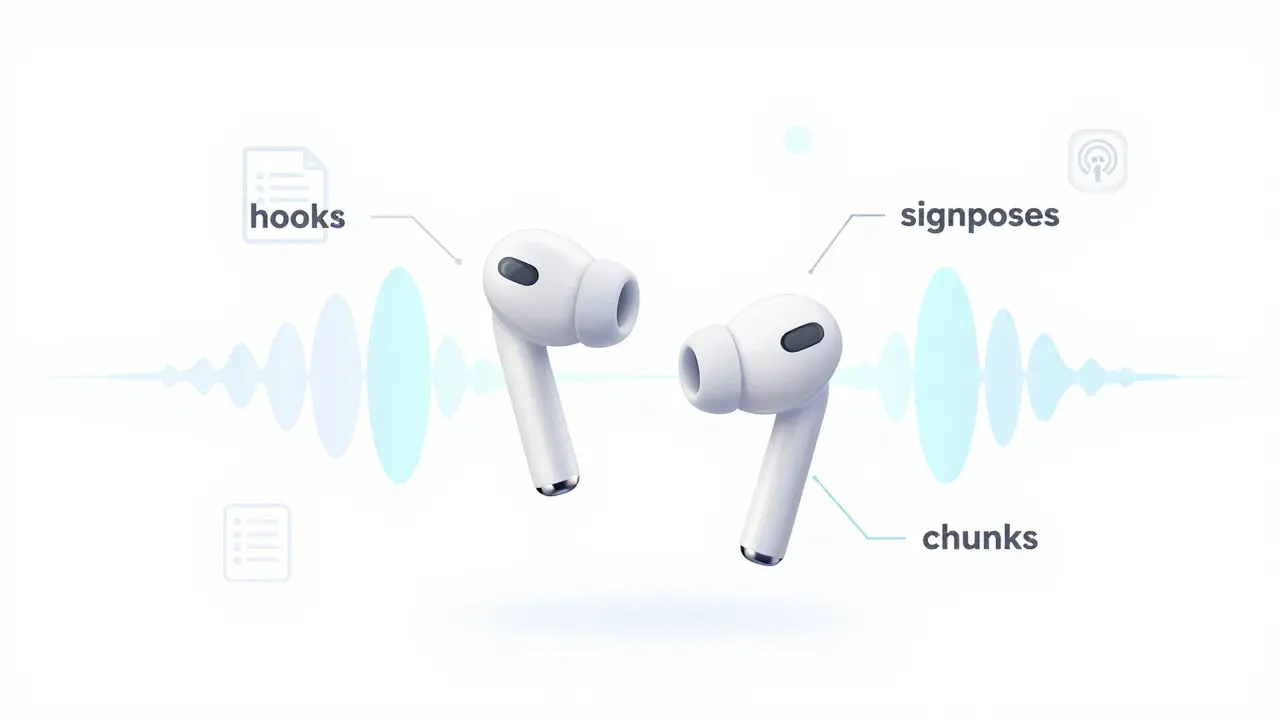
- The Hook: Start with a question, a surprising fact, or a brief story. Don't spend three minutes introducing yourself. Get straight to the value.
- Signposting: Tell the listener where they are. "In this section, we’re going to cover X, Y, and Z." This helps them mentally organize the information.
- Chunking: Break long topics into short segments. Aim for 5-10 minute episodes rather than one 45-minute lecture. Shorter chunks are easier to fit into a busy schedule and easier to review later.
- Call to Action: End each segment with a specific task. "Pause this track and write down your answer." Or, "Listen to the next clip while you brainstorm."
Consider using music sparingly. Intro and outro music helps brand your course, but avoid playing music underneath your voice unless you are very skilled at mixing. Background music often competes with speech frequencies, making it harder to understand. If you use music, keep it low and instrumental.
Accessibility and Inclusivity
Adding voice to your course isn't just about convenience; it's about accessibility. For visually impaired learners, audio is essential. For neurodivergent learners, such as those with ADHD or dyslexia, listening can be a preferred mode of processing information. By offering audio, you widen your potential audience significantly.
However, audio alone isn't fully accessible. Always provide a transcript. Transcripts help non-native English speakers follow along, allow deaf or hard-of-hearing students to access the content, and improve SEO since search engines can crawl text but not audio files. Most transcription services now use AI to generate drafts quickly, which you can then edit for accuracy. It takes extra time, but it pays off in inclusivity and discoverability.
Monetizing and Distributing Audio
How do you deliver these files? You have two main options: hosting them within your Learning Management System (LMS) or publishing them as a private podcast feed.
Hosting within your LMS (like Teachable, Thinkific, or Kajabi) keeps everything in one place. Students log in, click play, and listen. The downside is that they can't easily sync the audio to their phone's native music app for offline listening. Offline capability is a huge selling point for commuters.
Using a podcast host (like Buzzsprout or Libsyn) allows you to create a private RSS feed. You share the link with enrolled students, and they can subscribe using Apple Podcasts, Spotify, or Pocket Casts. This gives them the flexibility to download episodes for offline use. It also makes your course content feel more premium and portable. Some creators even release bonus audio content exclusively via podcast to reward loyal students.
| Feature | LMS Hosting | Private Podcast Feed |
|---|---|---|
| Offline Access | Limited (depends on platform) | Yes (native app support) |
| User Experience | Simple, all-in-one | Familiar podcast interface |
| Cost | Included in LMS fee | $10-$20/month for hosting |
| Analytics | Integrated with course stats | Separate analytics dashboard |
Common Pitfalls to Avoid
Even with great content, audio lessons can fail if you ignore basic technical details. The number one killer of audio quality is echo. If you record in an empty room with hard surfaces, your voice will sound hollow and distant. Add rugs, curtains, or furniture to dampen sound. Speak closer to the microphone than you think you need to. Proximity reduces background noise and adds warmth to your voice.
Another mistake is speaking too fast. When we are excited about our topic, we tend to rush. Slow down. Pause between sentences. These pauses give listeners time to process information. They also make editing easier because you have natural break points.
Finally, don't neglect the metadata. Name your audio files clearly. Instead of "Lesson_01.mp3," use "Module_1_Introduction_to_Budgeting.mp3." Clear naming helps students find specific topics later when they need to review. Include timestamps in your course description so learners can jump to specific sections.
Next Steps for Implementation
You don't need to rebuild your entire course to add audio. Start small. Pick one module that relies heavily on storytelling or conceptual explanation. Record it as audio. Offer it as a bonus to your current students. Ask for feedback. Do they prefer listening? Do they feel more connected? Use their responses to decide whether to expand audio across your curriculum.
Remember, the goal isn't to replace video or text. It's to complement them. By adding voice, you meet your students where they are-whether they're at their desk, in the gym, or stuck in traffic. You make your expertise accessible in a way that fits their life, not the other way around.
Do I need professional editing skills to create audio lessons?
No. Basic editing involves cutting out mistakes, removing long silences, and ensuring consistent volume. Free tools like Audacity are user-friendly and sufficient for high-quality results. Focus on clear speech and a quiet recording environment rather than complex effects.
Is audio better than video for online courses?
It depends on the content. Audio is superior for storytelling, interviews, and conceptual learning because it requires less cognitive load and offers greater flexibility for multitasking. Video is necessary for visual demonstrations, software tutorials, and detailed graphics. A hybrid approach often yields the best student satisfaction.
How can I make my audio lessons accessible to everyone?
Always provide a written transcript for every audio file. This helps visually impaired students, non-native speakers, and those in noisy environments. Additionally, ensure your audio files are properly labeled with descriptive filenames and include timestamps in the course description for easy navigation.
What is the best microphone for beginners creating course audio?
A USB condenser microphone like the Blue Yeti or Audio-Technica ATR2100x is ideal for beginners. They offer plug-and-play connectivity and significantly better sound quality than built-in laptop or phone microphones. For a zero-budget option, record with your smartphone in a closet filled with clothes to reduce echo.
Should I publish my course audio as a public podcast?
Only if you want to use it as marketing content. For paid courses, keep the audio private. You can host it within your LMS or use a private podcast feed accessible only to enrolled students. This protects your intellectual property and ensures only paying customers access the full material.