

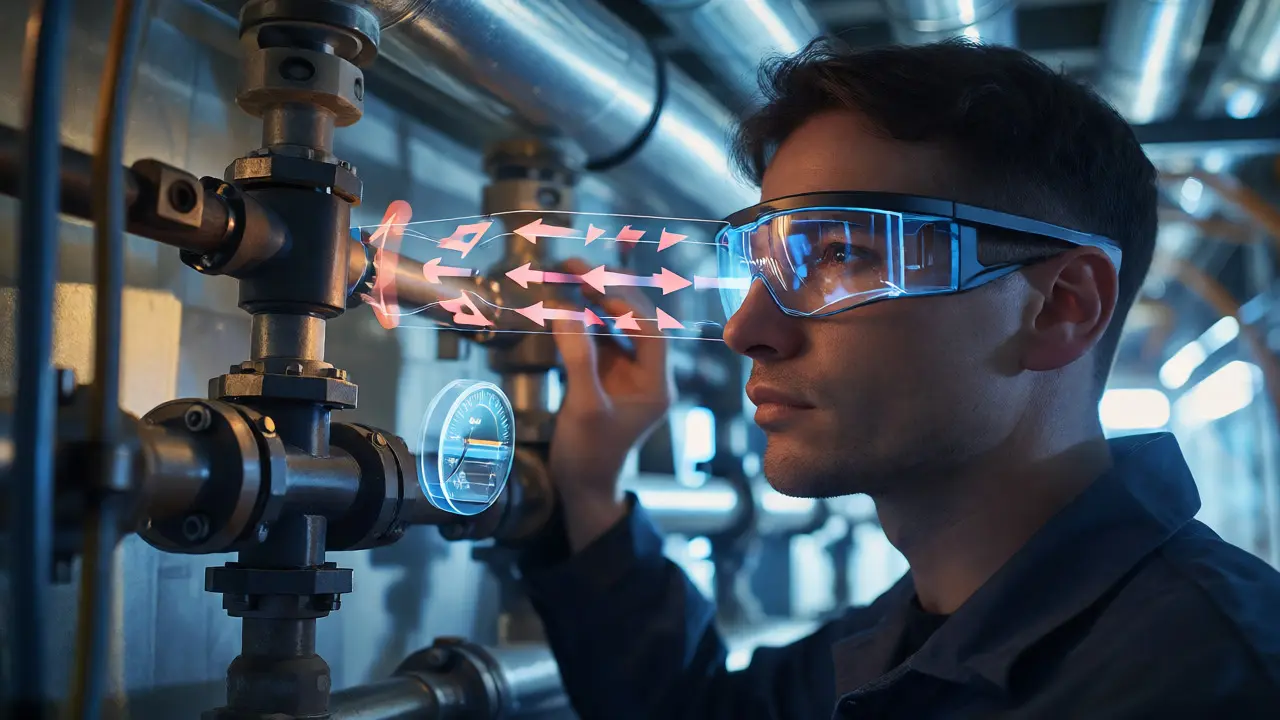
Imagine you are a junior technician standing in front of a complex HVAC unit. In the past, you would have pulled out a thick manual, flipped to page 243, tried to match a 2D diagram to a messy tangle of wires, and probably called your supervisor for help. Today, you put on a pair of smart glasses or hold up a tablet. Instantly, digital arrows overlay onto the physical pipes, highlighting exactly which valve to turn and showing a live pressure reading right where you need it. This isn't sci-fi; it is Augmented Reality (AR) a technology that overlays digital information-images, text, or 3D models-onto the user's view of the real world. For learning and job performance, this shift from static manuals to interactive, context-aware guidance is changing how we acquire skills.
Why Static Manuals Fail in Dynamic Environments
Traditional training materials have a fundamental flaw: they separate knowledge from application. You read about a procedure in a classroom or on a screen, then try to recall it later when your hands are greasy or your mind is stressed. Cognitive load theory tells us that working memory is limited. When a worker has to mentally translate a 2D schematic into a 3D physical task, they burn mental energy on translation rather than execution. Cognitive Load Theory is a psychological framework suggesting that learning effectiveness decreases when instructional design imposes unnecessary mental effort.
AR solves this by anchoring information directly to the object. If you are assembling a car engine, the instruction doesn't float in a sidebar; it floats over the specific bolt you need to tighten. This reduces the "search cost"-the time and brainpower spent looking for relevant info. Studies in manufacturing have shown that workers using AR-guided assembly lines complete tasks up to 30% faster with fewer errors compared to those using paper instructions. It’s not just about speed; it’s about accuracy under pressure.
The Core Mechanics of Effective AR Training
Not all AR is created equal. To be useful for serious learning or job support, an application needs more than just cool graphics. It requires precise Spatial Computing the ability of a device to understand its position and orientation in the physical world to place digital content accurately. Here is what actually makes these systems work:
- Markerless Tracking: Early AR used printed markers (like QR codes) to trigger animations. Modern apps use Simultaneous Localization and Mapping (SLAM) to track surfaces without markers. This means you can point your device at any machine part, and the app recognizes it instantly.
- Contextual Awareness: The system must know what step the user is on. If you haven’t installed Part A, the instructions for Part B shouldn’t appear. Good AR software acts like a patient mentor, guiding the workflow step-by-step.
- Remote Expert Integration: Sometimes, automation fails. The best AR platforms allow a remote expert to see what the field worker sees and draw annotations directly onto their view. This turns a solo struggle into a collaborative fix.
Transforming Education: From Passive to Active
In educational settings, AR bridges the gap between abstract concepts and tangible reality. Medical students, for example, struggle to visualize human anatomy from textbooks. With AR apps like Complete Anatomy a popular medical education platform that uses 3D models and AR to teach human anatomy, students can project a beating heart onto their desk and walk around it. They can peel away layers of muscle to see the veins underneath. This spatial understanding sticks better than rote memorization.
History classes aren't left behind either. Imagine visiting a ruin and holding up your phone to see what the building looked like when it was new. Or chemistry students mixing virtual chemicals in a lab setting where mistakes don't cause explosions. These applications provide safe environments for experimentation. The key benefit here is engagement. Students who interact with 3D models report higher retention rates because they are doing, not just watching.

On-the-Job Support: Reducing Downtime
For industries like manufacturing, energy, and healthcare, downtime costs money. Every minute a machine is broken is lost revenue. AR changes maintenance workflows dramatically. Instead of waiting for a senior engineer to fly in, a local technician can use AR glasses to access real-time guidance. Let’s look at how this plays out in different sectors.
| Industry | Common Pain Point | AR Solution | Measured Outcome |
|---|---|---|---|
| Manufacturing | Complex assembly errors | Step-by-step visual overlays | 25-30% reduction in assembly time |
| Healthcare | Venous access difficulties | Vein visualization overlays | Higher first-attempt success rate for IVs |
| Retail/Warehouse | Picking wrong items | Visual pick-to-light via glasses | 40% increase in picking efficiency |
| Field Service | Lack of historical data | Access to previous repair logs | Faster diagnosis of recurring issues |
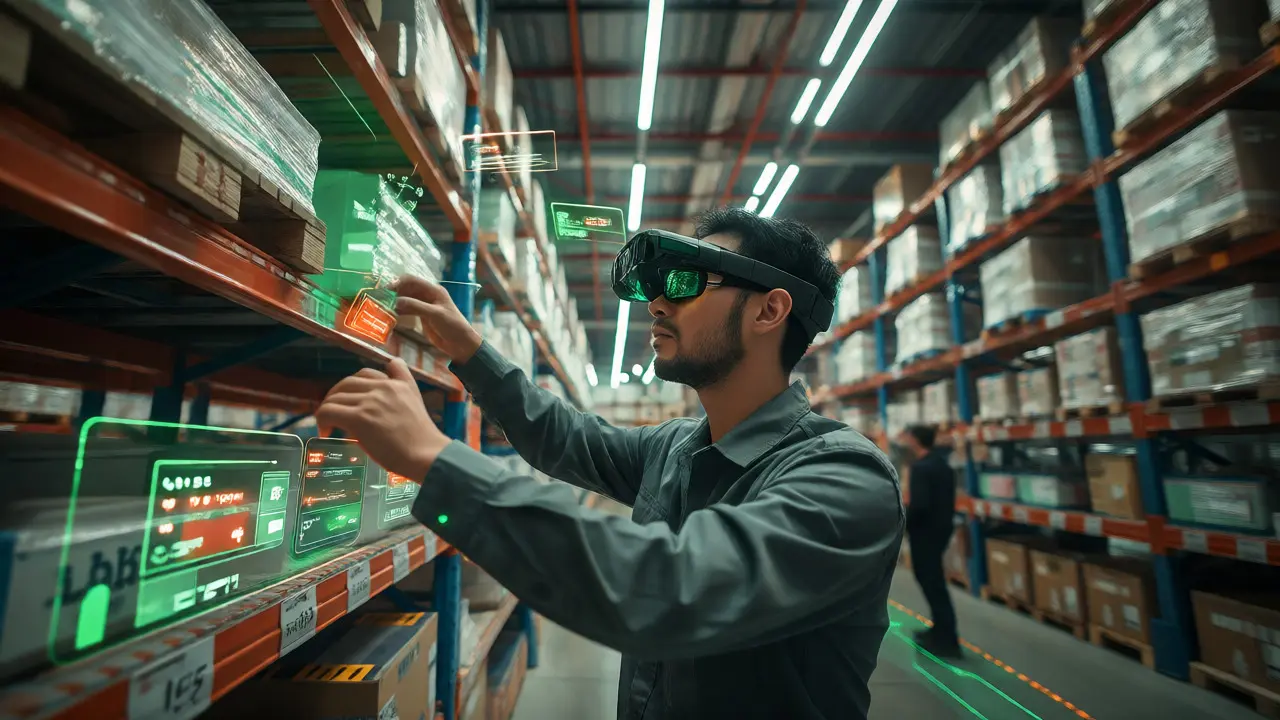
In retail, companies like DHL have tested AR glasses for warehouse picking. Workers see the path to the next item and the quantity needed overlaid on their vision. Their hands stay free, and they don't need to look down at a handheld scanner constantly. The result? Faster fulfillment times and less fatigue.
Hardware Choices: Smartphone vs. Smart Glasses
You might wonder, "Do I need expensive headsets?" Not necessarily. The hardware landscape offers two main paths, each with trade-offs.
Smartphones and Tablets: These are accessible and cheap. Everyone already owns one. Apps run on iOS and Android, making deployment easy. However, holding a phone steady while working with your hands is awkward. It occupies one hand, which is problematic if you’re turning wrenches or holding a patient.
Smart Glasses: Devices like Microsoft HoloLens an enterprise-grade mixed reality headset developed by Microsoft or Magic Leap a company known for its spatial computing platform and headsets offer hands-free operation. This is crucial for complex jobs. But they are heavier, more expensive, and often have shorter battery lives. For short-duration tasks or simple checks, a phone is fine. For long shifts involving intricate manual labor, glasses win despite the cost.
Overcoming Implementation Barriers
If AR is so great, why isn't everyone using it? Three big hurdles stand in the way: content creation, user acceptance, and connectivity.
Creating 3D assets is hard. Traditional CAD files are too detailed for most AR engines and need optimization. You don't want to load every screw thread if it won't be visible. Tools like Unity a cross-platform game engine widely used for developing AR and VR applications help, but you still need skilled developers or specialized authoring tools. Some platforms now offer no-code solutions where subject matter experts can build tutorials without writing code, lowering this barrier significantly.
User acceptance is another issue. People feel self-conscious wearing glasses in public or find them uncomfortable after an hour. Design matters. Lightweight frames and intuitive interfaces reduce friction. Start small. Don't roll out AR for everything. Pick one high-pain process-like safety inspections or equipment startup-and prove value there first.
Connectivity is critical. Cloud-based AR processing requires strong Wi-Fi or 5G. If your factory floor has dead zones, the experience lags, and users get frustrated. Edge computing, where processing happens on the device itself, helps mitigate this, but it demands more powerful hardware.
The Future: AI and Generative Content
We are moving toward a future where creating AR content is as easy as filming a video. Generative AI is starting to automate the conversion of 2D manuals into 3D interactive guides. Imagine uploading a PDF of a machine manual, and an AI generates a step-by-step AR tutorial automatically. This could slash development costs and make AR scalable for smaller businesses.
Also, expect deeper integration with Internet of Things (IoT) sensors. Your AR glasses won't just show you where to plug in; they will tell you the current temperature of the pipe based on live sensor data. This fusion of physical and digital worlds creates a "digital twin" experience in real-time, allowing for predictive maintenance before a failure even occurs.
Is Augmented Reality only for tech-savvy workers?
No. Modern AR interfaces are designed to be intuitive, often mimicking natural gestures like pointing or tapping. Many older workers adapt quickly because the interface removes the need to memorize complex commands. Training typically takes less than an hour for basic proficiency.
How much does implementing AR cost for a small business?
Costs vary widely. Using existing smartphones keeps hardware costs near zero, though app development or subscription fees apply (often $10-$50 per user/month). Enterprise-grade smart glasses can cost $2,000-$4,000 per unit, plus custom software development. Start with a pilot program using tablets to test ROI before investing in headsets.
Can AR replace traditional training entirely?
Rarely. AR is best viewed as a supplement to foundational training. It excels at procedural guidance and performance support but may not fully replace theoretical understanding or soft-skills training. A blended approach works best: classroom theory followed by AR-assisted practice.
What is the biggest technical challenge for AR in industrial settings?
Environmental variability. Lighting changes, occlusions (objects blocking the view), and reflective surfaces can confuse tracking algorithms. Robust SLAM technology and careful calibration of the environment are required to maintain stable digital overlays.
Does AR improve knowledge retention?
Yes, studies suggest active participation leads to better retention. By interacting with 3D models and following guided steps, learners engage multiple senses. One study indicated that AR users retained 80% of information after two weeks, compared to 20% for those using traditional methods.
Comments
Brannen Hall
Overhyped. Static manuals work fine if you actually read them instead of relying on tech to spoon-feed you every step.
tiffany King
This is such an exciting time for training! I love seeing how technology can make learning more engaging and accessible for everyone, regardless of their background or learning style.
Dave Gibbeson
You're missing the point entirely. The issue isn't reading ability, it's cognitive load under pressure. When a machine is down and revenue is bleeding out, nobody has time to flip through pages. AR reduces search cost and error rates significantly in real-world industrial settings, not just theoretical ones.
Elisabeth Ballet
Exactly right! We need to empower our workforce with tools that reduce friction. It’s not about replacing human intelligence but augmenting it so we can focus on problem-solving rather than information retrieval. Let's get this implemented!
Brenna Gonedrman
I tried using AR glasses last year and they were SO heavy and my head hurt after like ten minutes. It felt like wearing a brick helmet. Totally useless for long shifts. Also, the tracking kept glitching when I moved too fast. Super annoying.
Meagan Mueller
They want us dependent on tech so they can monitor our every move. Big Brother is watching through those smart glasses. Don't let them trick you into thinking this is for your benefit. It's for control
Joanna Mucha
The ontological shift from textual abstraction to spatial immediacy is profound yet fraught with epistemological danger. We risk atrophying the capacity for deep, contemplative understanding by outsourcing cognition to algorithmic overlays. Are we truly learning, or merely being guided through a pre-determined path without grasping the underlying principles? The loss of serendipitous discovery inherent in manual exploration cannot be overstated. We are trading wisdom for efficiency, and the soul of craftsmanship suffers.
Sabrina Newland
oh wow i never thought about it that way 🤯 maybe there is a middle ground where we use AR for basics but still learn the theory deeply? its kinda scary tho what if the ai gets it wrong 😬
Kim Edwards
OMG THE FUTURE IS HERE AND IT'S BEAUTIFUL!!! Imagine walking around ruins and seeing them rebuild themselves before your eyes!! My heart is literally racing just thinking about history coming alive!! This changes EVERYTHING!! I'm already saving up for HoloLens 3!!
Courtney Wagstaff
Hey folks, just wanted to drop some context here since I've been tinkering with these setups for a while.
The article hits on the main points, but the hardware part is tricky. Right now, if you aren't rolling out enterprise-grade gear, you're stuck holding a phone which is awkward as hell for wrench-turning. But don't sleep on the software side. The biggest win isn't the graphics, it's the remote expert feature. Being able to draw on someone else's view saves so many headaches when you're stuck on site.
Also, connectivity is the silent killer. If your warehouse Wi-Fi is spotty, the lag will make users hate the tech instantly. Edge computing is the answer, but it costs money upfront. Start small, prove the ROI on one specific task, then scale. Don't try to boil the ocean with AR everywhere all at once.