


Picture this: you spend three months vetting vendors, signing contracts, and migrating data into a new Learning Management System that is software used to plan, implement, and assess a specific learning process. On launch day, your employees refuse to log in. The interface feels like it was designed in 2005. The mobile app crashes every time they try to upload a certification. You just burned $50,000 and six weeks of productivity on a tool nobody wants to use.
This isn’t a hypothetical nightmare. It happens because most organizations treat an LMS purchase like buying office chairs-checking boxes for price and basic features without considering how humans actually learn. An LMS is not just a file repository; it is the engine of your organization’s knowledge transfer. If the engine sputters, the car doesn’t move.
Choosing the right platform requires looking beyond flashy demos. You need to understand the technical backbone, the user experience, and the hidden costs that creep up later. This guide cuts through the marketing noise to help you select a system that actually works for your people.
Define Your Actual Problem Before Looking at Software
Most buyers start by browsing vendor websites. That is backward. Start by defining what you are trying to solve. Are you trying to onboard 500 new hires in a week? Are you compliant with strict regulatory standards like HIPAA or GDPR? Or are you trying to keep sales teams updated on product changes?
The answer dictates the architecture. If compliance is your driver, you need robust audit trails and reporting. If engagement is the goal, you need gamification and social learning features. Trying to do everything usually means doing nothing well.
- Compliance-heavy industries: Look for systems with automated certificate expiration alerts and immutable audit logs.
- Sales enablement: Prioritize mobile-first design and quick-access microlearning modules.
- Corporate onboarding: Focus on integration capabilities with HRIS systems like BambooHR or Workday.
If you cannot articulate the primary job-to-be-done, no amount of feature comparison will save you from buyer’s remorse.
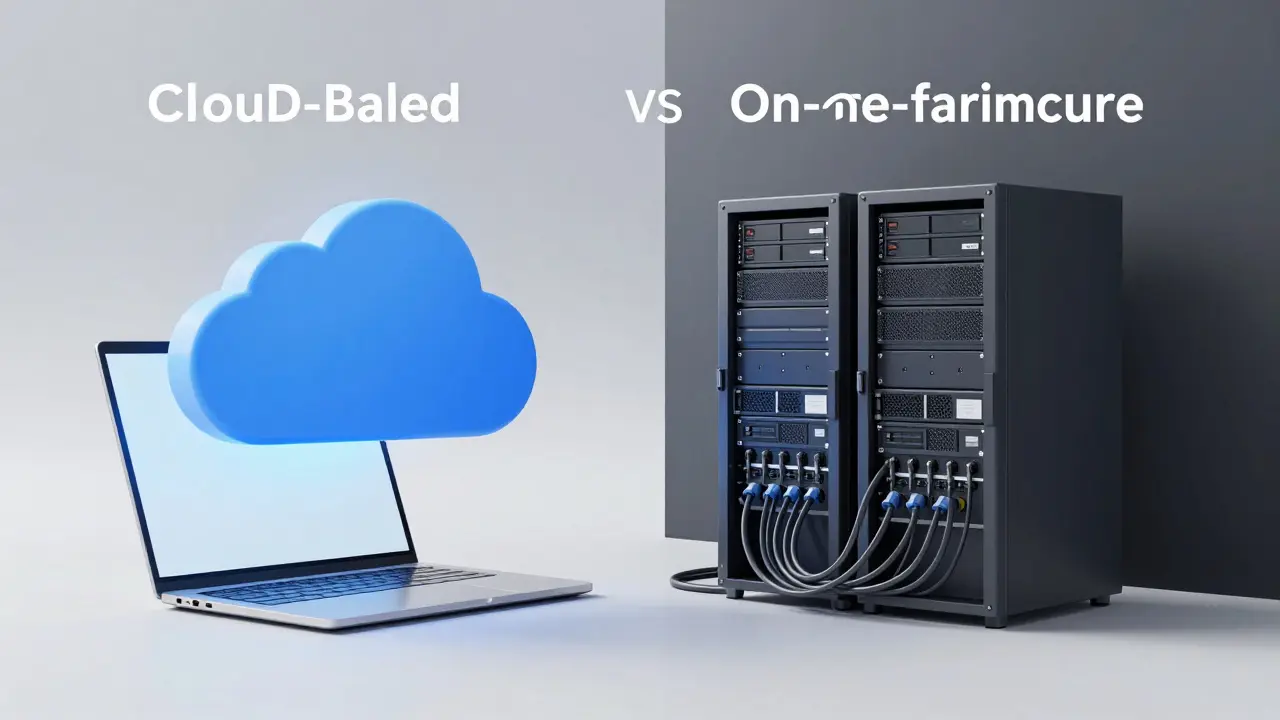
Cloud-Based vs. On-Premise: The Infrastructure Decision
This is the first major fork in the road. Ten years ago, on-premise solutions were standard for security-conscious enterprises. Today, cloud-based SaaS (Software as a Service) models dominate the market, but the choice still matters deeply.
| Feature | Cloud-Based (SaaS) | On-Premise |
|---|---|---|
| Upfront Cost | Low (Subscription fees) | High (Hardware + Licensing) |
| Maintenance | Vendor handles updates/security | Your IT team manages servers |
| Scalability | Infinite, instant scaling | Limited by hardware capacity |
| Data Control | Data lives on vendor servers | Data stays within your firewall |
| Customization | Limited to API/config options | Full code access possible |
For 90% of modern organizations, cloud-based is the smarter move. It shifts the burden of server maintenance, security patches, and uptime monitoring to the vendor. However, if you operate in highly regulated sectors like defense or healthcare where data sovereignty laws are extremely strict, on-premise might still be mandatory. Check your local regulations before dismissing either option.
Essential Features That Actually Matter
Vendors love to list 200 features. Most of them are rarely used. Focus on these core pillars. If a system lacks any of these, keep looking.
1. Intuitive User Interface (UI)
If learners need a manual to find their course, the design has failed. Modern users expect an experience similar to Netflix or Spotify-clean, intuitive, and personalized. Look for drag-and-drop course builders and clear navigation menus. A clunky UI leads to low completion rates, regardless of content quality.
2. SCORM and xAPI Compatibility
You will likely buy content from third-party providers. That content needs to talk to your LMS. SCORM is Sharable Content Object Reference Model, a set of technical standards for web-based e-learning. It ensures that when a user completes a module, the LMS records it. Newer standards like xAPI (Experience API) go further, tracking offline activities and mobile interactions. Ensure your LMS supports both to future-proof your content library.
3. Robust Reporting and Analytics
Administrators need to know who is learning, what they are missing, and how long it takes them. Basic pass/fail reports are useless. You need dashboards that show skill gaps, completion trends over time, and correlation between training and performance metrics. Can you export this data easily? If not, you are stuck with the vendor’s limited view.
4. Mobile Learning Capability
Employees learn on the bus, during lunch breaks, and between meetings. A responsive web design is the bare minimum. A dedicated iOS and Android app is better. Does the app support offline mode? If internet connectivity is spotty in your field operations, offline capability is non-negotiable.
Integration: The Hidden Make-or-Break Factor
An LMS does not exist in a vacuum. It must connect with your existing tech stack. If your LMS cannot talk to your HR system, you will spend hours manually uploading employee lists. If it cannot connect to your CRM, you cannot track how sales training impacts revenue.
Ask about APIs (Application Programming Interfaces). A good LMS offers open APIs that allow developers to build custom connections. Check if they have pre-built integrations with tools you already use, such as Slack, Microsoft Teams, Salesforce, or Zoom. For example, triggering a training module automatically when a new hire is added in Workday saves administrative time and reduces errors.
Evaluating Vendor Support and Total Cost of Ownership
The sticker price is only part of the cost. Consider the Total Cost of Ownership (TCO) over three to five years.
- Implementation Fees: Many vendors charge setup fees ranging from $2,000 to $20,000+ depending on complexity.
- Per-User Costs: Is it per active user or per registered user? Active user pricing scales better for large organizations with high turnover.
- Content Creation Tools: Do you need to buy separate authoring tools like Articulate Storyline or Adobe Captivate? Some LMS platforms include basic builders.
- Support SLAs: What happens when the system goes down on Monday morning? Check response times. Premium support often costs extra but can save days of downtime.
Also, evaluate the vendor’s roadmap. Are they investing in AI-driven recommendations? Virtual reality integration? A vendor that stagnates will force you to migrate again in two years, which is expensive and disruptive.

Top Contenders in the Market (2026 Landscape)
While the "best" LMS depends on your specific needs, several players consistently rank high due to reliability and feature depth.
Docebo is an AI-powered enterprise LMS known for its machine learning capabilities that personalize learning paths. It excels in automation and analytics, making it ideal for large global enterprises. The interface is clean, but the price point is premium.
TalentLMS is a cloud-based LMS focused on ease of use and affordability. It is a strong choice for small to mid-sized businesses that need a quick setup without breaking the bank. It lacks some advanced customization options found in enterprise suites.
Moodle is an open-source LMS platform that offers complete control over code and data. It is free to download, but you pay for hosting, maintenance, and development. It is highly customizable but requires significant technical expertise to manage effectively.
Cornerstone OnDemand is a comprehensive talent management suite that includes LMS functionality alongside performance management. It is best for organizations wanting a unified ecosystem for HR and learning, though it can be complex to configure.
Common Pitfalls to Avoid During Selection
Even experienced buyers make mistakes. Here is how to avoid them.
Buying for the C-Suite, Not the Users: Executives want pretty dashboards. Employees want easy access to content. If you optimize only for executive reporting, adoption will fail. Involve actual end-users in the demo process.
Ignoring Data Migration: Moving old courses, user profiles, and certificates to a new system is messy. Ask vendors specifically about their migration tools and services. Poorly migrated data leads to broken links and frustrated users.
Over-Customizing Early: Resist the urge to tweak every button color and workflow in month one. Launch with standard configurations, gather feedback, then iterate. Over-customization slows down updates and increases technical debt.
Next Steps: Running a Pilot Program
Before signing a multi-year contract, run a pilot. Select a small group of 20-50 users from different departments. Have them create accounts, take a sample course, and provide feedback. Measure the time it takes them to complete tasks. Ask them: "What was frustrating?" "What did you like?" Their honest answers are worth more than any vendor presentation.
Use this pilot to test customer support responsiveness too. Submit a ticket during business hours and one after hours. See how fast they reply. This real-world test reveals the true partnership you are entering.
How much does a typical Learning Management System cost?
Costs vary widely based on deployment and scale. Cloud-based SaaS LMS platforms typically charge $5 to $60 per user per month. Open-source options like Moodle are free to license but require $5,000-$20,000 annually for hosting and maintenance. Enterprise suites with advanced AI and analytics can exceed $100 per user annually. Always ask about implementation fees, which can range from $2,000 to $50,000 depending on customization needs.
What is the difference between SCORM and xAPI?
SCORM (Sharable Content Object Reference Model) tracks basic e-learning events like completion, score, and time spent within a web browser. xAPI (Experience API) is more versatile, allowing tracking of offline activities, mobile app usage, and real-world experiences. xAPI sends data statements to a Learning Record Store (LRS), providing a richer picture of learner behavior compared to SCORM's limited scope.
Should I choose an all-in-one HR suite or a standalone LMS?
Choose an all-in-one suite (like Cornerstone or SAP SuccessFactors) if seamless integration between hiring, performance reviews, and training is critical and you prefer a single vendor relationship. Choose a standalone LMS (like Docebo or TalentLMS) if you need specialized learning features, better flexibility to switch HR systems later, or superior user experience for learners. Standalone LMSs often innovate faster in learning-specific features.
How long does it take to implement a new LMS?
A simple cloud-based LMS with minimal customization can go live in 2-4 weeks. Complex implementations involving data migration from legacy systems, custom branding, and deep integrations with HRIS and CRM systems typically take 3-6 months. Planning for change management and user training should add another 4-8 weeks post-launch to ensure adoption.
Is Moodle a good choice for businesses?
Moodle is excellent for organizations with strong IT resources and tight budgets who need full control over data and customization. However, it requires ongoing technical maintenance, plugin updates, and server management. For businesses lacking dedicated LMS administrators, Moodle can become a burden. Commercial cloud LMSs offer better out-of-the-box usability and support for most corporate environments.
Comments
ravi kumar
I have been working with Moodle for the past five years in a mid-sized tech firm, and I can confirm that the open-source route is only viable if you have a dedicated IT team. The initial cost savings are real, but the hours spent on server maintenance and plugin updates add up quickly. It is not just about downloading the software; it is about sustaining the infrastructure. We eventually migrated to a cloud solution because our developers were too busy fixing bugs instead of building features.
Robert Byrne
You completely missed the point about integration costs. Most vendors hide the API rate limits until you are deep into implementation. If your HRIS syncs daily and you have ten thousand employees, you will hit those caps immediately. Do not trust the sales demo. Check the technical documentation for API constraints before signing anything. It saves months of headache later.
Akhil Bellam
Ah, the naive belief that 'user experience' solves everything! How quaint. Let us be clear: most corporate learners do not care about Netflix-style interfaces if the content is dry. They click through to get their certificate. The real issue is not the UI; it is the lack of enforcement mechanisms. Gamification is a band-aid on a bullet wound. You need mandatory compliance tracking, not points and badges. The elite organizations understand this. They do not waste money on pretty dashboards; they invest in rigid audit trails and immutable logs. Everything else is marketing fluff designed to distract from the core function of control.
Megan Blakeman
That is such an interesting perspective Akhil! I totally see where you are coming from regarding the strict compliance needs. However, I think engagement still matters a lot for long-term retention of knowledge. When people are bored, they just forget what they learned anyway. So maybe there is a happy medium? :) We found that even simple progress bars helped keep our team motivated during the recent safety training rollout.
Amber Swartz
Oh my god, can we talk about the mobile apps crashing? That is literally the worst feeling ever. You are standing in a meeting, trying to pull up a certification, and the app freezes. Then everyone looks at you like you are incompetent. It is so embarrassing. The post mentioned this nightmare scenario, and it is exactly why I refuse to use any LMS without a robust offline mode. My last company had a system that required constant internet connection, and since we traveled a lot, it was useless. Pure disaster.
Tia Muzdalifah
i totally agree with amber. the mobile experience is key these days. most of my team learns on their phones during commutes. if the app is slow or buggy, they just wont use it. also, the article mentioned integrating with slack which is huge for us. getting notifications directly in slack keeps learning top of mind without forcing them to log into a separate portal all the time.
Steven Hanton
The section on defining the actual problem before looking at software is particularly insightful. Too many organizations jump straight to vendor comparisons without understanding their specific pedagogical goals. For instance, if the goal is sales enablement, microlearning modules are essential, whereas compliance training requires detailed audit trails. This distinction cannot be overstated. A one-size-fits-all approach inevitably leads to dissatisfaction among end-users and wasted budget.
Pamela Tanner
It is crucial to consider the total cost of ownership beyond the initial subscription fees. Implementation costs, content creation tools, and premium support packages can significantly impact the budget over time. Organizations should request detailed breakdowns of these expenses during the procurement process. Furthermore, evaluating the vendor's roadmap ensures that the platform will continue to meet evolving business needs without requiring another costly migration in the near future.
Kristina Kalolo
The comparison between SCORM and xAPI is often overlooked by non-technical buyers. Understanding these standards is vital for future-proofing content libraries. While SCORM remains widely supported, xAPI offers more granular data tracking capabilities. This allows for better analysis of learner behavior across different platforms and devices. Buyers should ensure their chosen LMS supports both standards to maximize content flexibility.
Zoe Hill
This guide is super helpful! I especially liked the part about running a pilot program. Testing with a small group first really does catch issues early. Thanks for sharing!