

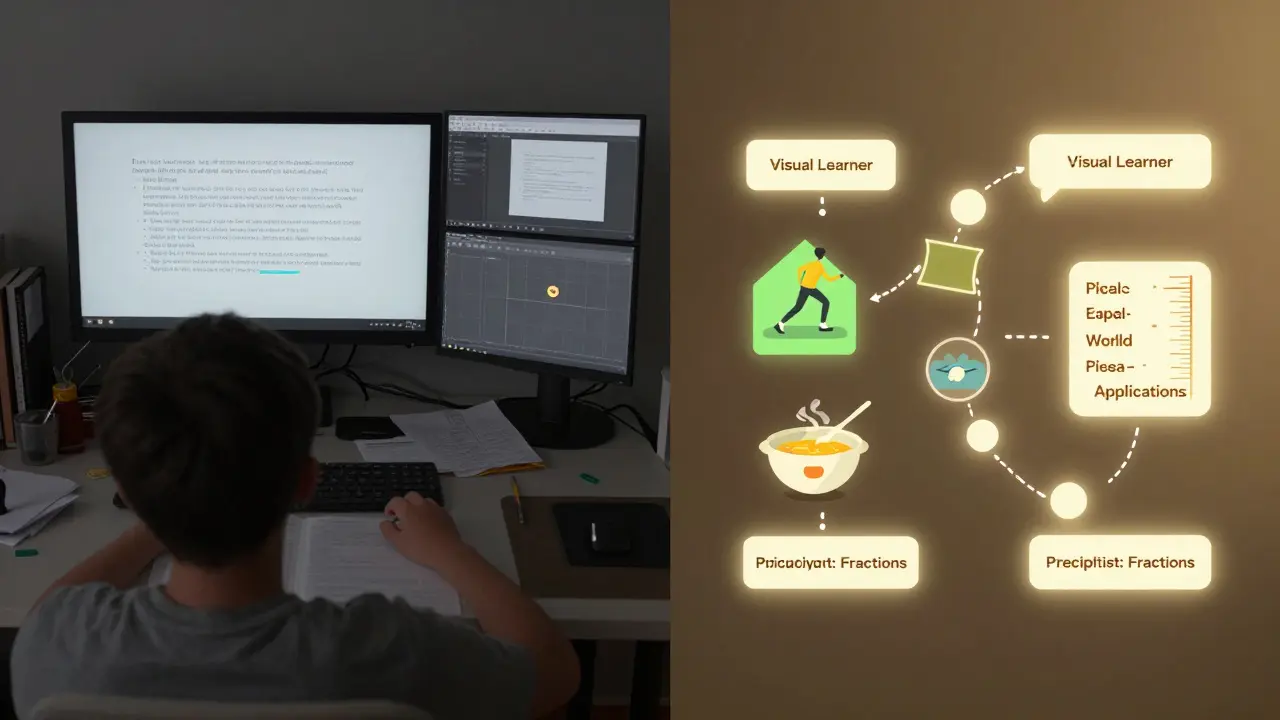
Imagine you're a student struggling with algebra. You click on a lesson, but instead of getting the same generic video everyone else sees, the system instantly serves you a step-by-step visual guide with real-life examples from sports and cooking-things you actually care about. Five minutes later, it switches to a short quiz, then offers a peer discussion forum because it noticed you learn better by talking through problems. This isn’t magic. It’s content tagging and metadata working behind the scenes.
What Exactly Is Content Tagging?
Content tagging is the process of labeling digital learning materials with descriptive keywords or categories. Think of it like putting sticky notes on a bookshelf-not just "Math," but "Grade 9 Algebra," "Visual Learners," "Slow Pace," "Real-World Applications," "Requires Prior Knowledge of Fractions." These tags turn static content into smart, responsive pieces that can be matched to individual learners.
Without tags, a learning platform is like a library with no catalog. You can walk in, but finding what you need? Good luck. With proper tagging, systems know exactly which resource to pull when a student gets stuck on quadratic equations-or when they’re acing them and need something harder.
Metadata: The Brain Behind the Scenes
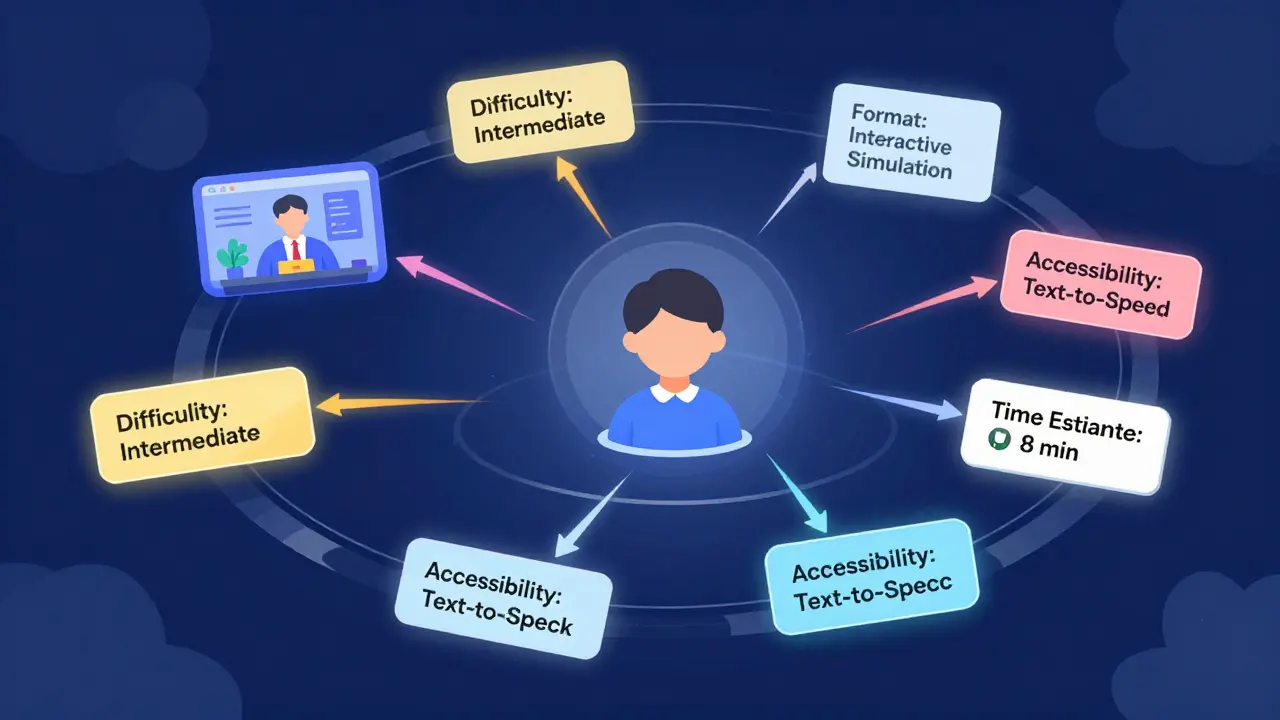
Metadata is the data about data. In learning systems, it includes things like:
- Difficulty level: Beginner, Intermediate, Advanced
- Learning objective: "Solve linear equations using substitution"
- Format: Video (5 min), Interactive Simulation, Text Summary, Quiz (10 questions)
- Prerequisite skills: "Must understand basic operations"
- Time estimate: 8 minutes
- Accessibility: Closed captions available, screen-reader friendly
- Engagement type: Individual, Collaborative, Gamified
These aren’t just labels. They’re instructions. When a student logs in, the system checks their profile: past performance, preferred formats, time available, learning pace, even emotional cues from interaction patterns. Then it matches those with metadata tags to build a custom path.
One study from Stanford’s Center for Education Policy Analysis tracked over 12,000 high school students using metadata-driven platforms. Those with personalized content paths improved test scores by 22% on average compared to those receiving the same materials in a one-size-fits-all format.
How Adaptive Delivery Actually Works
Adaptive delivery isn’t just showing different content to different people. It’s a live feedback loop:
- A student starts a module tagged as "Intermediate Algebra."
- The system notices they spend 3 minutes on the first example, then pause and rewatch it twice.
- It checks the metadata: this example assumes prior knowledge of factoring. The student’s history shows they skipped that unit.
- Before moving on, the system auto-inserts a 4-minute refresher video tagged "Prerequisite: Factoring Polynomials" and "Visual Learner Friendly."
- After the refresher, the student gets a new version of the original problem with different numbers and a real-world context (calculating savings over time).
- They get it right on the first try. The system skips the next three practice problems and jumps to a challenge question.
This isn’t hypothetical. Platforms like Khan Academy, Duolingo, and DreamBox use this exact model. They don’t guess what you need-they measure, tag, and respond.
Why Poor Tagging Breaks Adaptive Learning
Not all tagging is created equal. I’ve seen schools spend $50,000 on adaptive platforms that still deliver the same content to everyone. Why? Bad metadata.
Tagging "easy" or "hard" is useless. Too vague. What’s easy for one student is impossible for another. Effective tagging needs:
- Specific skills, not broad topics
- Quantifiable difficulty based on real student data
- Multiple tags per resource (not just one)
- Regular updates as student performance trends change
One high school in Wellington tried tagging all math videos as "High School Math." The system couldn’t tell the difference between a lesson on graphing lines and one on logarithms. Students got stuck constantly. After they rewrote tags using the New Zealand Curriculum standards-listing exact achievement objectives like "Solve simultaneous equations with two variables"-completion rates jumped 40% in three months.
Building Tags That Actually Work
Here’s how to create tags that make adaptive delivery real:
- Start with curriculum standards-Use official learning outcomes as your base. Don’t invent your own categories.
- Tag by skill, not subject-"Solve quadratic equations" > "Algebra II"
- Use 5-8 tags per resource-Mix format, skill, difficulty, prerequisite, accessibility, and engagement type.
- Let data refine tags-If 70% of students who watch a video fail the next quiz, the tag might need a prerequisite added.
- Include learner preferences-Tag videos as "Audio-Friendly," "Text-Heavy," or "Game-Based" based on how students interact.
Teams that do this right don’t just tag content-they tag learning behaviors. They track not just what students do, but how they do it. Did they skip ahead? Rewind? Pause for 20 seconds? That’s data. And that data becomes the next tag.
Real-World Example: A Student’s Journey
Meet Tama, 16, from Tauranga. He’s a visual learner who hates reading long texts. He’s also dyslexic. His learning platform has a tag on every resource: "Dyslexia-Friendly: Yes/No," "Visual Aid Level: Low/Medium/High," "Text-to-Speech Available."
When he opens a lesson on photosynthesis:
- He gets a 3-minute animated video with labeled diagrams (tagged: "Visual Aid Level: High", "Text-to-Speech: Yes").
- There’s no paragraph-long explanation. Just a 30-word summary under the video.
- After the video, he gets a drag-and-drop diagram activity (tagged: "Interactive," "Low Text Load").
- He finishes in 12 minutes. The system notices he didn’t click on the optional reading. So it doesn’t push it next time.
Three weeks later, he’s leading a group project on plant growth. He didn’t just learn the content-he learned how to learn.

What Happens Without This System?
Without smart tagging and metadata, adaptive delivery collapses into random personalization. You might get a different video, but it’s not based on your needs-it’s based on what’s popular, or what the teacher uploaded last week.
Students who need help get buried under too much text. Fast learners get bored. Teachers waste hours trying to manually assign materials. Equity gaps widen because students without strong reading skills or access to quiet spaces fall further behind.
It’s not about technology. It’s about design. And design starts with tagging.
Future of Tagging: AI and Real-Time Adjustment
Now, some platforms are moving beyond static tags. AI can now analyze a student’s typing speed, mouse movements, hesitation patterns, and even facial expressions (with consent) to adjust content in real time.
One pilot in Auckland high schools used AI to detect frustration signals-like repeated backspacing or long pauses-then triggered a calming prompt and offered a simpler version of the problem. Students who used it reported 35% less anxiety during online assessments.
But even AI needs good tags to work. Without clear metadata, AI just guesses. And guesses fail.
Getting Started Today
You don’t need a $100,000 system to start. Here’s your 3-step plan:
- Pick one unit-Choose a lesson your students struggle with.
- Tag everything-Add at least 5 metadata fields: skill, format, difficulty, time, accessibility.
- Track outcomes-See who finishes, who stalls, who skips. Adjust tags based on what you see.
That’s it. No fancy software required. Just intentionality.
Adaptive delivery isn’t about making learning easier. It’s about making it meaningful. And meaning comes from matching content to the person-not the other way around.
What’s the difference between content tagging and metadata?
Content tagging is the act of applying labels to learning materials-like "Visual Learner" or "Grade 10." Metadata is the structured data behind those tags, including specific values like difficulty level, time estimate, prerequisites, and accessibility features. Tags are the visible labels; metadata is the detailed information that makes adaptive systems work.
Can I use content tagging in a classroom without a learning platform?
Yes. Even simple tools like Google Drive or OneNote can use folders and naming conventions as tags. Label files as "Grade9_Algebra_Visual_5min" or "Prerequisite_Fractions_Text_Heavy." You can manually group students by tag types-like assigning visual learners to videos and auditory learners to audio summaries. It’s low-tech, but it works.
How do I know if my tags are effective?
Look at completion rates, time spent per resource, and quiz scores. If students with the same tag consistently perform well, your tags are working. If students with "Beginner" tags keep failing, your tag might be mislabeled. Use student behavior-not guesswork-to refine them.
Does content tagging work for adult learners?
Absolutely. Adult learners have diverse goals, prior knowledge, and time limits. A nurse returning to school needs different support than a recent high school grad. Tagging by real-world context-like "Healthcare Applications" or "Workplace Scenarios"-helps adults connect learning to their lives, increasing retention and motivation.
What’s the biggest mistake people make with tagging?
Using vague or too few tags. Labels like "Easy" or "Math" don’t help. Effective tagging is specific: "Solve Linear Equations Using Substitution," "Requires Knowledge of Order of Operations," "Video (4 min), Text-to-Speech Available." The more precise the tag, the better the system can adapt.
Comments
John Fox
So basically you’re saying if you label stuff right, computers can teach better than teachers? Cool. I’ll just let my phone tutor my kid now.
Tasha Hernandez
Oh great. Now AI’s gonna read my kid’s facial expressions and decide they’re ‘frustrated’ because they blinked too slow. Next they’ll flag me for ‘low emotional engagement’ because I didn’t smile during homework. This is dystopia with a UI upgrade.
Franklin Hooper
Content tagging isn’t metadata. Metadata is structured data. Tags are labels. You conflated the two. And you used ‘like’ as a conjunction three times. That’s not grammar. That’s surrender.
saravana kumar
This is what happens when Americans think technology solves everything. In India, we teach by discipline, repetition, and respect-not by tagging videos as ‘Visual Aid Level: Medium.’ Your system would collapse if a student forgot their password.
Tamil selvan
I appreciate the depth of this analysis. Truly, the precision with which you’ve outlined metadata taxonomy is commendable. However, I must respectfully suggest that the integration of emotional intelligence metrics-such as hesitation patterns-requires robust ethical oversight. Without clear consent protocols, we risk normalizing surveillance under the guise of personalization.
Mark Brantner
Wait so you’re telling me Khan Academy’s not magic?? I thought they had wizards behind the screen 😅 I mean… I guess tagging is kinda like Spotify for homework? ‘You liked this quadratic video, here’s 7 more like it!’
Christina Morgan
I teach ESL adults in Chicago. We don’t have fancy platforms. But I label every handout: ‘Audio-Friendly,’ ‘Low Text,’ ‘Workplace Context.’ One student, a warehouse supervisor, finally passed his GED because he got the ‘Real-World Scenarios’ version of fractions. This isn’t tech. It’s care.
Anuj Kumar
They’re tracking mouse movements now? Next they’ll track your heartbeat during tests. This is how they build the education matrix. They want you to believe this is helping. It’s not. It’s control.
Kathy Yip
I wonder if this system would’ve helped me in high school. I was the kid who needed things explained three different ways. I got labeled ‘slow’ because I didn’t fit the mold. But if the system had seen me rewatching videos, pausing to sketch diagrams… maybe I wouldn’t have quit math. Just… food for thought.
Bridget Kutsche
This is the kind of thing that changes lives. I’ve seen students who hated reading light up when they got a 2-minute animated breakdown instead of a textbook page. You don’t need AI. You just need to listen. And tag accordingly. Start small. One lesson. One student. One tag. It adds up.
Jack Gifford
Love this. I work in curriculum design and we’ve been fighting this battle for years. Teachers are tired of being tech support for platforms that don’t work. But when you give them simple tagging tools-like color-coded folders in Google Drive-they feel empowered. It’s not about the tech. It’s about giving them back control.
Nathan Pena
Let’s be honest: this entire model is a corporate fantasy built on the backs of underpaid educators who now have to become data entry clerks. You call it ‘intentionality.’ I call it administrative bloat dressed up as innovation. And don’t get me started on the ‘AI detects frustration’ nonsense. That’s not intelligence. That’s a poorly trained model reading blinking as anxiety. You’re automating bias.
Mike Marciniak
They’re tagging dyslexia? Who’s deciding what ‘dyslexia-friendly’ means? What if the system mislabels a kid? What if it decides they’re ‘not visual enough’ and locks them out? This isn’t personalization. It’s algorithmic discrimination with a pretty dashboard.