

You hit record. You edit the footage. You upload your new course video. Then you get the email. A takedown notice. Or worse, a cease-and-desist letter from a music publisher or a textbook author. It happens to almost every educator who goes digital without checking the fine print first.
Creating online courses is no longer just about teaching; it’s about legal compliance. The days of slapping a popular song over your slides and hoping no one notices are gone. With algorithms scanning content on platforms like YouTube, Udemy, and Teachable, getting caught is easier than ever. But here is the good news: you don’t need a law degree to stay safe. You just need to understand how copyright law applies to educational media.
The Myth of "Fair Use" in Online Courses
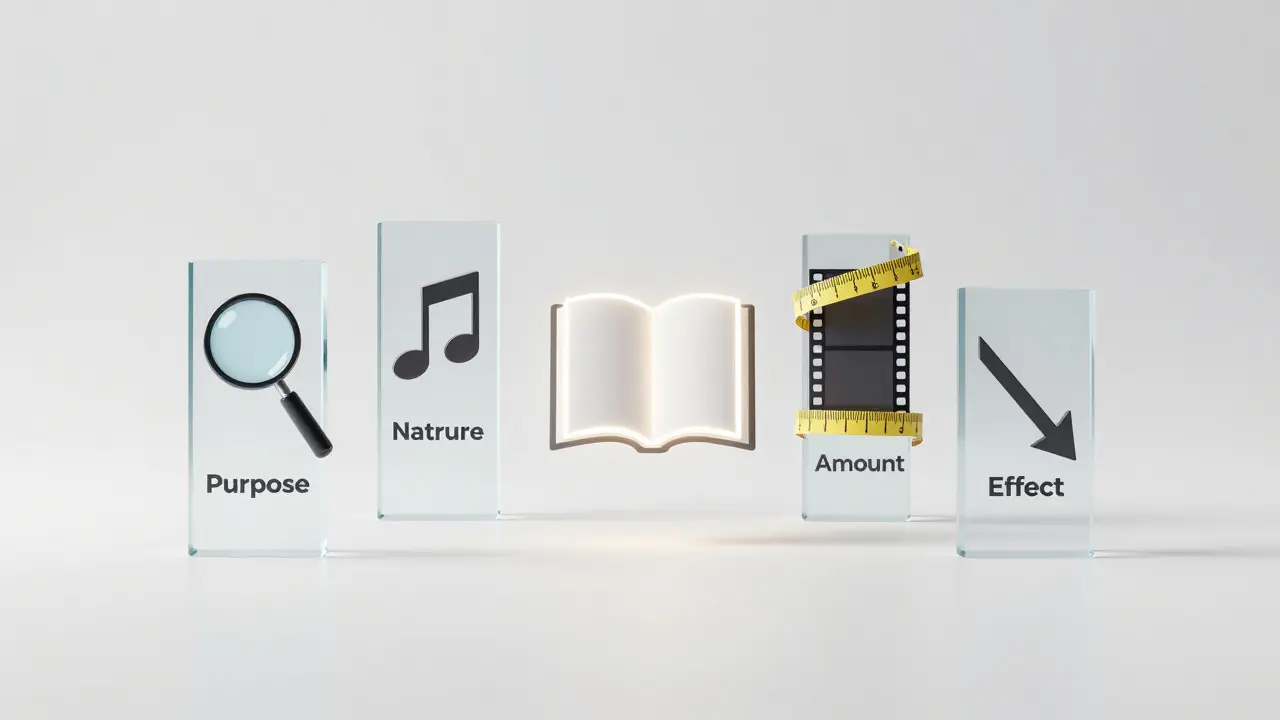
We have all heard the phrase "fair use." It sounds like a free pass. Many educators believe that because their course is non-profit or purely educational, they can use any image, clip, or song they want. This is dangerous thinking. Fair use is a legal defense, not a right. It is determined by a judge after you have already been sued, based on four specific factors.
- Purpose and character: Is your use transformative? Are you adding new meaning, commentary, or criticism? Simply reposting a chart from a news site does not count as transformative. Explaining why that chart is misleading might.
- Nature of the copyrighted work: Using factual data (like a stock market graph) is safer than using highly creative works (like a scene from a movie).
- Amount used: Did you use the whole song or just five seconds? Even short clips can be infringing if they constitute the "heart" of the work.
- Effect on the market: Does your video replace the need to buy the original work? If students watch your clip instead of buying the DVD, you are hurting the market value.
In an online course, the fourth factor is often the killer. If your course is sold publicly, courts view it more like a commercial product than a classroom lecture. The safest bet? Assume fair use doesn't apply unless you are heavily commenting on or critiquing the specific piece of media.
Understanding Educational Licenses
If fair use is risky, what is the alternative? Licensing. When you license content, you are paying for permission to use it. For course creators, there are three main buckets of licenses you will encounter.
First, there is Royalty-Free Music. Despite the name, "royalty-free" does not mean free. It means you pay once (or subscribe) and do not owe ongoing royalties every time someone watches your video. Services like Epidemic Sound or Artlist are industry standards. They offer high-quality tracks that won’t trigger copyright bots. However, read the terms. Some require attribution, and some limit where you can host the video (e.g., only on personal websites, not on third-party marketplaces).
Second, consider Creative Commons (CC) licenses. These are widely used for images, videos, and audio. CC licenses range from very open (CC0, which is public domain) to restrictive (NC-ND, which means Non-Commercial and No Derivatives). Be careful with the "Non-Commercial" tag. If you sell your course, even for $10, many CC licensors consider that commercial. Stick to CC-BY (Attribution required) or CC0 for maximum safety.
Third, look into Educational Publishing Rights. If you are quoting from textbooks or academic journals, you might fall under specific educational exceptions depending on your country. In the US, the TEACH Act provides some protections for accredited nonprofits, but it has strict technical requirements (like limiting access to enrolled students only). If you are selling a course to the general public, the TEACH Act likely does not protect you.
Visual Assets: Images, Graphics, and Stock Footage
Video is visual. You need backgrounds, charts, and b-roll. Searching Google Images and right-clicking "Save As" is the fastest way to get sued. Instead, build a library of safe assets.
- Public Domain Archives: Sites like Wikimedia Commons or the Library of Congress offer millions of images that are free to use because their copyrights have expired or were never claimed.
- Stock Photo Subscriptions: Platforms like Shutterstock or Adobe Stock allow you to download images for editorial and commercial use. Ensure you have the correct license tier for video overlays.
- Create Your Own: The ultimate copyright protection is creating the asset yourself. Canva and PowerPoint make it easy to create custom graphics. Since you made them, you own them.
A pro tip: Always keep a record of where you got your assets. Save the license agreement, the URL, and the date of download. If you are audited later, this paper trail is your insurance policy.
Audio and Music: The Biggest Risk Area
Music is where most course creators stumble. A 30-second clip of a Beatles song in the background of your intro can cost you thousands in damages. Why? Because music involves two separate copyrights: the composition (the lyrics and melody) and the sound recording (the actual performance). You need permission for both.
To avoid this, use dedicated Background Music Libraries designed for creators. These libraries clear the rights for you. Another option is to use silence or ambient noise. Sometimes, less is more. Let your voice carry the weight. If you must use music, ensure it fades out during key explanations so it doesn’t distract from the educational content.
Software and Screen Recording
Many courses involve screen recordings of software. Is it okay to show Microsoft Excel or Adobe Photoshop in your tutorial? Generally, yes. Most major software companies allow screenshots and screen captures for educational purposes in their End User License Agreements (EULAs). However, always check the specific EULA. Some niche software restricts this. Also, avoid showing sensitive data. Blur out names, addresses, and financial figures before hitting record.
Student Work and Guest Speakers
What if you want to feature student projects or interview experts? You need a release form. A Model Release Form grants you permission to use a person’s likeness. An Intellectual Property Assignment ensures you own the rights to the student’s project if they created it specifically for your course. Never assume consent. Get it in writing.
| Asset Type | Risk Level | Safe Source Examples | Key Consideration |
|---|---|---|---|
| Popular Music | High | Epidemic Sound, Artlist | Check sync rights for video |
| Google Images | Very High | None (use search filters) | Most are copyrighted |
| Textbook Excerpts | Medium | Direct Publisher License | Fair use is weak for sales |
| CC0 Images | Low | Unsplash, Pexels | No attribution needed |
| Self-Created Graphics | None | Canva, Photoshop | You own full rights |
Platform-Specific Rules
Where you host your course matters. YouTube uses Content ID, an automated system that scans uploads against a database of copyrighted material. If you use unlicensed music, your video gets muted or demonetized instantly. Udemy and Skillshare have their own guidelines. Udemy, for example, requires you to warrant that you have all necessary rights to the materials you upload. If a third party claims infringement, Udemy may remove your course and ban your account. Always review the Terms of Service of your hosting platform.
Building a Copyright-Safe Workflow
Don't wait until the end to check your assets. Build safety into your production process.
- Plan Ahead: Before scripting, decide on your media strategy. Will you use stock footage? Create your own?
- Source Carefully: Only download from reputable sources. Keep receipts.
- Attribute Correctly: If a license requires credit, put it in the video description or on-screen. Do not hide it.
- Review Before Publish: Have a second pair of eyes check your media list against your source files.
- Update Regularly: Licenses can change. Re-check your assets if you republish old courses.
Copyright isn't meant to stop you from teaching. It’s meant to protect creators. By respecting these rules, you protect your business and set a professional standard for your students. Safe content builds trust. And trust is the foundation of any successful online course.
Can I use YouTube videos in my paid course?
Generally, no. Embedding a YouTube video might be allowed if the creator permits it, but downloading and re-uploading their footage to your course platform usually violates their copyright and YouTube's Terms of Service. Always ask for written permission or use the embed feature if your platform supports it, noting that this relies on the original video remaining available.
Is "Royalty-Free" music actually free?
No. "Royalty-free" means you do not pay recurring fees (royalties) every time the track is played. However, you typically pay an upfront fee or a subscription to license the track. True free music is usually labeled as "Public Domain" or "Creative Commons Zero (CC0)."
How much of a song can I use under Fair Use?
There is no magic number of seconds. While some people cite a "5-second rule," it is not a legal standard. Even a few seconds can be infringing if it is the recognizable hook of the song. Fair use depends on context, transformation, and market impact, not just duration.
Do I need a license for fonts used in my course slides?
Yes, fonts are copyrighted software. Most standard fonts (Arial, Times New Roman) come with licenses that allow display in documents and videos. However, decorative or premium fonts often require a specific "Desktop" or "Webfont" license. Check the font foundry's website before embedding them in PDFs or videos.
What happens if I get a copyright strike on Udemy?
Udemy typically removes the infringing content immediately. If you receive multiple strikes, your instructor account may be suspended or terminated permanently. To resolve a single strike, you must either remove the content, replace it with licensed material, or provide proof of permission from the copyright holder.
Comments
Lisa Puster
another article trying to scare the little people into paying for stuff they should have free access to its all about control really. you think these big corps care about your course? no they want to squeeze every penny out of educators who are already struggling. i bet if you just uploaded it nothing would happen most of the time but sure lets read this boring legal jargon
Joe Walters
lol fair use is a myth created by lawyers to make money off confused teachers. i mean like seriously who reads terms of service? nobody. just slap some royalty free music on there and hope for the best. also why does everyone think they need a degree in law to make a video its so pretentious honestly
Robert Barakat
the concept of ownership in the digital realm is an illusion we construct to maintain social order. when you upload a video you are not sharing information you are participating in a ritual of validation that has no inherent meaning beyond the algorithmic gaze. perhaps we should question why we feel the need to protect our creations at all
Michael Richards
stop making excuses for being lazy. if you cant afford a license then maybe you shouldnt be selling a course. its that simple. professional educators know how to navigate these waters without crying about fair use. get your act together or stay amateur. the market doesnt care about your feelings
Laura Davis
i totally get the stress around this stuff because ive been there! but hey dont let it stop you from creating amazing content. just take it one step at a time and remember that protecting your work is actually empowering. you deserve to be compensated for your hard work so yeah check those licenses and keep going strong!
Lisa Nally
actually the nuance here is quite complex regarding the specific jurisprudence surrounding transformative works under section 107 of title 17. many creators fail to understand that commercial intent shifts the burden significantly towards the defendant. furthermore the distinction between synchronization rights and mechanical rights is often overlooked which leads to costly litigation down the line. one must be meticulous with attribution protocols as well
Edward Gilbreath
they want to track everything you do. the algorithms are watching. its not about copyright its about data harvesting. once you pay for that license they own your viewing habits too. wake up sheeple. just use public domain stuff from the library of congress and ignore the rest of this corporate propaganda
kimberly de Bruin
silence is golden. why do we need noise in education anyway. the mind needs space to breathe and process information without the distraction of background tracks that serve only to fill voids in the presenter confidence. true teaching requires vulnerability not audio padding
Edward Nigma
everyone says fair use is risky but honestly i think the system is rigged against small creators while huge corporations steal left and right. its hypocritical. i used a clip yesterday and got hit instantly while Netflix uses whatever they want. its a joke really. just ignore the rules until they come after you personally
Francis Laquerre
in my experience working with international teams the interpretation of these laws varies wildly across borders. what is acceptable in the us might be completely different in europe or asia. it creates a fascinating cultural friction where educators must navigate not just legal frameworks but also societal expectations regarding intellectual property. it is truly a global puzzle
michael rome
it is indeed prudent to consider the long term implications of one's media choices. many individuals overlook the significance of maintaining a comprehensive audit trail which can prove invaluable during disputes. furthermore establishing a clear protocol for asset acquisition prior to production ensures a smoother workflow and mitigates potential legal exposures effectively
Andrea Alonzo
i found this article incredibly helpful especially the part about keeping records of where assets came from because i always forget to save those links and then panic later when something goes wrong. it makes me feel much more confident about starting my next project knowing that i have a checklist to follow and that i am not alone in figuring this out which is really reassuring
Saranya M.L.
the pedagogical implications of copyright compliance extend far beyond mere legal adherence as they fundamentally shape the epistemological framework within which knowledge is disseminated. educators must recognize that licensing agreements are not merely bureaucratic hurdles but rather structural components of the academic ecosystem that ensure the sustainability of creative industries while simultaneously fostering a culture of respect for intellectual labor and innovation
om gman
oh great another lecture on how to be a good little citizen of the internet. nobody asked. you guys are so boring with your rules and regulations. just live life and create art without worrying about some imaginary lines drawn by suits in high towers. its suffocating really
Jeanne Abrahams
here in south africa we deal with similar issues but the local context adds another layer of complexity given our unique history and economic disparities. it is ironic that the same laws meant to protect creators often end up stifling local talent who cannot afford expensive licenses. we need solutions that are accessible to everyone not just the wealthy few