


You’ve spent weeks building a stellar training module. The content is sharp, the visuals are crisp, and the assessment logic works perfectly in your authoring tool. Then you upload it to your Learning Management System (LMS), hit publish, and... nothing happens. Or worse, the tracking breaks. The user finishes the course, but the LMS marks it as "incomplete."
This frustration usually comes down to one thing: how your course talks to your LMS. That conversation happens through standards known as course packaging and deployment protocols, specifically SCORM, xAPI, and cmi5. These aren't just technical jargon; they are the translators that ensure your learning data moves from the course player to the database correctly.
If you are managing an LMS or creating e-learning content, understanding these three standards is non-negotiable. They determine what data you can collect, how reliable that data is, and whether your mobile learners can actually access their training. Let’s break down exactly how each one works, when to use which, and how to deploy them without headaches.
The Foundation: What Is Course Packaging?
Before diving into the specific standards, we need to understand the container. Think of a course package like a shipping box. You don’t send loose files (HTML, video, images, JavaScript) individually to an LMS. That would be chaotic and insecure. Instead, you zip everything into a single, structured file.
This "box" contains two critical things:
- The Content: The actual slides, videos, and quizzes.
- The Manifest: A text file (usually XML) that acts as the instruction manual for the LMS. It tells the system where the start page is, how many assets there are, and most importantly, which standard to use for communication.
When you export from tools like Articulate Storyline, Adobe Captivate, or Camtasia, you are essentially choosing which language this manifest speaks. That choice dictates the entire lifecycle of the course deployment.
SCORM: The Reliable Workhorse
SCORM (Sharable Content Object Reference Model) has been the industry standard since 2001. Developed by the US Department of Defense, it was designed to solve the exact problem of interoperability between different software systems.
Most people refer to "SCORM" generally, but you’ll often see versions like SCORM 1.2 and SCORM 2004. For 90% of corporate training needs, SCORM 1.2 is still the king. Why? Because it is simple, universally supported, and does exactly what it promises.
How SCORM Tracks Data
SCORM uses a specific set of API calls to communicate with the LMS. When a learner clicks "Start," the course sends a message: "Initialize session." When they finish, it sends: "Complete." It tracks basic metrics:
- Completion status (passed/failed/incomplete)
- Score (if applicable)
- Time spent in the course
- Bookmark position (so users can resume where they left off)
The Limitation: SCORM operates on a "session" basis. It only knows what happens while the course window is open. If a learner watches a video inside the course, then closes the browser to take notes, SCORM stops tracking. It cannot see what happens outside the LMS environment. This is known as the "walled garden" problem.
When to Use SCORM
Use SCORM when:
- You need broad compatibility across multiple LMS platforms (Moodle, Canvas, Cornerstone, etc.).
- Your training is linear and self-contained.
- You only need to track completion and basic scores.

xAPI (Tin Can): Breaking Out of the Box
In 2013, the Advanced Distributed Learning (ADL) initiative released xAPI (Experience API, formerly known as Tin Can API). This was a radical shift. Instead of asking "Did the user complete the course?", xAPI asks "What did the user do?"
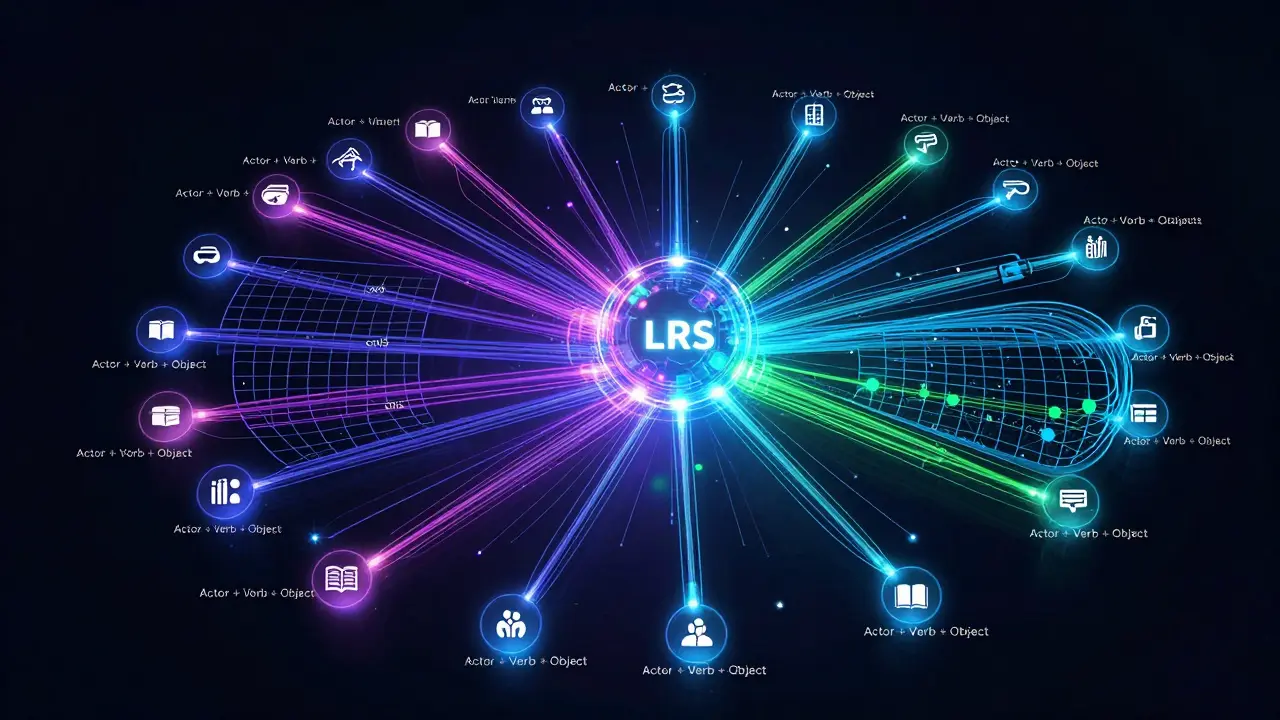
xAPI doesn't rely on a central LMS to store data immediately. Instead, it sends statements to a Learning Record Store (LRS). An LRS is a specialized database designed to handle high volumes of granular data.
The Power of Statements
Every interaction in xAPI is recorded as a statement following a simple structure: Actor + Verb + Object.
- John Smith watched the Safety Video.
- John Smith passed the Quiz with a score of 85%.
- John Smith practiced the welding technique in the VR simulator.
This allows you to track learning experiences far beyond traditional e-learning. Did the employee read a PDF? Did they attend a live workshop? Did they fix a bug in the code? xAPI can capture all of it.
Challenges with xAPI
While powerful, xAPI introduces complexity. You need an LRS. Not all LMS platforms have a built-in LRS. If your LMS doesn't support it natively, you might need a third-party integration. Furthermore, because the data structure is flexible, ensuring consistency across different courses requires careful planning. If one developer uses the verb "watched" and another uses "viewed," your analytics will be messy.
When to Use xAPI
Choose xAPI when:
- You want to track informal learning and real-world performance.
- You are using simulations, VR/AR, or blended learning environments.
- You need deep analytics to correlate training with job performance.
cmi5: The Bridge Between Standards
cmi5 (Competency Management Interface 5) is the newest major player, officially released in 2018. It is essentially a profile of xAPI. Think of it as xAPI with guardrails.
The ADL created cmi5 to solve the fragmentation issues of early xAPI. While xAPI lets you define any verb or object, cmi5 restricts you to a specific set of allowed verbs, objects, and activities. This ensures that every cmi5 course communicates in the exact same way.
Why cmi5 Matters for Compliance
Because cmi5 is standardized, it makes compliance reporting much easier. In industries like healthcare, finance, or government, auditors need to know exactly what training was completed and when. cmi5 provides a consistent data model that maps directly to competency frameworks.
Unlike SCORM, which ends the session when the user closes the window, cmi5 maintains a persistent connection to the LRS. It also handles launch sequences more robustly, making it better suited for complex, multi-part learning journeys.
When to Use cmi5
Opt for cmi5 when:
- You require strict data consistency across multiple vendors.
- You are operating in a regulated industry requiring detailed audit trails.
- You want the power of xAPI but need the structure of SCORM.
| Feature | SCORM 1.2 / 2004 | xAPI (Tin Can) | cmi5 |
|---|---|---|---|
| Data Storage | LMS Database | Learning Record Store (LRS) | Learning Record Store (LRS) |
| Tracking Scope | Inside the course only | Any experience (online/offline) | Structured learning paths |
| Complexity | Low | High | Medium |
| Compatibility | Universal | Requires LRS support | Requires cmi5-enabled LMS/LRS |
| Best For | Standard compliance training | Simulations & informal learning | Regulated industries & skill mapping |
Deployment Best Practices: Avoiding Common Pitfalls
Knowing the standards is half the battle. Deploying them correctly is where many projects fail. Here are practical steps to ensure smooth integration.
1. Test in a Sandbox First
Never upload a new course package directly to your production LMS. Create a test user account and a sandbox environment. Upload the course and go through it as a learner. Check if the completion status updates immediately. If you’re using xAPI or cmi5, check the LRS raw data to ensure statements are being sent correctly.
2. Handle Offline Scenarios
With xAPI and cmi5, you can track offline learning. However, you must configure your course to queue statements when there is no internet connection and sync them once connectivity is restored. If you don’t set this up, you’ll lose data whenever a field worker loses signal.
3. Define Your Verbs Early (For xAPI/cmi5)
If you choose xAPI, create a shared vocabulary document before development starts. Decide if you will use "completed" or "finished." Decide if "video" is an object or an activity. Consistency here saves hours of data cleaning later.
4. Check Mobile Responsiveness
SCORM packages often struggle on mobile devices because they rely on heavy JavaScript APIs that some mobile browsers block. If your audience is primarily on phones, consider using a responsive web design approach with xAPI/cmi5, or ensure your SCORM package is optimized for mobile HTML5 players.
Choosing the Right Standard for Your Needs
So, which one should you pick? There is no single "best" option. It depends on your goals.
If you are a small business needing to track mandatory safety training, stick with SCORM. It’s cheap, easy, and works everywhere. Don’t overcomplicate it.
If you are a large enterprise looking to build a holistic view of employee skills, including mentorship, project work, and formal training, invest in an LRS and use xAPI. The initial setup cost is higher, but the long-term insights are invaluable.
If you are in a regulated sector like healthcare or aviation, where proving competency is legally required, look at cmi5. It gives you the granularity of xAPI with the accountability needed for audits.
Remember, the technology serves the pedagogy. Don’t let the standard dictate your learning design. Design the experience first, then choose the packaging method that best captures the evidence of learning you need.
Can I convert SCORM to xAPI?
Yes, but it requires re-authoring or using a conversion tool. Since SCORM and xAPI use different data structures, a direct file conversion often results in loss of functionality. It is usually better to rebuild the course with xAPI tracking in mind from the start.
Do all LMS platforms support cmi5?
Not yet. While adoption is growing among major enterprise LMS providers like Docebo, Cornerstone, and Moodle, many smaller or older systems do not support cmi5 natively. Always check with your LMS vendor before committing to cmi5.
What is an LRS?
An LRS (Learning Record Store) is a database specifically designed to store xAPI and cmi5 statements. Unlike a traditional LMS database, which is optimized for course management, an LRS is optimized for storing vast amounts of granular learning data from various sources.
Is SCORM outdated?
No. SCORM remains the most widely used standard globally. While it lacks the advanced tracking capabilities of xAPI, its simplicity and universal compatibility make it the best choice for straightforward, linear e-learning courses.
How do I troubleshoot tracking issues?
Start by checking the LMS logs for errors. For SCORM, ensure the course is sending the "cmi.core.lesson_status" value correctly. For xAPI/cmi5, inspect the network traffic in your browser’s developer tools to see if statements are being sent to the LRS endpoint. Verify that your firewall isn’t blocking the connection.