

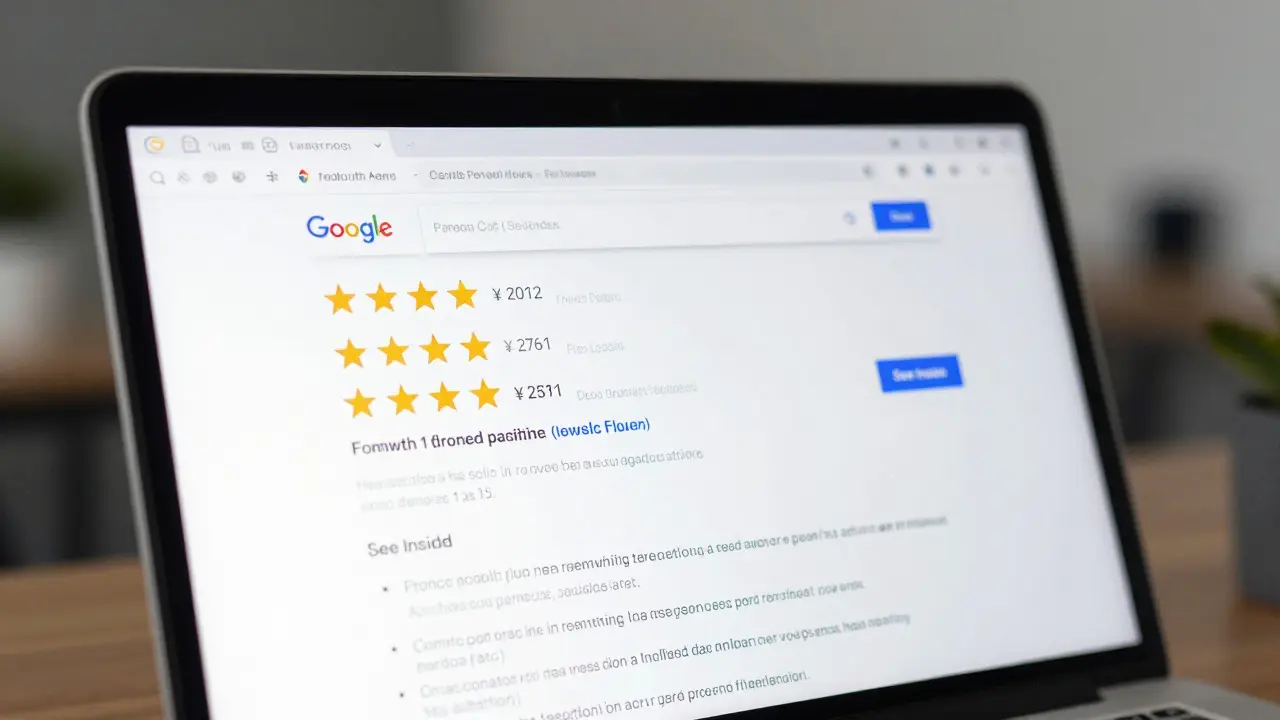
You spent months building a killer curriculum. You recorded high-quality videos, wrote engaging lessons, and set up your payment gateway. But when you search for your topic on Google, your course page doesn’t show up. Instead, big publishers with generic articles dominate the first page. Why? Because they are using structured data and technical SEO tactics that your learning management system (LMS) might be hiding from you.
The good news is that modern course platforms have evolved. They are no longer just content delivery systems; they are powerful publishing engines equipped with built-in tools to help you rank. If you know which settings to toggle and how to use native features like Schema Markup is structured data code that helps search engines understand the context of your content, such as identifying a webpage as an online course with ratings, price, and duration., you can compete with those big players without hiring a developer.
Why Your Course Pages Aren't Ranking Yet
Before we look at the tools, let's talk about why course sites often struggle with Search Engine Optimization is the practice of optimizing website content and structure to improve visibility in organic search results on engines like Google.. A standard blog post is static. It has a title, text, and maybe an image. A course page is dynamic. It has modules, lessons, quizzes, student progress bars, and gated content behind login walls.
Google’s crawler, known as Googlebot, prefers simple, indexable HTML. When your LMS wraps every lesson in a complex JavaScript framework or hides content behind a paywall without providing enough public-facing information, Google gets confused. It doesn't know if your page is a product, a blog post, or a video. Without clear signals, it defaults to treating your page as low-value thin content. The solution isn't necessarily to rebuild your site; it's to leverage the semantic tools already inside your platform.
Leveraging Native Schema Markup for Courses
This is the single most important feature you need to enable. Schema markup is a type of code (vocabulary) that you place on your webpages to help the search engines return more informative results for users. For course creators, the specific type you want is Course schema.
When implemented correctly, this tells Google exactly what your page is. It allows your search result to display rich snippets. These are the enhanced listings that show star ratings, the number of students enrolled, the price, and even a "See Inside" button. This dramatically increases your click-through rate because your listing looks authoritative and trustworthy compared to plain blue links.
Most major platforms handle this automatically, but you need to verify it:
- Kajabi: Automatically injects Course schema into all course landing pages. Ensure your course name, description, and provider details are filled out in the course settings.
- Teachable: Uses automatic schema generation. Check your course URL structure to ensure it includes keywords, as this feeds into the schema data.
- Thinkific: Offers robust schema support. You can customize the meta title and description, which directly influence the headline shown in the rich snippet.
- LearnDash (WordPress): Requires a plugin or theme integration to output proper Course schema. Look for plugins like 'Rank Math' or 'Yoast SEO' which have specific blocks for LMS integration.
To check if your schema is working, use the Rich Results Test is a free tool by Google that validates whether your structured data is eligible for rich results in Search.. Paste your course URL. If you see errors, fix them immediately. Broken schema means zero chance of appearing in those attractive rich snippets.
Optimizing URL Structures and Permalinks
Your URL is one of the first things Google reads. Many course platforms generate ugly URLs by default, looking something like `yoursite.com/courses/12345`. This tells Google nothing about the content. You need clean, keyword-rich URLs.
Look for the "Permalink" or "URL Slug" setting in your course builder. Change that generic ID to a descriptive phrase. For example, change `/courses/12345` to `/courses/advanced-python-for-data-science`. This does two things: it gives Google a strong keyword signal, and it makes the link shareable and readable for humans.
Be careful not to change these URLs after you have been live for a while. If you do, you must set up 301 redirects to pass the existing link equity to the new URL. Otherwise, you will lose any rankings you've built. Set it right from day one.

Mastering Meta Titles and Descriptions
Every course page needs a unique meta title and meta description. These are the snippets people see in the search results. While many platforms auto-generate these based on your course title, they often cut off crucial information or miss key keywords.
Treat your meta title as your primary headline. Keep it under 60 characters so it doesn't get truncated. Include your main keyword near the beginning. For example, instead of "My Photography Course," use "Professional Photography Masterclass: Learn Lightroom & Composition."
The meta description is your sales pitch. Keep it under 160 characters. Focus on the benefit and include a call to action. Mention who the course is for. For instance: "Master portrait photography in 4 weeks. Includes downloadable presets and lifetime access. Perfect for beginners." This clarity helps Google match your page to user intent.
Handling Gated Content and Login Walls
This is where most course creators fail. If your entire course is hidden behind a login, Google can't index the lessons. And if it can't index the lessons, it can't rank them. However, you don't need to give away your premium content for free. You need a hybrid approach.
Create a public-facing landing page for each course. This page should contain:
- A compelling overview of what students will learn.
- Detailed module outlines with lesson titles.
- One or two free sample lessons (unlocked).
- Student testimonials and reviews.
- Frequently Asked Questions (FAQs) about the curriculum.
Use the noindex tag only on the actual internal lesson pages if they require a login and offer no value to non-students. But keep the landing page fully indexed. This way, Google ranks the entry point, and users click through to buy. Platforms like Kajabi and Thinkific allow you to control visibility per asset, making this easy to manage.
Using Internal Linking to Boost Authority
Internal linking is how you tell Google which pages are most important. If you have a blog section on your site, use it to drive traffic to your courses. Write articles that answer common questions related to your niche, then link deeply to your relevant course modules.
For example, if you sell a yoga certification course, write a blog post titled "Benefits of Vinyasa Flow for Stress Relief." In that post, link to your "Vinyasa Techniques Module" within the course. This passes "link juice" or authority from your popular blog posts to your commercial course pages. It also keeps users on your site longer, reducing bounce rates-a positive signal for search engines.
| Platform | Automatic Schema Markup | Custom Meta Tags | URL Customization | Built-in Blogging |
|---|---|---|---|---|
| Kajabi | Yes (Course, Product) | Full Control | Yes | Yes (Pipelines) |
| Teachable | Yes (Basic) | Limited (Requires Pro) | Yes | No (Integrates with WordPress) |
| Thinkific | Yes (Robust) | Full Control | Yes | Yes (Built-in Blog) |
| LearnDash | Plugin Dependent | Depends on Theme/SEO Plugin | Yes | Yes (Native WordPress) |
Speed and Mobile Optimization
Google uses mobile-first indexing. This means it primarily uses the mobile version of the content for indexing and ranking. If your course platform renders slowly on mobile devices, your rankings will suffer. Most modern LMS platforms are responsive, but heavy themes or too many pop-ups can slow things down.
Check your Core Web Vitals. These are metrics measuring loading performance, interactivity, and visual stability. Use Google PageSpeed Insights is a free analysis tool that measures the speed and quality of your web pages on mobile and desktop devices.. Aim for a score above 90. Optimize images before uploading them to your course. Compress videos using external hosts like Vimeo or Wistia rather than uploading directly to your LMS, which can bog down server resources.
Building E-E-A-T Through Instructor Profiles
Google places high value on Experience, Expertise, Authoritativeness, and Trustworthiness (E-E-A-T). For educational content, this is critical. Who is teaching this course? Are they qualified?
Create detailed instructor profiles. Link to their LinkedIn, previous publications, or other credentials. Embed these profiles on your course landing pages. Some platforms allow you to add Person schema to these profiles, further signaling to Google that a real expert is behind the content. This builds trust with both the algorithm and the potential student.
Does having a blog help my course rank higher?
Yes, significantly. A blog allows you to target long-tail keywords that potential students search for before they are ready to buy. By linking from these informational blog posts to your transactional course pages, you build topical authority and drive targeted traffic. It also provides fresh content for Google to crawl regularly.
Should I hide my course content behind a paywall for SEO?
You should hide the actual lessons behind a paywall to protect your intellectual property, but the course landing page must be public. Ensure the landing page contains substantial text describing the curriculum, benefits, and outcomes. Google needs to read this text to understand what the course is about and rank it accordingly.
How often should I update my course metadata?
Update your meta titles and descriptions whenever you change your course offering, pricing, or target audience. Additionally, review them quarterly to ensure they align with current search trends and keywords. Freshness is a minor ranking factor, but relevance is major.
Can I use YouTube videos in my course for SEO?
Embedding YouTube videos can boost engagement time, which is positive. However, for maximum SEO control, host videos on a dedicated video hosting service that offers better privacy controls and analytics, or ensure your YouTube channel is optimized and linked back to your course site. Video schema can also be added to increase visibility in video search results.
What is the best URL structure for a course site?
The best structure is flat and descriptive. Avoid deep nesting like `site.com/category/subcategory/course/module/lesson`. Instead, use `site.com/courses/course-name` for landing pages. Keep URLs short, lowercase, and separated by hyphens. This improves readability for users and clarity for search engine crawlers.
Comments
Iva Grekova
this is such a relief to read because i was convinced i needed to hire an agency to fix my rankings. turns out i just needed to stop using auto-generated urls like /course/12345. changed them all to descriptive slugs last week and already feeling better about it.
Onyinyechi Nwosu
i always forget about the meta descriptions being a sales pitch too. usually just copy paste the title and call it a day but reading this makes me want to go back and rewrite them all to focus on benefits instead of just features.
Chandan Singh
the part about internal linking from blog posts to course modules is spot on. most creators treat their blog as an afterthought but it is actually the best way to build topical authority. write helpful articles that answer specific questions then link deeply to your paid content. it passes link juice and keeps users engaged longer which signals quality to google.
Brannen Hall
schema markup is overrated. google says they use hundreds of signals and structured data is just one small piece of the puzzle. spending weeks tweaking json ld when you should be focusing on content quality is a waste of time. also most platforms do it automatically so why are we even talking about it?
tiffany King
i love how this breaks down the technical stuff into actionable steps. i was so intimidated by terms like core web vitals but realizing i can just compress my images and use vimeo for video hosting makes it feel so much more manageable. ready to get my site speed up!
Brenna Gonedrman
everyone talks about e-e-a-t but nobody explains how to actually implement it properly. having a detailed instructor profile with links to linkedin and other credentials is huge for trust. if google doesnt know who you are they wont rank you high especially for educational content. make sure your bio is robust.
Courtney Wagstaff
the comparison table at the end was super helpful. i was torn between teachable and thinkific but seeing that thinkific has full control over meta tags while teachable limits it unless you pay pro sealed the deal for me. cant afford to have limited seo options right now.
Elisabeth Ballet
stop ignoring mobile optimization! google uses mobile first indexing so if your site looks broken or loads slow on a phone you are losing half your potential traffic. check your pagespeed insights score and aim for above 90. optimize those images before uploading and host videos externally to keep your server light. do this now and thank me later.