

The Hidden Risk of Digital Classrooms
Most people think of a data breach as a corporate disaster involving millions of credit cards. But for an online training platform, the risk is more personal. When you host a Learning Management System (LMS), you aren't just storing emails; you're holding student progress, payment details, and sometimes sensitive identity documents. A single vulnerability can turn your educational hub into a playground for hackers who want to steal user data or lock your content behind ransomware.
If you're running a course, you probably care more about pedagogy than packet filtering. But here is the reality: students will leave your platform the moment they feel their data isn't safe. Security isn't just a technical checkbox; it is the foundation of trust between you and your learners. Let's get into how you actually lock down your platform without making it a nightmare for your students to log in.
Key Security Takeaways
- Implement Multi-Factor Authentication (MFA) to stop 99% of credential-based attacks.
- Use Role-Based Access Control (RBAC) to ensure instructors can't accidentally delete the entire database.
- Encrypt all data at rest and in transit using modern TLS standards.
- Regularly patch your software to close known security holes.
- Audit your third-party plugins, as these are often the weakest links in the chain.
Hardening Your Access Points
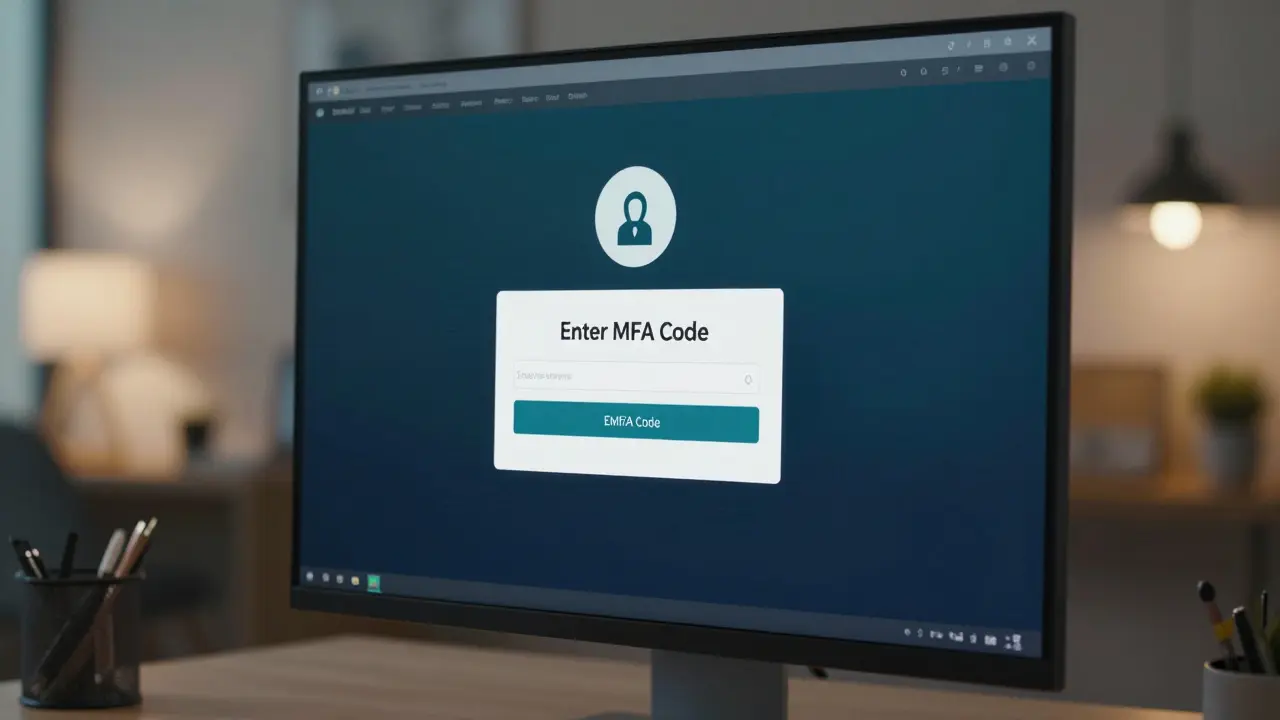
The front door of your platform is the login page. This is where most attacks happen, usually through "credential stuffing," where hackers use lists of leaked passwords from other sites to see if they work on yours. To stop this, you need more than just a complex password requirement. You need Multi-Factor Authentication is a security system that requires more than one method of authentication to verify a user's identity. Commonly known as MFA or 2FA, it adds a layer of protection that makes a stolen password useless on its own.
But don't just force MFA on everyone immediately if you have a non-technical audience; provide clear guides on how to use apps like Google Authenticator or Authy. For your administrative accounts, MFA should be non-negotiable. If an admin account is compromised, the hacker has the keys to the kingdom-they can change pricing, steal all user emails, or shut down the site entirely.
Beyond MFA, look at your session management. If a student logs in from a library computer and forgets to log out, your platform is wide open. Set reasonable session timeouts. If there's no activity for 30 minutes, boot them out. It's a small annoyance for the user but a massive win for security.
Protecting the Data Goldmine
Your database is where the real value lies. Whether you use PostgreSQL is an advanced, open-source relational database that provides high reliability and data integrity or MongoDB, the way you store data determines how much damage a leak does. The first rule is simple: never store passwords in plain text. Use a strong hashing algorithm like Argon2 or bcrypt. This way, even if a hacker dumps your database, they can't simply read the passwords.
Then there is the matter of encryption. Data should be encrypted in two states: "at rest" and "in transit." Transit encryption means using Transport Layer Security is a cryptographic protocol designed to provide communications security over a computer network. The current standard, TLS 1.3, ensures that the data moving between the student's browser and your server cannot be intercepted by a "man-in-the-middle" attack.
For data at rest, focus on the most sensitive fields. You don't need to encrypt a student's favorite color, but you absolutely must encrypt their tax ID or payment tokens. If you're handling payments, stop storing credit card numbers yourself. Use a payment processor like Stripe or PayPal. They take on the massive burden of PCI compliance, so you don't have to.
| Strategy | How it Works | Best For | Security Level |
|---|---|---|---|
| RBAC (Role-Based) | Permissions based on job title (Student, Teacher, Admin) | Standard platforms with clear hierarchies | High |
| ABAC (Attribute-Based) | Permissions based on user traits (Location, Time, Department) | Enterprise training with complex rules | Very High |
| DAC (Discretionary) | Owner of the file decides who sees it | Small, collaborative peer-to-peer sharing | Low |
Managing the Plugin Trap
Most online platforms aren't built from scratch; they use a framework or a Learning Management System is a software application for the administration, documentation, tracking, and delivery of educational courses. Examples include Moodle, Canvas, or custom WordPress setups. To add features like gamification or advanced quizzes, owners often install third-party plugins. Here is the problem: plugins are often written by developers who aren't security experts.
A single outdated plugin can create a "backdoor" into your server. Think of it like a high-security vault with a tiny, unlocked window in the back. Hackers love these vulnerabilities. To manage this, follow a strict "least privilege" rule: if a plugin asks for full administrative access but only needs to send emails, find a different plugin. Periodically audit your list and delete anything you aren't using. Every unused line of code is a potential entry point for an attacker.
Update your core software and plugins the moment a patch is released. Many platforms are breached not because of a sophisticated new attack, but because the owners ignored a security update that had been available for months. If you're afraid an update will break your site, set up a staging environment-a mirror copy of your site where you test the update before pushing it live to your students.

Ensuring Compliance and Privacy
Security is the technical side; compliance is the legal side. If you have students in Europe, you must deal with GDPR is the General Data Protection Regulation, a legal framework that sets guidelines for the collection and processing of personal information from individuals who live in the European Union . If you're targeting K-12 students in the US, COPPA is the Children's Online Privacy Protection Act, which imposes certain requirements on operators of websites or online services directed to children under 13 years of age is your primary concern.
Compliance isn't just about avoiding fines; it's about giving users control. Your platform should have a clear way for students to request a copy of their data or ask for their account to be deleted permanently. This "Right to be Forgotten" is a core part of modern privacy laws. When you build these features into your workflow, you're not just ticking a legal box; you're showing your users that you respect their digital autonomy.
Don't forget your Terms of Service and Privacy Policy. Write them in plain English, not legalese. Tell your students exactly what data you collect, why you need it, and who you share it with. If you use an analytics tool to track how students move through your course, disclose that. Transparency is a powerful deterrent against user distrust.

The Human Element: Training Your Team
You can have the most expensive firewall in the world, but it won't matter if your head instructor clicks a phishing link in an email. Social engineering is the most common way platforms are breached. Hackers don't always break the lock; sometimes they just trick the owner into giving them the key.
Run basic security training for your staff. Teach them how to spot a fake email-look for slightly misspelled domain names (like [email protected] instead of .com) and urgent, threatening language. Encourage a culture where it's okay to report a mistake. If an employee accidentally clicks a suspicious link, they should feel safe telling you immediately so you can reset credentials and scan for malware, rather than hiding it out of fear.
Implement a strict password policy for staff, requiring long passphrases instead of short passwords with random symbols. A phrase like Blue-Elephant-Runs-Fast-2026! is much harder for a computer to crack than P@ssw0rd123, yet it's easier for a human to remember. When combined with MFA, this creates a formidable barrier against unauthorized access.
What is the most common security vulnerability in online training platforms?
The most common vulnerabilities are outdated plugins and weak user authentication. Many platforms rely on third-party extensions that are not regularly patched, leaving "backdoors" open. Additionally, the lack of Multi-Factor Authentication (MFA) allows hackers to use stolen passwords from other breaches to gain access to accounts through credential stuffing.
Do I need to be PCI compliant if I sell courses online?
Yes, if you handle credit card data, you must comply with the Payment Card Industry (PCI) standards. However, the easiest way to do this is to use a "PCI-DSS compliant" payment gateway like Stripe, PayPal, or Square. By redirecting the payment process to these providers, you ensure that sensitive card data never touches your own servers, which drastically reduces your compliance burden and risk.
How often should I perform a security audit on my LMS?
At a minimum, you should conduct a full security review every six months. However, you should perform a "mini-audit" every time you add a new major plugin or update your core system. A professional penetration test-where a security expert tries to hack your site-should be done annually to find vulnerabilities that automated scanners might miss.
How can I protect my course content from being pirated?
While it's impossible to stop piracy 100%, you can make it harder. Use signed URLs for your videos so links expire after a certain time. Implement "watermarking" that puts the student's email or ID on the screen during playback. More importantly, focus on providing a high-value community and live support that a pirated PDF or video file cannot replicate.
What is the difference between encryption and hashing?
Encryption is a two-way process: you scramble data and can unscramble it later using a key. This is used for things like private messages. Hashing is a one-way process: it turns data into a unique string of characters that cannot be reversed. This is used for passwords. When a user logs in, the system hashes the entered password and compares it to the hash stored in the database; it never actually "knows" the original password.
Next Steps for Platform Owners
If you're feeling overwhelmed, start with the "low-hanging fruit." First, turn on MFA for all administrator accounts today. Second, run a plugin audit and delete anything you haven't used in three months. Third, check your payment flow to ensure you aren't storing raw credit card numbers.
For those scaling their business, consider moving toward a Zero Trust architecture. This means the system assumes every request-even those from inside your network-is potentially malicious until proven otherwise. It's a more advanced approach, but as your student base grows, it becomes the only way to realistically manage risk.
Finally, keep a "Security Incident Response Plan" in a physical folder or a secure offline doc. Know exactly who to call and what to say if a breach happens. Being able to tell your students, "We know what happened, here is how we're fixing it, and here is how we're protecting you," is the difference between a temporary setback and a total brand collapse.
Comments
sonny dirgantara
good points overall but i think ppl still forget to update their stuff lol
Andrew Nashaat
The lack of attention to the nuance of Zero Trust in the final section is simply appalling!!! It is a moral imperative for platform owners to actually understand the architecture they are implementing, not just treat it as a buzzword!!!
Lauren Saunders
Imagine thinking a simple MFA implementation is a 'complete guide' to security. It's quaint, really, to see such basic concepts presented as groundbreaking revelations for the masses. Most sophisticated actors bypass MFA with session hijacking anyway, but I suppose for the average hobbyist site, this is sufficient.
Jawaharlal Thota
I truly believe that focusing on the human element is the most rewarding part of this entire journey because when you empower your staff with knowledge, you aren't just protecting a server, you're building a culture of vigilance and mutual support that will serve the organization for years to come. Keep pushing for that training, everyone, because your team is your strongest shield when they feel valued and informed!
Kevin Hagerty
wow such a great guide i love how it tells me to use a password like blue elephant lol as if a bot wont just guess that in two seconds... truly revolutionary stuff here
Eric Etienne
Most of this is just common sense for anyone who's actually worked in tech. The plugin section is the only part that actually matters since most people just install random garbage from the internet and then act surprised when they get breached. Total amateur hour.
Gina Grub
the technical debt in most LMSs is a total nightmare
honestly the attack surface on these legacy systems is just bloated
we are talking about critical vulnerabilities in the middleware that basically invite a remote code execution just by looking at the URL wrong
absolute chaos
Amanda Ablan
I've seen a lot of people struggle with the balance between security and user experience, so emphasizing that MFA should be introduced gradually for non-technical users is a really thoughtful touch. It keeps the environment welcoming while still keeping the data safe, which is exactly how we should be approaching digital education.
Sandy Pan
There is something deeply poetic about the fragility of our digital existence. We build these vast cathedrals of knowledge, only to realize they are held together by a few lines of outdated code and the hope that no one discovers the open window in the back. It is a metaphor for the human condition itself-striving for enlightenment while remaining inherently vulnerable to the chaos of the world.
Nathan Jimerson
This is a great start for anyone looking to secure their site!
Sandy Dog
Omg I literally had a panic attack just reading about the 'backdoor' plugins!!! 😱 Like can you even imagine the absolute horror of waking up and realizing some random hacker has been lounging in your database for months just watching your students' progress??? I cannot even deal with the stress of this thought, it is honestly just too much to handle right now!!! 😭💔
Yashwanth Gouravajjula
Very practical advice.
Dylan Rodriquez
It's wonderful to see such a comprehensive approach to safeguarding our learning spaces. By blending the rigid necessity of encryption with the gentle guidance of staff training, we create a holistic environment where students can grow without fear. We should always remember that the ultimate goal of security is not just the absence of a breach, but the presence of a safe, inclusive sanctuary for intellectual exploration, and this guide helps us pave that path toward a more secure and enlightened future for all learners regardless of their technical background.
Meredith Howard
The emphasis on the Right to be Forgotten is quite commendable as it aligns with the highest standards of digital ethics and international jurisprudence regarding data autonomy