


Most online courses fail because they feel like watching a movie alone in the dark. You press play, you watch, and then you scroll to the next video. There is no one to ask when you get stuck. There is no one to celebrate with when you finally understand that tricky concept. This isolation is the number one reason students drop out of digital learning programs.
The solution isn't more videos. It's connection. Building robust discussion forums and dedicated Q&A sections inside your course transforms a static library of files into a living, breathing community. When learners talk to each other, retention skyrockets. But setting this up correctly takes more than just clicking 'add forum' in your software. It requires strategy, structure, and a bit of psychology.
Why Community Beats Content Every Time
We often obsess over the quality of our slides or the clarity of our voiceovers. While those matter, research consistently shows that social interaction is the strongest predictor of success in online education. A study by the Community of Inquiry framework highlights three presences: teaching, social, and cognitive. Without the social presence-the feeling of belonging-cognitive presence (deep learning) rarely happens.
Think about your own learning experiences. Did you learn more from reading a textbook or from debating a topic with a peer? For most people, it’s the debate. In an online course, the forum is where that debate happens. It allows students to:
- Validate their understanding by explaining concepts to others.
- Get unstuck quickly without waiting for instructor email replies.
- Build professional networks that last beyond the course duration.
If you treat the forum as an afterthought, you lose these benefits. If you build it intentionally, you create a value proposition that competitors can’t easily copy.
Choosing the Right Platform Architecture
Not all learning management systems (LMS) handle community equally well. Some are rigid databases; others are flexible platforms. Your choice here dictates how easy it will be to foster conversation.
| Platform Type | Forum Strengths | Limitations | Best For |
|---|---|---|---|
| WordPress + BuddyPress | Highly customizable, familiar interface | Requires technical maintenance | Creatives & small cohorts |
| Kajabi / Teachable | All-in-one ease, integrated payments | Limited moderation tools | Solo entrepreneurs |
| Discord / Slack | Real-time chat, high energy | Hard to search past content | Cohort-based courses |
| Circle.so | Dedicated community hub, great UX | Additional monthly cost | Scaling communities |
If you are using a standard LMS like Moodle or Canvas, the built-in forums often look dated. Students might hesitate to post if the interface feels like a corporate intranet from 2010. Consider embedding a third-party tool like Circle or Discourse if your primary goal is deep discussion. These tools offer threading, voting, and rich media support that native LMS forums often lack.
Structuring the Forum for Success
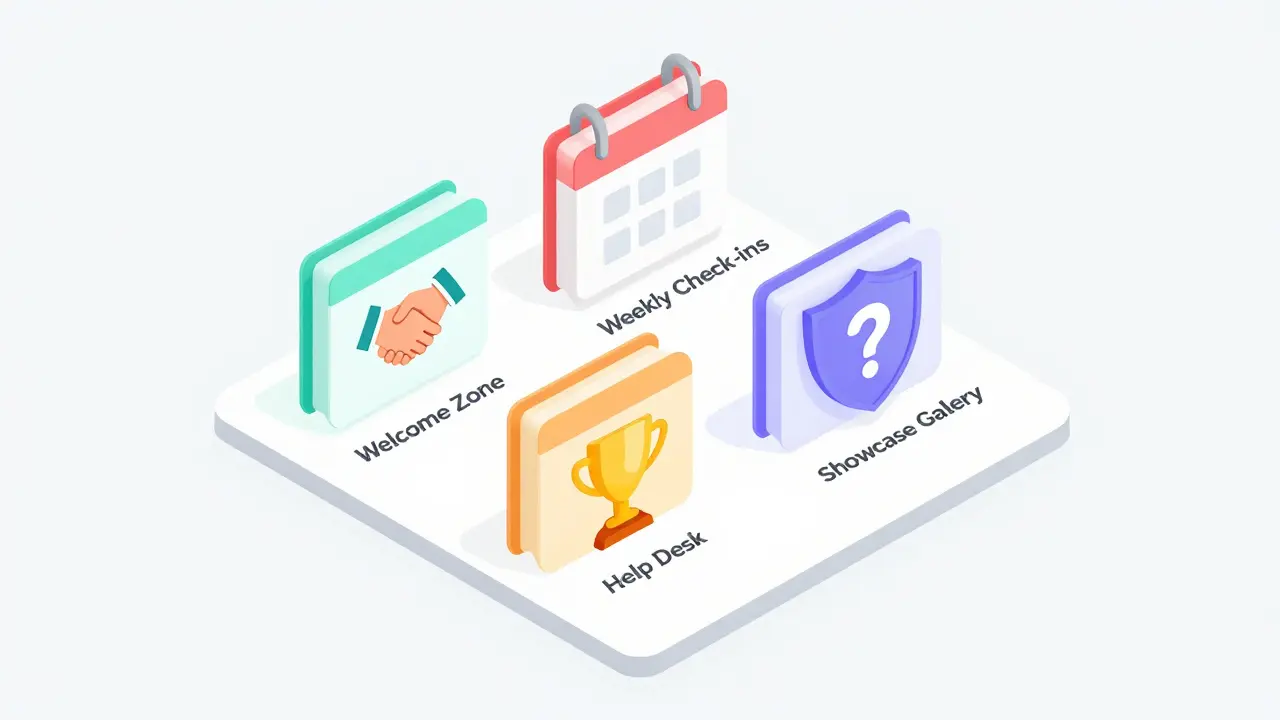
A blank forum is intimidating. Students don't know where to start. You need to scaffold the experience. Don't just create one giant "General Discussion" board. That becomes a graveyard of unanswered questions. Instead, segment your forum based on the user journey.
- The Welcome Zone: A place for introductions. Ask specific questions here. Instead of "Introduce yourself," try "What is one challenge you hope to solve in this course?" Specificity drives better responses.
- Weekly Check-ins: Tie discussions directly to the curriculum. If Module 3 is about SEO, have a thread titled "Share Your Biggest SEO Win." This keeps the conversation relevant.
- The Help Desk (Q&A): A dedicated space for technical issues or clarification. Make it clear that peers should answer first, but instructors monitor it daily.
- Showcase Gallery: A place for students to share their work. Recognition fuels motivation.
This structure reduces cognitive load. Students know exactly where to go depending on their intent. They aren't digging through fifty unrelated threads to find help.
Designing High-Quality Discussion Prompts
The biggest mistake creators make is asking yes/no questions. "Did you complete the assignment?" generates zero engagement. You need prompts that spark opinion, reflection, or problem-solving.
Use the "Socratic Method" in your prompts. Ask "Why" and "How" instead of "What."
- Bad Prompt: "What is the capital of France?"
- Good Prompt: "If you were designing a travel app for Paris, what feature would you prioritize and why?"
Also, use "Devil's Advocate" prompts. Assign roles. "In this thread, half of you argue for remote work, and half argue for office work. Use evidence from Module 4." This forces critical thinking and prevents echo chambers. When students have a role, they take ownership of the conversation.
Moderation: The Invisible Engine
You cannot set a forum and forget it. At least not at the beginning. The first few weeks determine the culture of your community. If you see a rude comment and ignore it, rudeness becomes the norm. If you see a helpful answer and highlight it, helpfulness becomes the norm.
Create a "Community Manager" persona. This doesn't have to be you. It could be a teaching assistant or even a power student from a previous cohort. Their job is to:
- Welcome new members within 24 hours.
- Pin helpful answers in the Q&A section.
- Break the ice in silent threads with a starter comment.
- Enforce rules gently but firmly.
Set clear guidelines upfront. No spam, no hate speech, and perhaps a rule like "Always assume positive intent." Post these in the header of every forum category. Clarity prevents conflict.
Gamification and Incentives
Humans love rewards. Integrating gamification into your forums can boost participation significantly. This doesn't mean giving away cash. It means recognizing contribution.
Implement a badge system. Award badges for "First Post," "Top Helper," or "Consistent Contributor." Display these badges on user profiles. It creates a sense of status and achievement. Tools like Circle and Discourse have this built-in. If you are on WordPress, plugins like bbPress combined with Gamipress can achieve similar results.
You can also tie forum activity to course certification. Require a certain number of posts to unlock the final certificate. This ensures that students engage with the material deeply enough to discuss it. Be careful not to make it too punitive, though. The goal is encouragement, not coercion.

Handling the Quiet Periods
Every community has lulls. After the initial excitement fades, or during holidays, activity drops. This is normal. Don't panic. Prepare "evergreen" content for these times.
Create weekly challenges or live AMAs (Ask Me Anything) sessions. Schedule them in advance so students know when to expect interaction. If you host a live Q&A, record it and post the summary in the forum afterward. This keeps the momentum going even when you aren't online.
Also, leverage "power users." Identify the most active students and privately ask them to keep the conversation going during slow periods. They often enjoy the leadership role and will step up if asked nicely.
Measuring Success
How do you know if your forum is working? Look beyond vanity metrics like total member count. Focus on engagement depth.
- Reply Rate: What percentage of threads get at least one reply?
- Average Thread Length: Are conversations dying after one comment, or are they branching out?
- User Retention: Do students who participate in forums stay enrolled longer?
Most LMS platforms provide basic analytics. Export this data monthly. If you see a decline, investigate. Is the content too hard? Is the moderation lacking? Adjust your strategy accordingly. Data-driven iteration is key to long-term community health.
Common Pitfalls to Avoid
Even experienced educators stumble here. Watch out for these traps:
- Over-moderation: Editing every typo kills spontaneity. Let minor errors slide unless they cause confusion.
- Instructor Dominance: If you answer every question, students stop talking to each other. Step back and let peers lead.
- Ignoring Mobile Users: Many students browse on phones. Ensure your forum platform is mobile-responsive. If it’s hard to type on a phone, they won’t post.
Building a thriving discussion forum is not a one-time task. It is an ongoing practice of nurturing human connection. When done right, it becomes the heart of your course. Students may forget the exact details of your lessons, but they will remember the people they learned alongside. That emotional bond is what turns customers into advocates.
Should I require forum participation for course completion?
It depends on your goals. If deep learning and networking are core outcomes, yes, require it. However, keep the bar low initially (e.g., 3 posts). Forcing too much engagement can lead to resentment. Frame it as "community contribution" rather than "homework" to maintain a positive tone.
How do I deal with toxic behavior in my course forum?
Address it immediately and privately. Send a direct message to the user explaining why their behavior violates community guidelines. Give them a chance to correct it. If it persists, ban them publicly without drama. Protecting the majority of users is always more important than keeping one difficult person.
Is Discord better than a traditional forum for courses?
Discord is excellent for real-time, high-energy interactions and younger audiences. However, it is poor for long-term knowledge retrieval. Traditional forums or tools like Circle are better for searchable, structured discussions. Consider using both: Discord for live chat and a forum for permanent resources.
How often should I post in the forum as an instructor?
Aim for consistency over frequency. Posting once a week with high-value insights is better than posting daily with filler. Show up during launch weeks to set the tone, then transition to a moderator role. Your presence signals that the community is active and valued.
Can I automate forum moderation?
You can automate basic tasks like keyword filtering for spam or auto-assigning tags. However, human judgment is essential for tone and context. Automation helps scale, but it cannot replace the empathy needed to build a genuine community. Use bots for efficiency, not for relationship building.