

You spend months building a beautiful course. The modules are engaging, the quizzes are sharp, and the video content is top-tier. Then you launch it for an audience in Dubai or Tel Aviv. Suddenly, your clean left-aligned text looks broken. Your navigation menu is on the wrong side. Images are mirrored incorrectly. It’s not just ugly; it’s confusing and disrespectful to your learners.
Supporting Right-to-Left (RTL) languages like Arabic, Hebrew, Persian, and Urdu isn’t just about flipping text direction. It requires a fundamental shift in how your learning platform handles layout, typography, and user interaction. If you’re running a global education business, ignoring RTL support means leaving money on the table in some of the world’s fastest-growing digital markets.
This guide walks you through exactly how to enable and optimize RTL support in popular Learning Management Systems (LMS) and custom platforms. We’ll cover technical configurations, design pitfalls, and the specific settings that make or break the user experience for RTL speakers.
Why RTL Support Is More Than Just Text Direction
Many developers think enabling RTL is as simple as adding `dir="rtl"` to the HTML tag. That’s a dangerous oversimplification. While that attribute flips the text flow, it doesn’t automatically adjust margins, padding, icons, or logical layout structures.
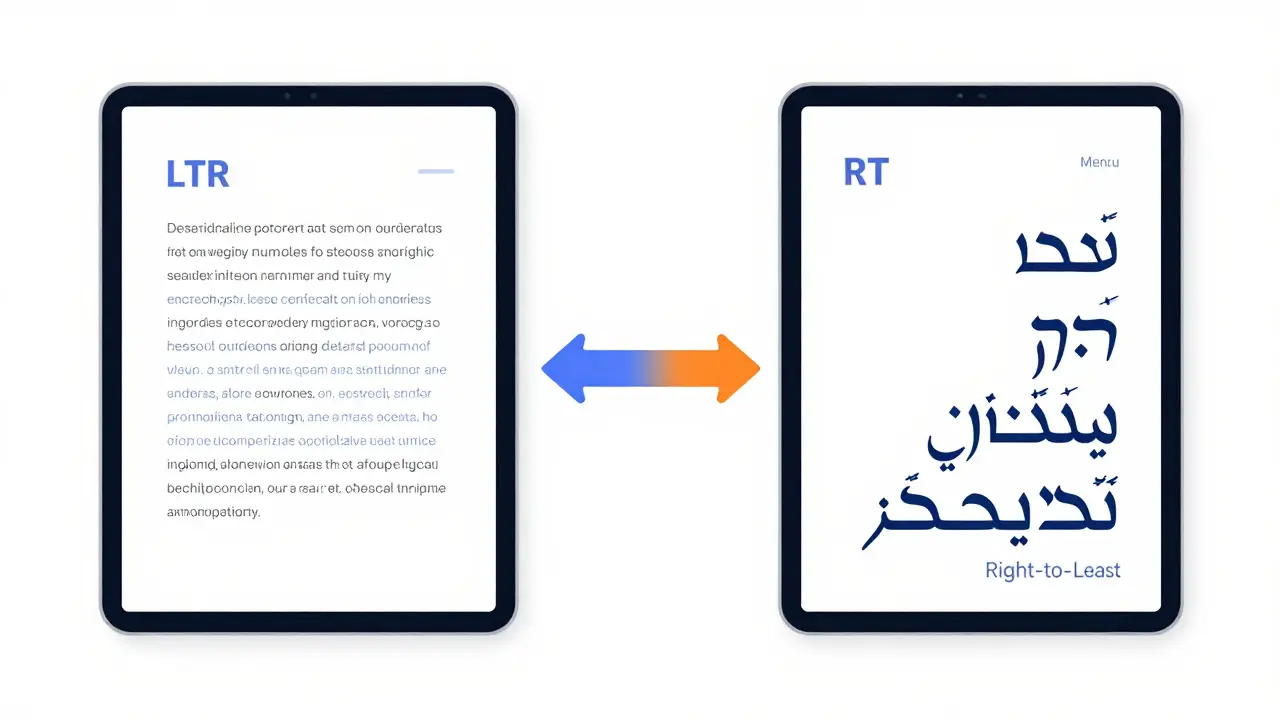
In Left-to-Right (LTR) layouts, we read from start to finish moving rightward. In RTL, the visual hierarchy reverses. The "start" of a line is on the right. Navigation menus typically anchor to the right. Scrollbars often move to the left side of the screen depending on the operating system. Even mathematical formulas and code snippets need careful handling because they usually remain LTR regardless of the surrounding text.
If your platform only changes the text direction without adjusting these structural elements, users will encounter overlapping text, misaligned buttons, and disjointed navigation. This creates cognitive load. Learners shouldn’t have to fight the interface to access knowledge. Proper RTL implementation ensures that the learning experience feels native, intuitive, and professional.
Configuring Popular LMS Platforms for RTL
Most major Learning Management Systems support RTL out of the box, but the way you activate it varies significantly. Here is how to handle the big players.
Moodle
Moodle is one of the most flexible open-source LMS options and has robust RTL support. To enable it:
- Navigate to Site administration > Language > Language settings.
- Under "Directionality," select Right-to-left.
- Ensure your chosen language pack (e.g., Arabic, Hebrew) is installed and set as default.
Moodle uses CSS logical properties extensively. When you switch the site direction, Moodle automatically adjusts its core themes. However, if you use a custom theme, you must ensure it supports RTL. Most modern Moodle themes do, but older ones may require manual CSS adjustments. Check the theme documentation for an "RTL stylesheet" option.
Canvas LMS
Canvas, widely used in higher education, handles RTL primarily through language selection rather than a global toggle. When a user selects an RTL language like Arabic in their profile settings, Canvas dynamically adjusts the interface. As an administrator, you don’t need to "enable" RTL globally. Instead, you ensure that:
- The relevant language packs are active in Admin > Languages.
- Your institution’s branding assets (logos, headers) are designed to look good when flipped or centered.
- Custom CSS injected into the account level uses logical properties (like `margin-inline-start`) instead of physical ones (`margin-left`).
Blackboard Learn
Blackboard Learn also relies on user-level language preferences. For administrators, the key is ensuring that the Accessibility features are enabled, which often include better font rendering for complex scripts like Arabic. Blackboard’s newer Ultra experience has improved RTL handling significantly compared to the original course view, but legacy courses may still show alignment issues. Always test your courses in the Ultra view with an RTL language selected.
Technical Implementation for Custom Platforms
If you’re building a custom learning platform using React, Vue, or plain HTML/CSS, you need to implement RTL support at the framework level. Here’s the standard approach.
1. Set the Document Direction
Add the `dir` and `lang` attributes to your root `` tag. This tells the browser how to render text and which keyboard layouts to expect.
<html lang="ar" dir="rtl">2. Use Logical CSS Properties
Avoid using `left`, `right`, `margin-left`, or `padding-right`. These are physical directions. Instead, use logical properties introduced in modern CSS:
margin-inline-startinstead ofmargin-left(in LTR) ormargin-right(in RTL).margin-inline-endinstead ofmargin-right(in LTR) ormargin-left(in RTL).text-align: startinstead oftext-align: left.
Browsers automatically map these logical properties based on the `dir` attribute. This means you write one set of CSS rules, and they work for both LTR and RTL.
3. Handle Icons and Images
Icons are tricky. An arrow pointing right in LTR indicates "forward" or "next." In RTL, that same arrow points backward. You have two options:
- Flip the icon: Use CSS
transform: scaleX(-1)to mirror directional icons. - Use bidirectional icons: Choose icons that don’t imply direction, like chevrons (< >) that can be rotated or swapped via CSS classes.
Never flip images that contain text or recognizable landmarks. A photo of a person shaking hands should not be mirrored unless it’s a generic stock image where orientation doesn’t matter.
Design Pitfalls to Avoid
Even with correct code, poor design choices can ruin the RTL experience. Watch out for these common mistakes.
Fixed Width Containers
If your container has a fixed width and you align text to the right, ensure there’s enough padding on the right side. Many templates assume padding is on the left. In RTL, the "start" of the content is on the right. Lack of right-side padding causes text to touch the edge of the screen, looking cramped and unprofessional.
Mixed Content Alignment
Learning platforms often mix languages. A course might be in Arabic, but include English code snippets or scientific terms. By default, browsers handle this well, but sometimes you need explicit control. Use the `bdi` (Bidirectional Isolate) HTML element to isolate segments of text that might interfere with the surrounding directionality.
<p>The term <bdi>JavaScript</bdi> is widely used.</p>This prevents the English word from affecting the punctuation or spacing of the surrounding Arabic text.
Form Inputs
Input fields for names or addresses in RTL languages should allow free-form entry. Don’t force strict validation rules that assume Western name structures (First Name, Last Name). In many cultures, naming conventions differ. Allow longer character sets and ensure the input field expands vertically if needed, rather than truncating text.
Testing Your RTL Implementation
You can’t rely solely on automated tools. You need real-world testing. Here’s a quick checklist:
| Element | What to Check | Common Issue |
|---|---|---|
| Navigation Menu | Anchors to the right? Dropdowns open correctly? | Dropdowns appear off-screen or overlap content. |
| Typography | Arabic/Hebrew fonts render clearly? Ligatures connect? | Disjointed letters or missing diacritics. |
| Forms | Cursor starts on the right? Labels align properly? | Labels float to the left, causing misalignment. |
| Media | Videos have subtitles? Images aren’t awkwardly flipped? | Text in images is mirrored and unreadable. |
| Code Blocks | Code remains LTR? Syntax highlighting works? | Code shifts to the right, breaking indentation. |
Use browser developer tools to toggle `dir="rtl"` on the fly. Chrome and Firefox allow you to simulate different locales. Test on mobile devices too, as responsive breakpoints often behave differently when the layout mirrors.

Content Localization Best Practices
Enabling RTL support is technical. Localizing content is cultural. Translating a course word-for-word rarely works. Work with native speakers who understand educational nuances.
For example, idioms, humor, and examples need adaptation. A math problem referencing baseball might confuse a learner in Iran. Replace it with soccer or cricket. Ensure that dates, currencies, and measurement units match local standards. Arabic uses the Gregorian calendar in many contexts, but some regions prefer the Hijri calendar. Provide options if possible.
Also, consider the length of translated text. Arabic and German often expand text by 20-30% compared to English. Ensure your UI components can handle this expansion without breaking the layout. Use flexible containers that grow vertically rather than fixed-height boxes.
Next Steps for Global Educators
Start small. Pick one high-demand RTL language, such as Arabic, and pilot it with a single course. Gather feedback from native speakers. Pay attention to where they hesitate or click incorrectly. Iterate on the design before rolling it out platform-wide.
Invest in a style guide that includes RTL specifications. Document which icons to use, how to handle mixed-language content, and what fonts to prioritize. This saves time for future projects and ensures consistency across your platform.
Finally, remember that RTL support is a sign of respect. It shows your learners that you value their culture and want them to succeed. In a global market, that attention to detail can be the difference between a churned user and a loyal advocate.
Does enabling RTL affect SEO?
No, enabling RTL does not negatively impact SEO. Search engines like Google fully support RTL languages. In fact, proper localization with correct `hreflang` tags and RTL-friendly meta descriptions can improve your visibility in regional search results. Ensure your URLs remain readable and avoid encoding issues.
Which fonts are best for Arabic and Hebrew in web interfaces?
For Arabic, fonts like Tajawal, Cairo, and Noto Sans Arabic offer excellent readability and modern aesthetics. For Hebrew, Heebo, Assistant, and Noto Sans Hebrew are reliable choices. Always provide fallback fonts to ensure consistent rendering across devices.
Can I run LTR and RTL versions of my site simultaneously?
Yes, most modern LMS platforms and custom frameworks support dynamic direction switching based on user preference or browser settings. Use JavaScript to detect the user’s language setting and apply the appropriate `dir` attribute and CSS variables. This allows a seamless experience for multilingual audiences.
How do I handle code snippets in RTL courses?
Code snippets should always remain Left-to-Right (LTR), even in an RTL interface. Wrap code blocks in a container with `dir="ltr"` to prevent syntax highlighting errors and maintain proper indentation. Ensure the background color contrasts well with the rest of the page to visually distinguish the code area.
Is RTL support expensive to implement?
If planned early, RTL support adds minimal cost. Using logical CSS properties and flexible layouts means you build once for both directions. The main costs come from professional translation and thorough QA testing with native speakers. Retrofitting RTL into an existing rigid design is significantly more expensive and time-consuming.
Comments
Francis Laquerre
I've been fighting with Moodle themes for weeks trying to get the padding right on Arabic courses. The part about logical CSS properties is a lifesaver because I kept using margin-left and wondering why it looked broken when flipped. It’s wild how many devs just slap dir=rtl on the html tag and call it done, completely ignoring that icons need to flip or that code snippets stay LTR. We really are leaving money on the table by treating this as an afterthought instead of a core requirement.
Andrea Alonzo
It is so important to remember that localization goes far beyond just the technical implementation of text direction, especially when you are dealing with educational content that needs to resonate culturally with the learners. For instance, if you have a math problem that references baseball, it might completely confuse a learner in Iran who is more familiar with soccer or cricket, so replacing those examples is crucial for engagement. Also, keep in mind that Arabic text often expands by twenty to thirty percent compared to English, which means your UI components need to be flexible enough to handle that expansion without breaking the layout or truncating important information. Using fixed-height boxes is a recipe for disaster here, so always opt for containers that can grow vertically to accommodate the translated text properly.
Saranya M.L.
The assertion that one must use native speakers for localization is fundamentally sound, yet most Western developers ignore this basic principle of semantic integrity. Utilizing machine translation for RTL interfaces results in syntactic errors that degrade the user experience significantly, particularly in complex scripts like Arabic where ligatures matter. One should never underestimate the cognitive load imposed by disjointed typography; it is not merely an aesthetic failure but a pedagogical obstruction. Furthermore, the reliance on physical CSS properties such as margin-left demonstrates a profound lack of modern web standards comprehension, which is prevalent among underqualified developers.
om gman
oh wow another guide telling us what we already know but somehow everyone still gets it wrong every single time. its pathetic how many platforms launch with mirrored images of people shaking hands like theyre robots from sci-fi movies. i mean seriously who designs these things without testing them on a real device first? the sheer laziness is breathtaking
Bineesh Mathew
To ignore the mirror is to deny the soul of the interface itself. When we speak of Right-to-Left support, we are not merely discussing pixels and vectors; we are discussing the very orientation of consciousness in the digital realm. The arrow pointing right in LTR is a phallic symbol of progress, yes, but in RTL it becomes a retreat, a backward glance into the past unless properly inverted. This is not just code, my friends, it is morality woven into CSS. If you do not respect the directionality, you disrespect the learner's journey through knowledge, and that is a sin against the very fabric of education.
Jeanne Abrahams
Look, I work in edtech in South Africa and we deal with multiple languages daily. The bit about Blackboard Ultra vs legacy view is spot on. Legacy views are a nightmare for RTL. You spend hours tweaking CSS only to realize the platform itself is fighting you. Switching to logical properties saved my sanity. Stop using left and right margins, it’s 2024 (well, soon). Use inline-start and inline-end. Your future self will thank you when you don’t have to maintain two separate stylesheets.
Oskar Falkenberg
i totally agree with the point about mixed content alignment because i had this huge issue with javascript code snippets appearing backwards in arabic lessons and it was driving me crazy. using the bdi tag really helped isolate the english terms so they didnt mess up the punctuation around them which is something i wish i knew years ago. also checking the theme documentation for rtl stylesheet options is super helpful because some older moodle themes just dont handle the flip correctly even if you set the site direction properly so its good to double check that stuff before launching
Caitlin Donehue
I didn't realize Canvas handled this dynamically based on user profile settings rather than a global admin toggle. That makes sense for a multi-tenant environment. Does anyone know if there are specific plugins needed for better font rendering in Canvas or does it rely entirely on system fonts?
Stephanie Frank
Typical corporate fluff about 'respect' while ignoring that most LMS vendors charge extra for proper localization modules. The advice is technically correct but practically useless if your budget doesn't allow for native QA testing. Most companies just slap Google Translate on it and hope no one complains. The reality is that RTL support is expensive if you want it done right, and most stakeholders won't approve the cost.
michael rome
Great points everyone. I appreciate the detailed breakdown of logical CSS properties. It is indeed crucial for maintaining accessibility and usability across different linguistic groups.