


Imagine this: It’s 7:00 PM on a Tuesday. You’ve just finished grading a stack of essays for your morning class. Your phone buzzes with an email from a student in your evening section asking about the syllabus. Then, you remember you haven’t posted the weekly announcement for your third online cohort yet. Sound familiar? If you are teaching multiple sections simultaneously-whether they are all online or a mix of formats-you know that "time" is not just a resource; it is a battlefield.
The shift to digital learning has exploded in recent years. According to data from the U.S. Department of Education and various higher education reports leading up to 2026, hybrid and fully online instruction have become standard rather than exceptions. But while the technology has improved, the fundamental challenge remains: how do you maintain quality, presence, and sanity when you are responsible for three, four, or even five different groups of students?
The secret isn't working harder. It is working smarter by leveraging systems, automation, and strict boundaries. Here is how you can take control of your schedule and stop letting the platform manage you.
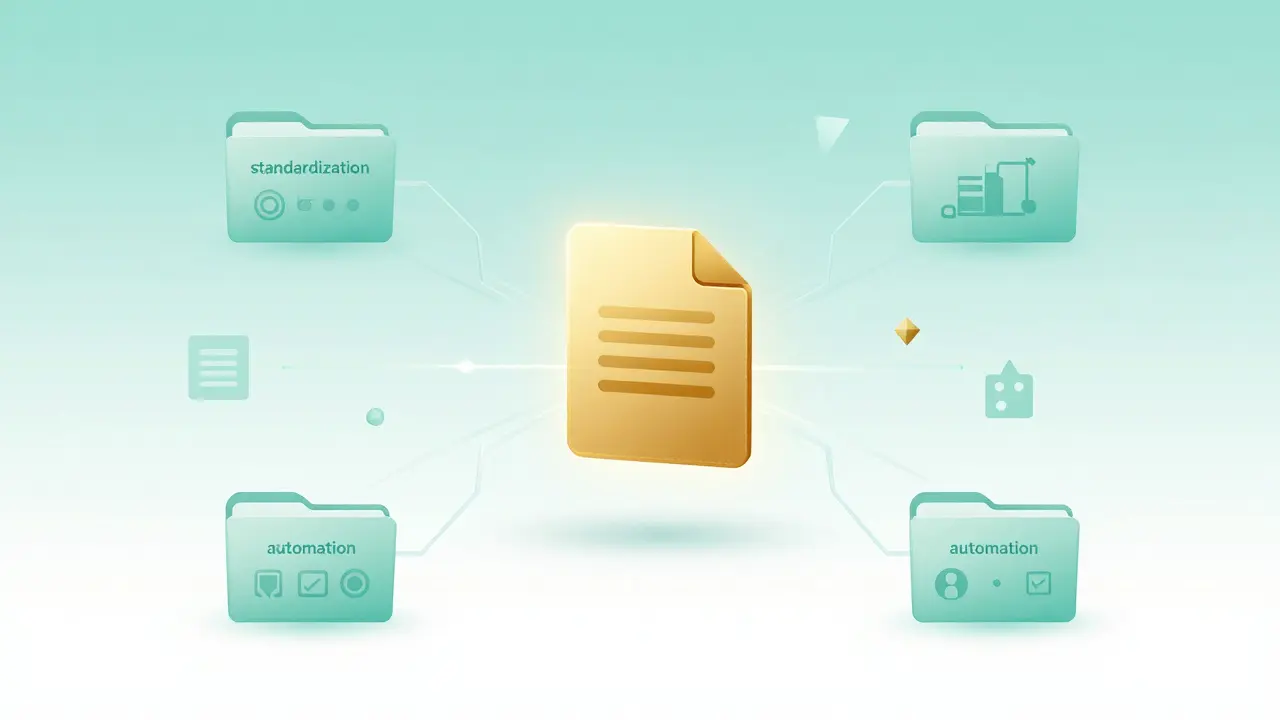
Standardize Everything Possible
The biggest drain on an instructor's energy is decision fatigue. When you teach multiple sections, every unique assignment, rubric, or discussion prompt multiplies your workload. The solution is radical standardization.
If Section A, Section B, and Section C are taking the same course, they should have the exact same assignments, due dates, and grading criteria. Why? Because creating one high-quality rubric takes two hours. Creating three variations takes six hours and creates confusion for both you and the students. When you standardize, you create a "master template" for your course. This allows you to grade faster because your brain doesn't have to switch contexts between different expectations.
What if my sections meet at different times?
You can still use identical materials. Adjust the due dates slightly to align with their specific meeting times, but keep the content and assessment methods the same. This reduces prep time significantly.
Leverage Your LMS Like a Pro
Your Learning Management System (LMS)-whether it is Canvas, Blackboard, Moodle, or D2L-is more than just a file repository. It is your primary tool for scaling your effort. Most instructors only use 10% of what these platforms can do. To manage multiple sections, you need to unlock features like "Blueprint Courses," "Course Copies," or "Master Sections."
These tools allow you to make changes once and push them to all linked sections automatically. For example, if you find a typo in the Week 4 reading list, you fix it in the master course, and it updates everywhere. This saves hours of manual editing and prevents errors. Additionally, use automated quizzes and self-grading assignments wherever possible. If a concept can be tested with multiple-choice questions, let the computer handle it. Reserve your human energy for feedback that requires nuance, such as essays or creative projects.
| Feature | Benefit | Time Saved |
|---|---|---|
| Blueprint/Master Course | Pushes updates to all sections instantly | Hours per week |
| Automated Rubrics | Speeds up grading with consistent criteria | Minutes per student |
| Discussion Forums | Allows peer-to-peer interaction without instructor mediation | Significant reduction in monitoring time |
| Announcement Scheduling | Post messages weeks in advance | Prevents last-minute stress |
Batch Your Communication
One of the most common mistakes instructors make is responding to emails and forum posts immediately as they come in. This fragments your day into tiny, unproductive chunks. Instead, adopt a "batching" strategy.
Set specific times during the day to check and respond to communications. For instance, you might review emails at 9:00 AM, 1:00 PM, and 5:00 PM. Outside of these windows, turn off notifications. Let your students know this expectation early in the semester. Include a note in your syllabus: "I aim to respond to all inquiries within 24-48 hours during business days." This sets realistic boundaries and teaches students patience and planning skills.
When you do respond, use templates for common questions. Questions like "Where is the link to the lecture?" or "Can I submit late?" will arise repeatedly. Create a folder of canned responses that you can copy, paste, and personalize slightly. This ensures consistency and speed without sounding robotic.
Design for Asynchronous Presence
In online environments, students often equate "presence" with "instant availability." They want to feel heard and supported. However, you cannot be available 24/7 across multiple time zones and schedules. The key is to design courses that foster community without requiring constant instructor intervention.
Use structured discussion forums where students must reply to peers before seeing others' posts. This encourages genuine engagement and reduces the pressure on you to facilitate every conversation. Record short, high-quality video announcements (using tools like Panopto or Zoom recordings) instead of writing long text posts. Video feels personal and builds connection, but it takes less time to produce than crafting detailed written explanations for complex topics.
Also, encourage peer support. Create study groups or assign "discussion leaders" from among the students themselves. When students help each other, they deepen their own understanding, and you free up mental space to focus on broader course management.
Protect Your Personal Time
Burnout is real, and it is rampant among online educators. Without clear physical boundaries between "work" and "home," it is easy to drift into work mode around the clock. You must actively protect your downtime.
Define a hard stop time for your workday. When the clock hits that time, close your laptop. Log out of your LMS. Turn off email notifications on your phone. If you don't set these boundaries, the work will expand to fill all available time. Remember, you are modeling healthy work habits for your students. By showing them that you respect your own limits, you teach them to do the same.
Take regular breaks during the day. Use techniques like the Pomodoro method (25 minutes of focused work followed by a 5-minute break) to maintain energy levels. Step away from the screen. Walk outside. Stretch. These small pauses prevent mental fatigue and keep your thinking sharp for when you return to grading or lesson planning.

Regularly Audit and Adjust
No system is perfect from day one. At the midpoint of the semester, take an hour to audit your workflow. What is working? What is causing bottlenecks? Are certain assignments taking too long to grade? Are students struggling with specific instructions?
Be willing to adjust. If a discussion format isn't generating good dialogue, change it for the next unit. If a quiz is too difficult to automate, simplify it. Flexibility is crucial. Also, seek feedback from your students anonymously. They can provide valuable insights into what is confusing or inefficient from their perspective. This continuous improvement loop helps you refine your approach over time, making each subsequent semester smoother and more manageable.
Conclusion: Quality Over Quantity
Managing multiple online sections is challenging, but it is entirely achievable with the right strategies. By standardizing materials, leveraging technology, batching communication, and protecting your personal time, you can maintain high-quality instruction without sacrificing your well-being. Remember, the goal is not to do everything perfectly every day. It is to create sustainable systems that allow you to show up consistently and effectively for your students. Start small, implement one or two new strategies this week, and watch your stress levels drop.
How many online sections is too many?
It depends on the course load and support available. Generally, teaching more than 3-4 large online sections simultaneously can lead to burnout. Consider negotiating reduced loads or hiring teaching assistants if you are managing heavy enrollments.
What tools help with online grading efficiency?
Beyond built-in LMS rubrics, consider using plagiarism detection software, automated quiz grading, and speech-to-text tools for recording quick audio feedback. Some institutions also offer AI-assisted grading aids for initial drafts, though human review remains essential.
How do I handle students who constantly ask for extensions?
Establish a clear, fair policy in your syllabus regarding late submissions. Apply it consistently. If you make exceptions for one student, you must be prepared to make them for all, which creates chaos. Stick to the rules to maintain fairness and reduce administrative burden.
Is it better to teach live or recorded lectures?
For multiple sections, recorded lectures are generally more efficient. They allow students to learn at their own pace and free you from scheduling conflicts. Use live sessions sparingly for Q&A, discussions, or guest speakers to add value without consuming excessive time.
How can I stay motivated when feeling overwhelmed?
Focus on the impact you have on individual students. Connect with colleagues who teach similar courses to share resources and vent. Celebrate small wins, like a successful module launch or positive student feedback. Prioritize self-care to replenish your emotional reserves.
Comments
Edward Gilbreath
its all a scam the LMS is just data mining your brain waves for ad revenue stop falling for it
Lisa Nally
The pedagogical framework suggested here relies heavily on the assumption that asynchronous communication fosters deep cognitive engagement, which is demonstrably false in most empirical studies.
Furthermore, the reliance on "Blueprint Courses" ignores the nuanced socio-emotional dynamics of individual cohorts. One cannot simply replicate a rubric across diverse demographic groups without accounting for cultural capital variations. It is a reductive approach to instructional design.
Joe Walters
oh my god i am literally dying right now trying to grade 4 sections and this article thinks i have time to set up blueprints?? who wrote this some robot?? i hate my life so much why do i even bother showing up its not like anyone cares if i fail them they are just numbers to the admin anyway
i spilt coffee on my keyboard while reading this and now i cant type properly but you get the point ITS A DISASTER
Laura Davis
Hey Joe, take a breath!
I hear you loud and clear. The burnout is real and it’s exhausting. But please don’t let the stress consume you. You matter. Your well-being matters more than any deadline.
Try just one small boundary today. Turn off notifications for an hour. You deserve peace.
Joe Walters
yeah sure laura whatever you say im fine i just need to scream into a pillow
Michael Richards
You are doing it wrong. Standardization is not laziness, it is efficiency. If you cannot manage your time with basic templates, you do not belong in higher education. Stop complaining and start automating. The students do not care about your feelings; they care about passing. Give them what they need by being professional enough to use the tools provided. Weakness has no place in academia.
Robert Barakat
Is standardization merely the industrialization of the soul? When we reduce the unique spark of student inquiry to a standardized rubric, do we not extinguish the very flame of knowledge we claim to ignite? The machine demands uniformity, but the human spirit resists. Perhaps the battlefield is not time, but our own complicity in the system.
kimberly de Bruin
the concept of time is a social construct imposed by the ruling class to keep us working maybe if we stopped grading we would be free but then who would pay the bills hmm interesting paradox
Edward Nigma
This advice is fundamentally flawed because it assumes that students are rational actors who will respect boundaries. They will not. They will test every single limit you set. If you batch your emails, they will panic and escalate. If you use automated quizzes, they will cheat. The only way to teach online is to hover over them constantly like a hawk. Anything else is negligence. Also, I think 'rubric' is spelled 'rubic'. Just saying.
Andrea Alonzo
I completely understand where everyone is coming from in this thread, and it is truly heartening to see such a passionate discussion about the intricacies of modern pedagogy, which often feels like navigating a labyrinth without a map, especially when we consider the multifaceted challenges that instructors face daily, ranging from technological glitches to emotional exhaustion, and it is important to remember that we are all in this together, striving to provide the best possible educational experience for our students, even when the systems seem stacked against us, and perhaps by sharing our struggles and successes, we can create a supportive community that uplifts each other through the difficult times, fostering a sense of belonging and purpose that transcends the mere mechanics of grading and scheduling, ultimately leading to a more fulfilling and sustainable career in education for all of us involved.
Francis Laquerre
In France, we have a different approach. We value the art of the lecture. We do not rush. We savor the silence. Your American obsession with efficiency is terrifying. Try sitting in a cafe and watching the world go by instead of checking your email. It is called living. You should try it sometime before you collapse from stress. It is quite refreshing, actually.