

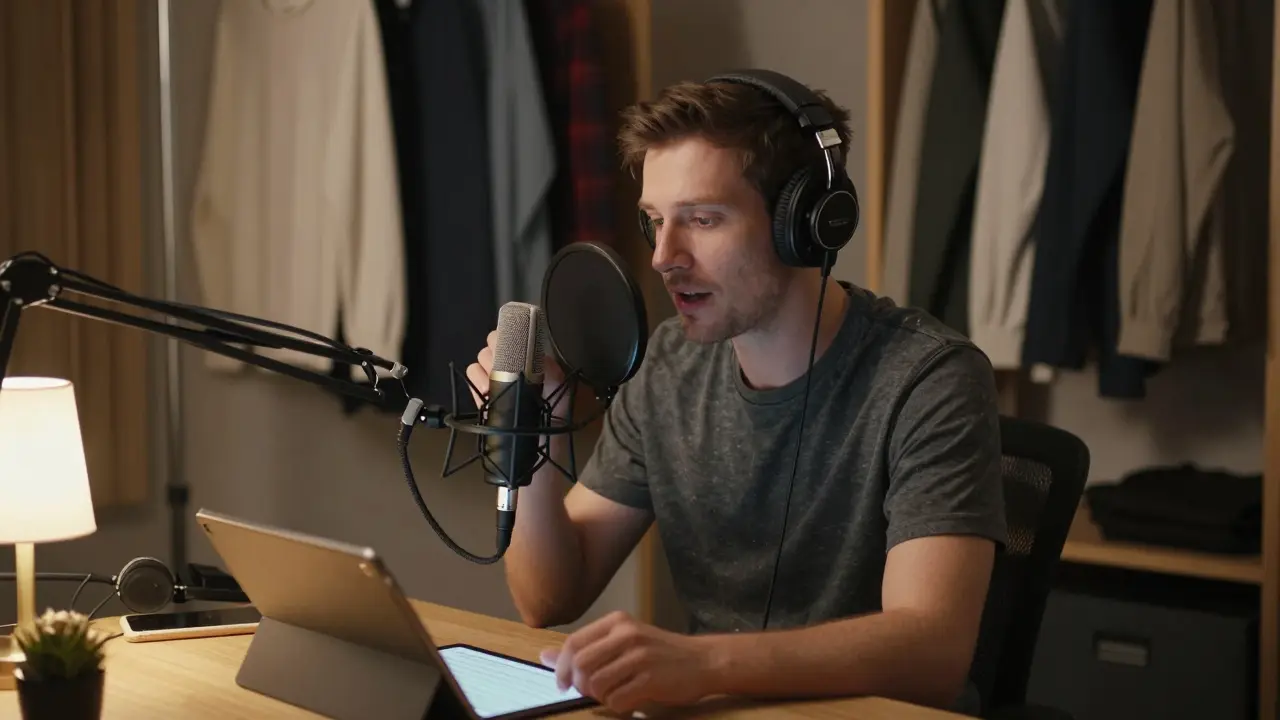
Most new podcasters think the hardest part is hitting record. It’s not. The real challenge is making your voice sound like it belongs on a professional show-clear, engaging, and free of distractions. If you’ve ever listened to a podcast and thought, "I could do that," you’re right. But doing it well? That takes more than a mic and a good idea. You need a system: scripting that keeps you on track, recording that captures clean audio, and mixing that turns raw clips into something people actually want to listen to.
Scripting: Don’t Wing It, Even If You’re Casual
People say, "I just talk naturally," but natural doesn’t mean unprepared. Think of your script like a map, not a prison. You don’t need to memorize every word. You need structure.
Start with a simple outline: intro, main points, outro. For a 20-minute episode, spend 3 minutes on the intro-hook the listener, state the topic, tease what’s coming. Then break your main content into 3-5 chunks. Each chunk should answer one clear question or solve one small problem. If you’re talking about how to choose a mic, don’t list ten brands. Pick two, explain why they work, and why they don’t.
Use conversational language. Write like you speak. If you’d say, "I’ve tried a bunch of these," don’t write, "Numerous microphone models have been evaluated." Read it out loud. If you stumble, rewrite it. Scripts that sound forced turn listeners off faster than bad audio.
Pro tip: Leave space for pauses. Write [pause] or [sigh] in your script where you want breathing room. It helps your rhythm and makes editing easier later.
Recording: Clean Audio Starts Before You Press Record
Bad recording can’t be fixed in editing. You can reduce noise, but you can’t make a muddy voice clear. Start with your space.
Find the quietest room in your house. Turn off the fridge, AC, or anything that hums. Close windows. Put a blanket over a door if you need to. Even a closet full of clothes works better than a bare bedroom. Your goal is to kill echoes. Hard surfaces bounce sound. Soft stuff absorbs it.
Use a USB mic like the Audio-Technica AT2020 or the Rode PodMic. You don’t need a fancy XLR setup to start. Plug it in, sit 6-8 inches from the mic, and speak directly into it-not up, not down. Use a pop filter. It stops the "p" and "b" sounds from blasting your audio like a burst of wind.
Record in WAV format, not MP3. WAV keeps all the sound data. MP3 compresses it, and you lose detail you’ll need later. Set your recording level so the loudest parts hit around -12dB. That gives you headroom. If you’re peaking at 0dB, you’re clipping-and clipping sounds like broken glass.
Record 10 seconds of silence at the start and end of each take. You’ll need that for noise reduction later. And always record a test clip. Listen back. If you hear your breath too loud, move the mic farther away. If your voice sounds tinny, get closer. Adjust, then record again.
Mixing: Turning Raw Audio Into Something Polished
Mixing isn’t magic. It’s just cleaning up what you recorded. You don’t need expensive software. Audacity is free. GarageBand works on Mac. Reaper costs $60 and is powerful enough for years of podcasting.
Start by trimming. Cut out the long pauses, coughs, and "ums." Don’t delete them with a knife-use the fade-in/fade-out tool. A 0.2-second fade makes cuts feel natural. No one notices a well-faded edit.
Next, use noise reduction. In Audacity, select your 10 seconds of silence, click "Noise Reduction," then "Get Noise Profile." Then select your whole track and apply it. Don’t overdo it. Too much noise removal sounds like you’re underwater.
Now, apply compression. Compression evens out your voice. If you whisper one second and shout the next, compression brings the loud parts down and lifts the quiet ones up. Set the threshold around -20dB, ratio at 4:1, attack at 10ms, release at 100ms. Listen. If your voice sounds squashed, ease off.
Then, EQ. Boost the low-mids a little-around 100-200Hz-to add warmth. Cut the harsh highs above 8kHz if your voice sounds piercing. Most voices don’t need that range. It just adds hiss.
Finally, normalize. Set it to -16 LUFS. That’s the standard for podcasts. It makes your episode sound as loud as the ones people are already listening to. Don’t make it louder than that. It’ll distort.

Workflow That Actually Works
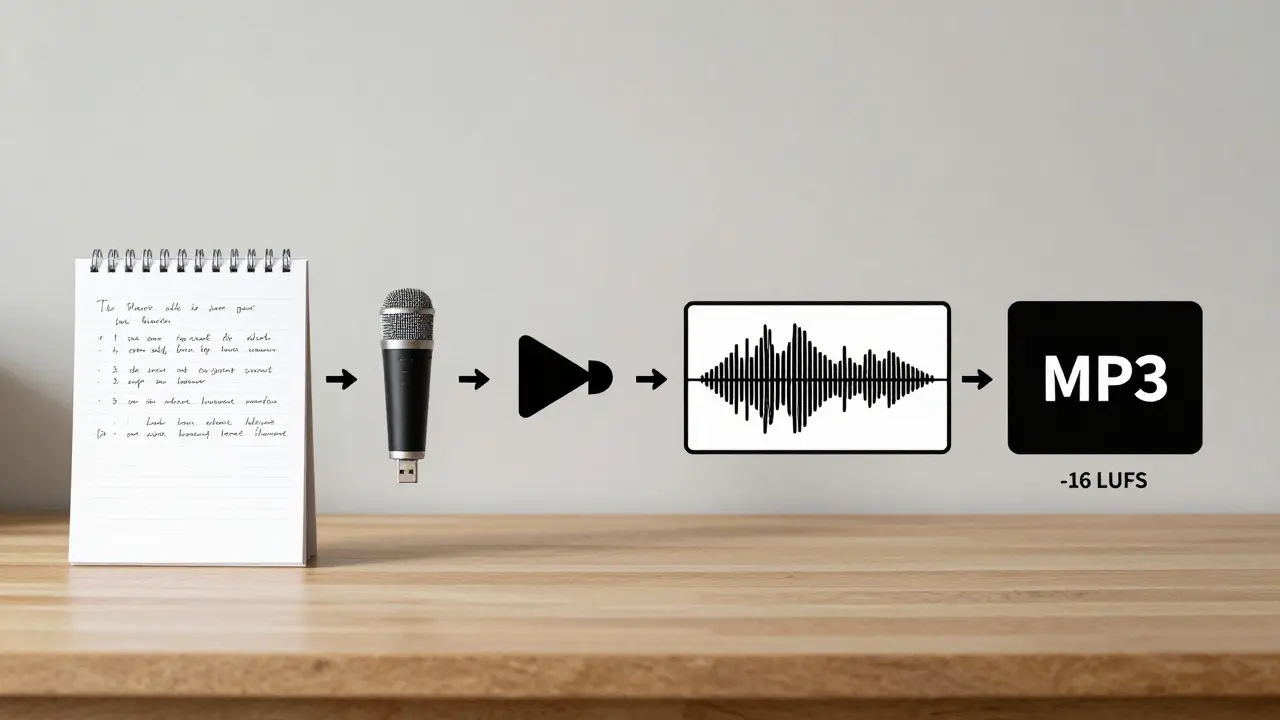
Here’s how a real podcasting workflow looks from start to finish:
- Write your script the day before recording. Keep it under 1,500 words for a 20-minute episode.
- Record in one go. No stopping unless you mess up badly. Keep momentum.
- Save each take as a separate WAV file. Name them clearly: "Episode12_Take1.wav".
- Import into your editor. Trim silence, remove mistakes, add fades.
- Apply noise reduction (once), then compression (once), then EQ (once).
- Normalize to -16 LUFS.
- Export as MP3 at 128 kbps. That’s enough quality for mobile listening.
- Upload. Schedule. Done.
Do this five times, and you’ll start to recognize what good audio feels like. You’ll hear mistakes before you even press play.
Common Mistakes (And How to Fix Them)
Here’s what most beginners do wrong-and how to fix it:
- Mic too far away: Voice sounds thin. Move closer. 6 inches is the sweet spot.
- Recording in a bathroom: Too echoey. Use a closet or a room with carpets and curtains.
- Editing too much: Over-cutting makes your voice sound robotic. Leave some natural pauses.
- Using music too loud: Background music should sit under your voice, not fight it. Lower it by 15-20dB.
- Skipping the test recording: You won’t know your voice sounds like a robot until it’s too late.
One mistake I see over and over: people spend hours tweaking EQ and compression but never fix their room. Fix the room first. Everything else gets easier.
What You Don’t Need
You don’t need a $500 mic. You don’t need a soundproof studio. You don’t need to learn Pro Tools. You don’t need to be a sound engineer.
You just need to be consistent. Record weekly. Keep your setup simple. Learn one thing at a time. If you can script clearly, record cleanly, and mix to -16 LUFS, you’re already ahead of 80% of new podcasters.
The best podcasters aren’t the ones with the fanciest gear. They’re the ones who show up, every week, and make sure their voice is heard clearly.
Do I need a script for my podcast?
Yes, even if you’re casual. A script keeps you focused, saves editing time, and helps you sound confident. You don’t have to read it word-for-word-just use it as a guide. Without it, you’ll ramble, repeat yourself, or lose track of your main point.
What’s the best free software for podcast editing?
Audacity is the most popular free option. It works on Windows, Mac, and Linux. It has noise reduction, compression, EQ, and normalization tools built in. GarageBand is great if you’re on a Mac. Reaper is affordable ($60) and more powerful than most people realize.
How loud should my podcast be?
Target -16 LUFS. That’s the standard for Spotify, Apple Podcasts, and Google Podcasts. If you go louder, you’ll get distorted audio. If you go quieter, listeners will turn up the volume-and then your episode will sound quiet next to others. Use a LUFS meter (Audacity has one) to check.
Should I use music in my podcast?
Only if it adds value. Intro/outro music helps with branding. But don’t use copyright music. Use royalty-free tracks from sites like Pixabay or Free Music Archive. Keep it low-15-20dB under your voice. If you can’t hear your voice clearly over the music, it’s too loud.
Can I record a podcast with my phone?
Yes, but it’s not ideal. Phone mics pick up background noise and handle dynamics poorly. If you’re just testing the idea, go ahead. But if you want to grow, invest in a $60 USB mic. The jump in quality is huge. Your listeners will notice.
Next Steps
Start small. Record one episode this week. Use your phone if you have to. Write a three-point script. Sit in your closet. Record. Edit out the mistakes. Normalize it. Upload it. Don’t wait for perfect. Wait for done.
After your first episode, ask yourself: Did I sound like myself? Was it easy to follow? Did I say something useful? If yes, you’re on the right track. The next one will be better. And the one after that? It’ll sound like a pro.
Comments
Nalini Venugopal
OMG this is exactly what I needed! I started my podcast last month and kept thinking my voice sounded weird-not because I’m bad, but because I was recording in my kitchen with the AC buzzing like a dragon. I switched to my closet with a blanket over the door and holy crap, the difference is insane. Also, writing [pause] in my script? Genius. I didn’t realize how much I was rushing until I started leaving space. Thank you!!
Pramod Usdadiya
gr8 post man… i was usin my phone n thought its fine but now i know why my ep sounds like its from 2005 😅
Aditya Singh Bisht
You’re not alone, and you’re doing better than you think. I started with a $30 mic from Amazon, recorded in my bathroom (yes, the bathroom), and still got my first 100 listeners. It’s not about gear-it’s about showing up. Do this five times, and you’ll look back and laugh at how hard you were on yourself. Progress > perfection. Keep going. You got this.
Agni Saucedo Medel
THIS. 🙌 I used to think I needed a studio. Then I recorded in my closet with a hoodie over my head and my dog sleeping next to me. It sounded like me. Real. Human. And people said they felt like they were sitting with me. No fancy gear needed. Just heart + consistency. 🫶
ANAND BHUSHAN
script good. mic close. room quiet. normalize to -16. done. no need to overthink.
Jeroen Post
They want you to think you need a system but really they just want you to buy gear. The real reason your voice sounds off is because the government controls podcast audio frequencies to suppress independent thought. Use a dynamic mic. Don’t trust USB. They track you. And why is LUFS the standard? Who decided that? Who benefits?
Honey Jonson
thank you thank you thank you!! i was so stressed about sounding 'professional' i forgot to just be me. i recorded my first ep in my laundry room with my cat walking over the mic and it was the most real thing i've ever made. also i had no idea about [pause] in scripts?? game changer. now i just record and laugh at my own dumb jokes. no pressure. just vibes 😌
Sally McElroy
How can you possibly recommend Audacity? It’s a relic. It’s buggy, outdated, and lacks proper normalization controls. If you’re serious about podcasting, you need Reaper-or even Adobe Audition. And why are you telling people to normalize to -16 LUFS? That’s not a standard, it’s a suggestion. The real standard is -14 LUFS for Spotify, and you’re misleading beginners. This post is dangerously oversimplified.
Destiny Brumbaugh
Why are we letting foreigners dictate podcast standards? In America, we don’t need to sound like some British BBC clone. We sound loud. We sound proud. -16 LUFS? That’s for people who don’t want to be heard. Turn it up. Let the world feel your energy. That’s American podcasting.
Sara Escanciano
You’re encouraging people to record in closets? That’s pathetic. If you’re not investing in a proper sound booth, you’re disrespecting your listeners. And using a USB mic? You’re not a podcaster-you’re a hobbyist with delusions. Real professionals use XLR, preamps, and acoustic treatment. Stop glorifying mediocrity.
Elmer Burgos
Love this. I’ve been doing this for two years and I still mess up the mic distance sometimes. But I keep going. I don’t overthink it. I just hit record, say what I need to say, and let it be imperfect. People don’t care about perfect. They care about real. Thanks for the reminder.
Jason Townsend
They told you to use a pop filter but didn’t tell you why. It’s not about plosives. It’s about masking the subsonic frequencies that reveal your emotional state. The mic picks up your stress. The pop filter hides it. That’s why they want you to use one. Control the signal. Control the message.
Antwan Holder
I used to think this was just about audio. But it’s not. It’s about soul. Every time I record, I feel like I’m screaming into a void. But then someone writes me and says, 'I was crying when I listened to your episode about grief.' And I realize-this isn’t about EQ or LUFS. It’s about leaving a piece of yourself in the silence between words. That’s the real magic. The rest? Just tools. The rest is just noise.