

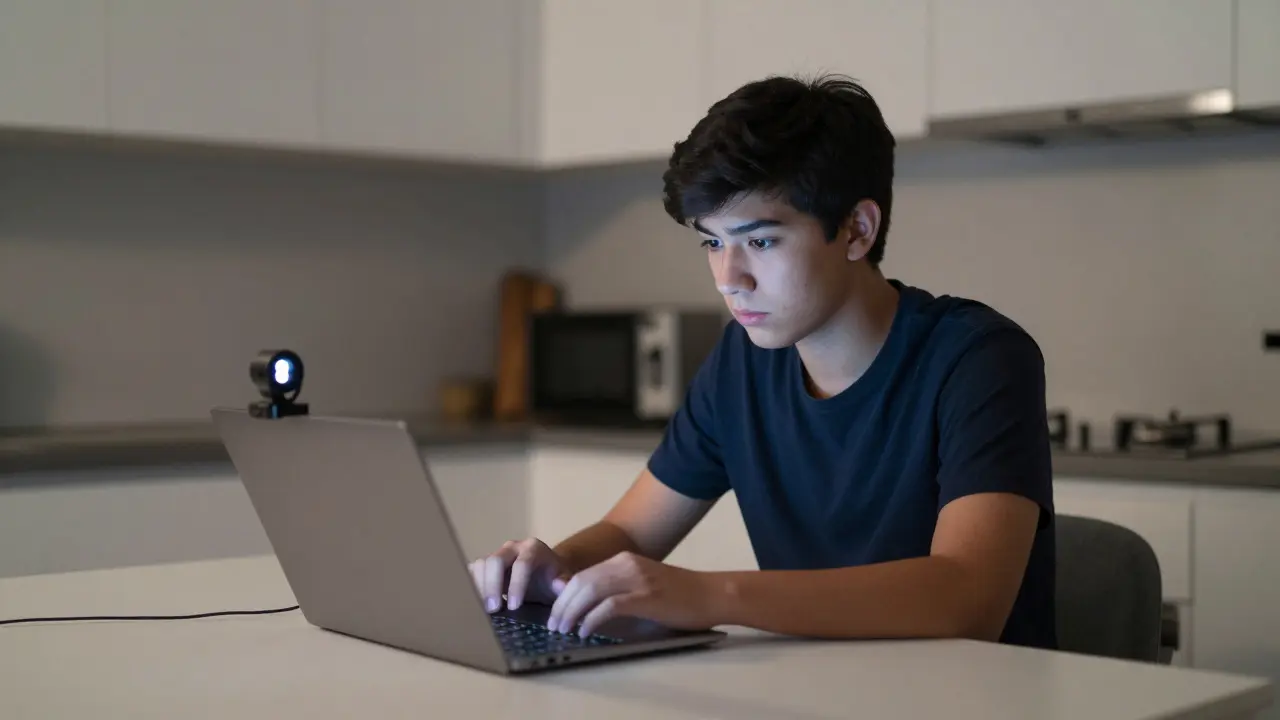
Imagine you are sitting at your kitchen table, laptop open, ready to take a final exam for an online course. Suddenly, a software program locks your browser, activates your webcam, and starts recording your movements. If you look away from the screen too long, or if someone else walks into the room, the system flags it. This is the reality of proctored exams in modern online education. It feels intense, but it exists for one reason: to keep grades fair and degrees valuable.
In 2026, the debate isn't whether online assessments should be secure-it's how to do it without turning students into suspects. Institutions need tools that catch cheating but don't crash during peak hours. Students need processes that respect their privacy while proving their work is theirs. Let’s look at the actual tools used today and the best practices that make this whole system work for everyone involved.
The Shift from Physical to Digital Proctoring
Gone are the days when proctoring meant sitting in a silent hall with invigilators walking around. The rise of distance learning forced a rapid evolution. Early attempts relied on honor codes or simple timed quizzes, which were easy to bypass. Today, we use sophisticated technology to replicate the controlled environment of a physical testing center.
This shift addresses a core problem in online assessment: verification. When a student submits an essay or solves a math problem remotely, how does the institution know it was them? Remote proctoring bridges that trust gap. It combines identity verification, environment scanning, and behavioral analysis to create a digital audit trail of the exam session.
However, this transition hasn't been smooth. Early adopters faced backlash over privacy concerns and technical glitches. The key now is balance. The goal is not surveillance for its own sake, but ensuring that the credential earned reflects actual knowledge. For employers and graduate schools, a degree from a reputable university must mean something. Proctoring protects that value.
Types of Proctoring Solutions
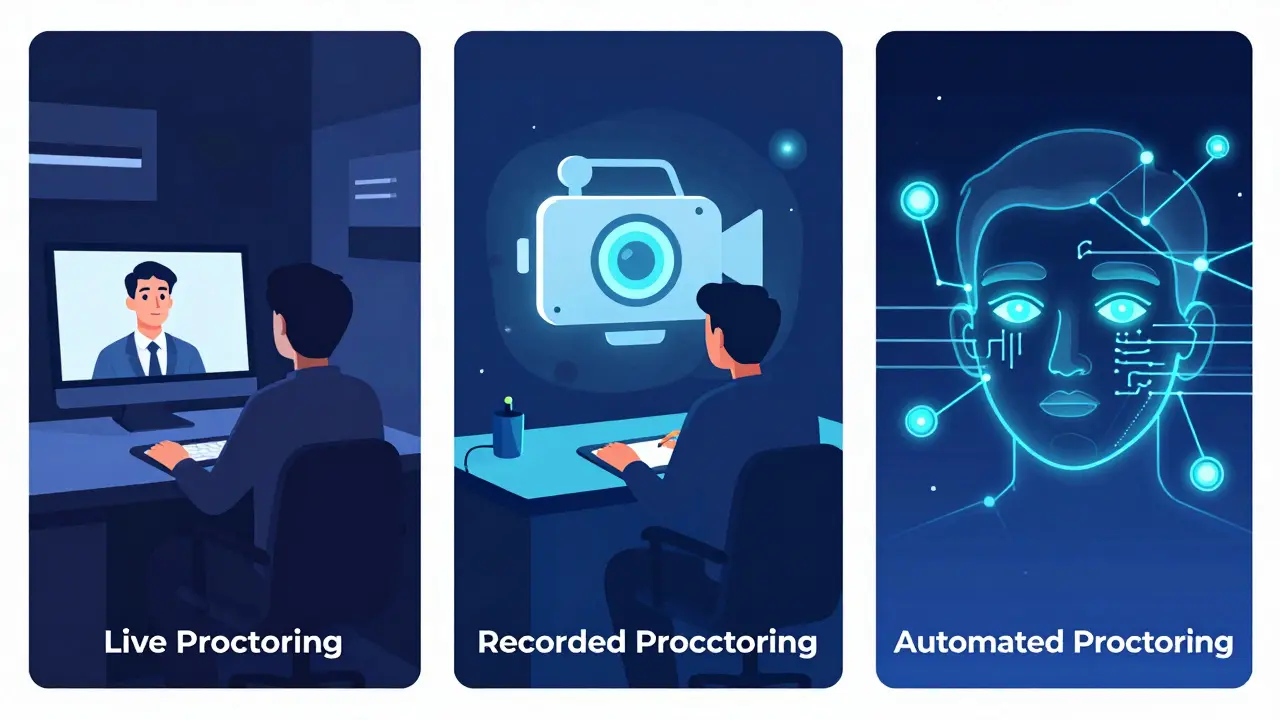
Not all proctoring is created equal. Depending on the stakes of the exam and the resources of the institution, there are three main approaches. Understanding these helps educators choose the right tool for the job.
- Live Proctoring: A human proctor watches the student via video stream in real-time. This mimics the traditional classroom experience. It allows for immediate intervention if rules are broken. However, it requires scheduling coordination and significant staffing costs. It is best for high-stakes exams like medical board certifications or final thesis defenses.
- Recorded (Asynchronous) Proctoring: The student takes the exam alone, but software records audio, video, and screen activity. A human reviewer or AI analyzes the recording later. This offers flexibility for students across different time zones but delays feedback on irregularities. It is common for semester-long online courses.
- Automated (AI) Proctoring: Algorithms analyze the video feed for suspicious behavior-like eye movement patterns, multiple faces, or background noise. Flags are generated automatically. This is scalable and cost-effective but can produce false positives, especially for neurodivergent students or those in noisy environments.
Many institutions now use a hybrid model. They might use AI for initial screening and only escalate flagged sessions to human reviewers. This reduces the workload on staff while maintaining security.
Top Proctoring Tools in 2026
The market for proctoring software has matured significantly. Here are some of the most widely used platforms, each with distinct strengths.
| Platform | Primary Method | Key Feature | Best For |
|---|---|---|---|
| Examity | Live & Recorded | High-fidelity video capture and strong LMS integration | Universities requiring strict compliance |
| ProctorU | Live & Automated | Large network of trained human proctors available 24/7 | Institutions needing global coverage |
| Respondus Monitor | Automated | Seamless integration with Respondus LockDown Browser | Schools using existing Respondus infrastructure |
| Honorlock | Automated | Cloud-based, no heavy software installation required | K-12 and lower-stakes higher ed assessments |
| Mercer Mettl | Hybrid | Strong focus on psychometric data and analytics | Corporate training and certification bodies |
When choosing a tool, consider your Learning Management System (LMS) compatibility. If you use Canvas, Blackboard, or Moodle, ensure the proctoring service integrates smoothly. Poor integration leads to technical headaches that frustrate both instructors and students. Also, check the platform's accessibility features. Does it support screen readers? Can it accommodate students who need extra time due to disabilities?
Technical Requirements and Setup
Even the best proctoring software fails if the student's hardware isn't up to par. Technical issues are the number one cause of exam anxiety and invalid sessions. Educators must communicate requirements clearly weeks in advance.
- Webcam and Microphone: Most systems require a built-in or external HD webcam and a functional microphone. Built-in devices are preferred because they are harder to manipulate than external ones.
- Internet Connection: A stable broadband connection is non-negotiable. Speed tests should show at least 5 Mbps upload and download speeds. Wi-Fi can be unstable; wired Ethernet connections are recommended for high-stakes exams.
- Operating System: Ensure the student's OS (Windows, macOS, ChromeOS) is supported by the proctoring app. Some older versions may not have necessary security patches.
- Browser Compatibility: Many proctoring tools lock down the browser. Students must use the specified version of Chrome, Firefox, or Edge. Extensions like ad blockers or translation tools often interfere and must be disabled.
Provide a "practice test" or sandbox environment where students can run through the setup process without pressure. This catches issues early. For example, a student might discover their antivirus software blocks the proctoring agent. Fixing this during a practice run saves panic on exam day.
Best Practices for Instructors
Technology is only part of the equation. How you design the exam matters just as much. Relying solely on proctoring to prevent cheating is a flawed strategy. If the questions are easily searchable online, no amount of surveillance will stop determined cheaters.
First, focus on assessment design. Use question banks with randomized orders and answer choices. Create unique scenarios for each student rather than generic textbook questions. Open-book exams that test application and critical thinking are harder to cheat on than rote memorization tests. If the exam requires deep understanding, copying answers becomes less useful.
Second, set clear expectations. Don't surprise students with proctoring rules. Include a detailed policy in your syllabus. Explain what constitutes a violation: looking away, having notes visible, receiving help from others. Define the consequences clearly. Transparency builds trust.
Third, offer accommodations proactively. Work with your institution's disability services office to understand how proctoring affects students with ADHD, anxiety, or visual impairments. Some AI systems flag frequent blinking or fidgeting as suspicious, which can unfairly penalize neurodivergent learners. Have a plan to review these flags manually.
Student Preparation and Etiquette
For students, taking a proctored exam is a skill in itself. Preparation goes beyond studying content. You need to prepare your environment and mindset.
Start by creating a dedicated testing space. Choose a quiet room with good lighting. Face a plain wall; avoid clutter, posters, or other people in the background. Clear your desk of all materials unless explicitly allowed. Even a water bottle might trigger a flag if it looks like it could hide notes.
Check your tech beforehand. Update your drivers. Close all unnecessary applications. Put your phone in another room. Silence notifications. During the exam, maintain eye contact with the screen. If you need to think, look slightly down or to the side, but avoid staring out the window or at the ceiling, which algorithms interpret as seeking help.
If you encounter a technical issue, stay calm. Most platforms have a chat feature to contact support immediately. Document the problem. If the exam crashes, you usually have a window to resume or report the incident for a makeup arrangement. Panic rarely helps.
Privacy and Ethical Considerations
We cannot discuss proctoring without addressing privacy. These tools collect biometric data: facial images, voice recordings, and sometimes even keystroke dynamics. Who owns this data? How long is it stored? Who has access to it?
Reputable providers comply with regulations like FERPA in the US or GDPR in Europe. They encrypt data in transit and at rest. They should delete recordings after a set period unless a violation is confirmed. As an educator or administrator, you must read the vendor's privacy policy. Do not assume compliance. Ask specific questions about data retention and third-party sharing.
Ethically, we must ask if the intrusion is justified. For a low-stakes quiz, perhaps not. For a professional certification, yes. The principle of proportionality applies. The level of scrutiny should match the importance of the assessment. Over-proctoring can erode student trust and increase stress, which negatively impacts performance.
Additionally, be aware of bias in AI algorithms. Some studies suggest that facial recognition technology performs less accurately on darker skin tones or certain gender presentations. This can lead to false accusations against marginalized students. Human oversight is essential to correct these algorithmic errors.
Future Trends in Exam Security
The landscape is evolving. We are moving away from continuous video monitoring toward more nuanced methods. One trend is "trust-based" assessment. Instead of watching every second, systems analyze metadata: when the file was opened, how long it was edited, browser history during the session. This is less intrusive but still effective for detecting plagiarism or unauthorized collaboration.
Another development is the use of blockchain for credentialing. Once an exam is passed and verified, the result is immutably recorded. This prevents grade tampering and makes credentials instantly verifiable by employers.
Virtual Reality (VR) is also emerging. Imagine taking a lab exam in a simulated virtual environment. The system tracks your hand movements and decision-making in 3D space. This is particularly relevant for fields like medicine, engineering, and aviation, where practical skills matter more than written answers.
Finally, there is a growing emphasis on formative assessment. Rather than one high-stakes proctored final, many educators are shifting to continuous evaluation through projects, portfolios, and oral exams. These methods are harder to automate-cheat on and provide a richer picture of student learning.
Troubleshooting Common Issues
Even with perfect planning, things go wrong. Here is how to handle the most frequent problems.
"The software won't install." This is often due to conflicting security software. Temporarily disable antivirus or firewall settings if instructed by the vendor. Run the installer as an administrator. If it still fails, switch to a web-based proctoring option if available.
"My camera is blurry." Clean the lens. Ensure you are not blocking the light source. Adjust your seating so the light is in front of you, not behind you. Backlighting creates silhouettes that confuse facial recognition.
"I got flagged for looking away." Don't panic. Review the policy. Sometimes, simply looking down to think is flagged. If you believe it was a false positive, submit an appeal with context. Explain what you were doing. Most institutions allow appeals for technical or misinterpretation errors.
"The internet dropped." Check your router. Restart it. Try connecting via mobile hotspot if permitted. If the exam disconnects, wait for the auto-reconnect feature. If it doesn't reconnect within the allotted time, contact support immediately and note the timestamp.
Is proctoring software safe to use?
Yes, if you choose a reputable provider that complies with data protection laws like FERPA or GDPR. Look for vendors that encrypt data, have clear privacy policies, and delete recordings after a specified period. Avoid unknown or free proctoring apps that may sell your data.
Can I use my phone during a proctored exam?
Generally, no. Most proctoring policies strictly prohibit mobile phones in the testing area. Having a phone visible on your desk or in your pocket can result in automatic disqualification. Place your phone in another room before starting the exam.
What happens if I fail the proctoring check?
If you fail the initial identity or environment check, you may be denied entry to the exam. You should reschedule if possible. If you are flagged during the exam, the session is usually recorded for review. You may receive a warning, a zero, or be required to retake the exam, depending on your institution's policy.
Do proctored exams work for students with disabilities?
They can, but accommodations are crucial. Students with ADHD, anxiety, or motor impairments may trigger false positives. Institutions must provide alternative arrangements, such as extended time, human-only proctoring, or exempting certain behaviors from automated flags. Always coordinate with disability services beforehand.
How do I appeal a proctoring violation?
Review your institution's academic integrity policy. Submit a formal appeal explaining the context of the flagged behavior. Provide evidence if possible, such as screenshots of technical errors or medical documentation for health-related issues. Be respectful and factual in your communication.
Comments
Laura Davis
Look, I get that schools want to protect their degrees but this whole surveillance state vibe is exhausting.
I sat through a proctored exam last week and the AI flagged me for blinking too much because I have dry eyes from staring at screens all day. It’s ridiculous how they treat us like criminals before we even start. The tech isn’t ready for this level of scrutiny without massive false positives.
Michael Richards
You’re whining about blinking while people actually trying to learn are getting screwed by cheaters who use phone apps to solve calculus in real time.
If you can’t handle sitting still for two hours without looking away every five seconds maybe you shouldn’t be in higher ed. Security measures exist because integrity matters more than your comfort zone. Stop acting like a victim when the rules are clear.
Caitlin Donehue
I wonder if the issue is just bad implementation rather than the concept itself.
It seems like most students aren't against being watched if it means the degree holds value but the current tools feel clumsy and invasive. Maybe there's a middle ground where we verify identity once and then trust the process instead of monitoring every blink?
Patrick Dorion
That’s an interesting perspective on trust versus verification.
In my experience with corporate training modules we found that randomized question banks combined with open-book formats reduced cheating incentives significantly. When you test application rather than memorization the need for heavy surveillance drops. Proctoring should be a last resort not the default setting for every quiz.
Saranya M.L.
The pedagogical efficacy of remote proctoring remains a contentious topic within academic discourse particularly regarding neurodivergent populations.
Empirical studies indicate that algorithmic bias in facial recognition software disproportionately affects individuals with darker skin tones leading to erroneous flagging rates. Furthermore the psychological impact of constant surveillance exacerbates anxiety disorders thereby compromising cognitive performance during assessments. Institutions must adopt a nuanced approach balancing security protocols with ethical considerations and accessibility standards to ensure equitable evaluation metrics across diverse student demographics.
om gman
oh great another lecture from someone who thinks they know better than the system
i took an exam where my cat walked behind me and got flagged for 'unauthorized person' meanwhile my buddy had his phone under the desk solving problems and passed flying colors because he knew the right angles to hide it
the whole thing is a joke designed to make poor kids feel guilty while rich kids buy their way out
Bineesh Mathew
We find ourselves trapped in a panopticon of our own making where the gaze of the digital overseer replaces the human conscience.
Is it truly knowledge we seek or merely compliance? The soul shrivels under the weight of constant observation turning education into a performance art piece devoid of authenticity. We sacrifice privacy for the illusion of fairness yet gain nothing but paranoia and a generation trained to deceive algorithms rather than understand truth.
Oskar Falkenberg
I totally see what you mean about the stress factor but i think its mostly down to how instructors set up the exams really
when ive taught online courses ive always tried to make sure the questions require critical thinking so that copying answers doesnt help anyway which takes the pressure off needing to watch everyone constantly
also making sure students do a practice run beforehand helps massively with technical issues which seem to cause more panic than actual cheating attempts honestly
Stephanie Frank
Let’s cut the fluff and look at the data.
Cheating rates skyrocketed when institutions relied solely on honor codes. Proctoring brought them down. If you’re complaining about false positives you’re prioritizing inconvenience over academic integrity. The solution isn’t less security it’s better calibration of existing tools and stricter penalties for verified violations. Stop coddling students who expect degrees without effort.
Lisa Puster
its pathetic how everyone complains about privacy until they realize their degree might be worthless
if you cant handle having your camera on for two hours you probably dont deserve the credential anyway
these tools are necessary because the internet has created a culture of entitlement where people think they can cheat their way to success without consequences
Marissa Haque
I cannot believe how stressful these exams have become!!!
My heart was racing just setting up the webcam and cleaning my room!! Who thought this was a good idea?!
It feels like we are living in a dystopian novel where every movement is recorded and judged!! Please let’s move towards more project-based assessments that don’t require us to sit in silence like robots!!!
Jeanne Abrahams
Here in South Africa we deal with load shedding during exams so imagine my joy when the proctoring software requires a stable connection.
It’s quite amusing how Western institutions assume everyone has perfect infrastructure. We end up taking exams by candlelight hoping the AI doesn’t flag our flickering shadows as suspicious activity. Truly a modern marvel of inequality.
Keith Barker
the future is blockchain credentials and VR labs
stop worrying about webcams and start preparing for immersive testing environments where physical presence is simulated digitally