

Imagine you spent months building a course. You got the emails, you set up the landing page, and you even ran some ads. Then, silence. The sign-ups stopped. The logins dried up. Your dashboard looks like a ghost town. This isn't just bad luck; it’s a leaky bucket. Most educational platforms lose more than half of their users within the first thirty days. But here is the good news: those people aren’t gone forever. They are just dormant.
Winning them back is cheaper than finding new ones. It takes five times as much money to acquire a new student as it does to keep an existing one. So, how do you wake up a sleeping audience without annoying them? You need a reactivation campaign. This is a targeted series of messages designed to remind, incentivize, and guide inactive users back into your ecosystem. Let’s break down exactly how to build one that works.
Defining Dormancy in Your Context
Before you send a single email, you have to define what "dormant" actually means for your platform. Is it someone who hasn’t logged in for seven days? Thirty days? Sixty? If you define it too loosely, you’ll annoy active users who just took a weekend off. If you define it too strictly, you’ll wait until they’ve already forgotten about you.
Start by looking at your user data. Segment your audience based on behavior, not just time. A student who watched three lectures but never took a quiz is different from someone who bought a subscription and never opened the app. Here is a simple way to categorize them:
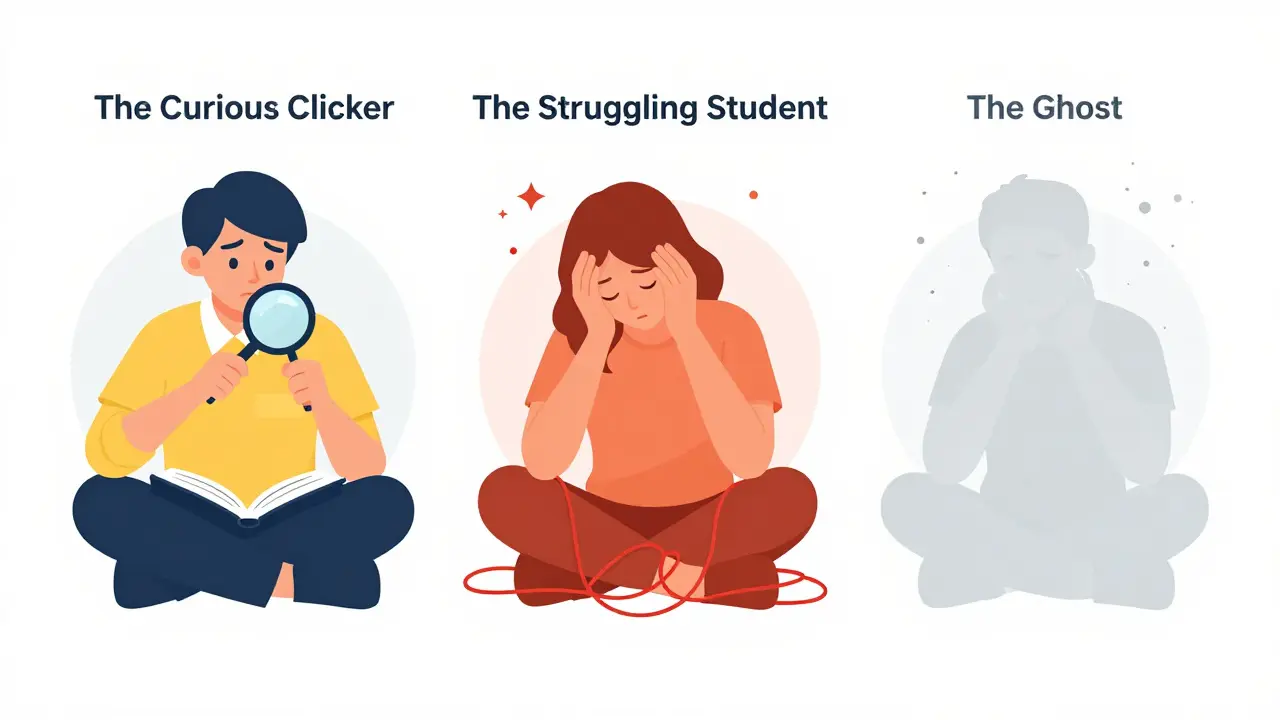
- The Curious Clicker: Signed up, browsed content, but never engaged deeply. They are interested but unsure.
- The Struggling Student: Logged in frequently but failed quizzes or dropped out mid-course. They hit a wall.
- The Ghost: No activity for 60+ days. They likely forgot about you or found an alternative.
Your message needs to change for each group. You can’t treat the Struggling Student the same way you treat the Ghost. One needs help; the other needs a reason to care again.
The Psychology Behind the Comeback
Why do students leave? Usually, it’s not because they hate your content. It’s because life got busy, they felt overwhelmed, or they didn’t see immediate value. To bring them back, you need to address these psychological barriers.
First, reduce friction. If logging in requires remembering a password and navigating a complex dashboard, you’ve already lost. Make the return path easy. Second, offer clarity. Many students quit because they don’t know where to start. Third, provide social proof. Seeing that others are succeeding can reignite motivation.
Think about your own experience. When was the last time you went back to an abandoned hobby? Maybe a friend sent you a funny video related to it, or you saw a success story that made you think, "I could do that too." That’s the trigger you want to create. It’s not about guilt-tripping them; it’s about reminding them of the benefit they signed up for in the first place.
Crafting the Win-Back Email Sequence
Email is still the king of reactivation. It’s direct, personal, and measurable. But sending one generic "We miss you" email rarely works. You need a sequence. Here is a proven four-email structure that balances empathy with action.
Email 1: The Gentle Nudge (Day 7)
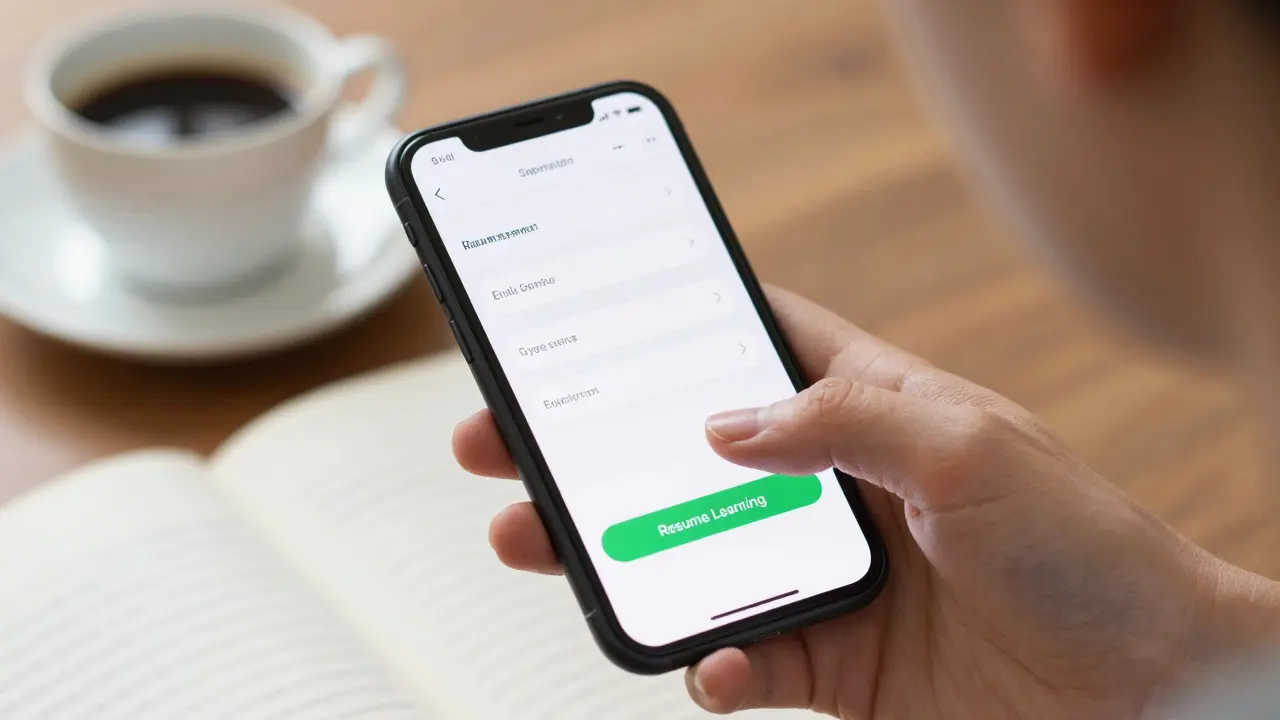
Keep this light. Assume they are busy, not disinterested. Subject line ideas: "Still thinking about [Topic]?" or "Your progress is saved." In the body, highlight what they were doing before they left. "Hey [Name], we noticed you were halfway through Module 3. We saved your spot so you can pick up right where you left off." Include a clear button: "Resume Learning."
Email 2: The Value Reminder (Day 14)
If they didn’t click the first email, they need more incentive. Share a quick win or a testimonial. "Did you know our students report feeling 40% more confident after completing this module?" Or share a short video tip from your instructor. Show them the value they are missing out on. Make it bite-sized and easy to consume.
Email 3: The Barrier Breaker (Day 21)
Now, address potential obstacles. Are they stuck on a specific topic? Offer help. "Struggling with [Concept]? Join our live Q&A session this Thursday." Or if they are overwhelmed, suggest a lighter path. "Try our 15-minute micro-lesson instead." Give them an easier entry point. Sometimes, all it takes is lowering the bar slightly to get them moving again.
Email 4: The Final Call (Day 30)
This is your last chance before archiving them. Be honest. "We’d love to have you back, but we also respect your time. If now isn’t the right moment, no worries. But if you’re ready to continue, here is a special discount/exclusive resource." Offer something tangible. A 20% discount on renewal, access to a premium community, or a free downloadable cheat sheet. Create urgency without being pushy.
Beyond Email: Push Notifications and SMS
Email has low open rates. If you want higher visibility, use push notifications and SMS. But be careful. These channels are intrusive. Use them sparingly and only for high-value triggers.
Push notifications work best for real-time updates. "New lesson available!" or "Your study group is meeting in 1 hour." Keep it under 50 characters. Focus on immediacy. SMS is even more personal. Reserve it for critical moments, like a deadline approaching or a limited-time offer. Always give an easy opt-out option. Nothing kills trust faster than spamming someone’s phone.
Combine these channels strategically. Send an email first. If they don’t open it after two days, send a push notification. If they still don’t engage, consider a final SMS. This multi-channel approach ensures you reach them wherever they are most active.
Incentives That Actually Work
Not all incentives are created equal. Discounts are common, but they can attract bargain hunters who churn again quickly. Instead, focus on intrinsic motivators. What does the student really want? Certification? Community? Mastery?
| Incentive Type | Best For | Risk | Effectiveness |
|---|---|---|---|
| Discount/Coupon | Price-sensitive users | Devalues brand, attracts churners | Medium |
| Exclusive Content | Knowledge-seekers | High production cost | High |
| Community Access | Social learners | Requires moderation | High |
| Personalized Feedback | Struggling students | Time-intensive | Very High |
Offering exclusive content, like a bonus module or a case study, shows you value their learning journey. Access to a private community or forum creates a sense of belonging. Personalized feedback from an instructor or AI tutor addresses specific gaps. These incentives build long-term loyalty rather than just a one-time return.
Measuring Success and Iterating
You can’t improve what you don’t measure. Track these key metrics for your reactivation campaigns:
- Open Rate: Indicates subject line effectiveness. Aim for above 20%.
- Click-Through Rate (CTR): Shows content relevance. Aim for above 3%.
- Reactivation Rate: Percentage of dormant users who return. This is your north star metric.
- Churn Reduction: Long-term impact on overall retention.
A/B test everything. Try different subject lines, send times, and incentives. Maybe "Come Back" works better than "We Miss You." Perhaps Tuesday mornings beat Friday afternoons. Data will tell you what resonates with your specific audience. Don’t guess; experiment.
Also, segment your results. Did the "Curious Clickers" respond better to discounts? Did the "Struggling Students" prefer personalized feedback? Use these insights to refine future campaigns. Reactivation is not a one-off project; it’s an ongoing process of optimization.
Common Pitfalls to Avoid
Even well-intentioned campaigns can fail if you make basic mistakes. Here are the top pitfalls:
- Being Too Aggressive: Bombarding users with daily emails leads to unsubscribes. Space out your messages.
- Lack of Personalization: Generic blasts feel robotic. Use their name, reference their past activity, and tailor the offer.
- Ignoring Mobile Users: Most students check emails on phones. Ensure your emails and landing pages are mobile-friendly.
- No Clear Call-to-Action (CTA): Tell them exactly what to do next. "Click here to resume," not "Check out our site."
- Forgetting the "Unsubscribe": Always include an easy way to opt out. It builds trust and keeps your list clean.
Finally, remember that not everyone will come back. Some students leave for legitimate reasons-life changes, financial constraints, or loss of interest. Accept this gracefully. Focus your energy on the 20% of dormant users who are most likely to return. They are your low-hanging fruit.
How often should I send reactivation emails?
Aim for a sequence of 3-4 emails over 30 days. Start with a gentle nudge at day 7, follow up with value at day 14, address barriers at day 21, and send a final call at day 30. This spacing prevents annoyance while keeping you top-of-mind.
What is the best subject line for a win-back email?
Subject lines that personalize the message or create curiosity perform best. Examples include "[Name], your progress is waiting," "Did you finish Chapter 2?" or "A quick tip for your studies." Avoid vague phrases like "Update" or "News."
Should I offer a discount to win back students?
Discounts can work, but they are not always the best solution. They may attract price-sensitive users who churn again. Consider offering exclusive content, community access, or personalized help instead. These incentives build deeper loyalty and address the root cause of dormancy.
How do I define "dormant" users accurately?
Define dormancy based on your specific user journey. For daily apps, 7 days might be enough. For weekly courses, 30 days is more appropriate. Analyze your data to find the point where engagement typically drops off significantly. Segment users by behavior (e.g., never started vs. dropped mid-course) for more targeted messaging.
What metrics should I track for reactivation campaigns?
Track Open Rate, Click-Through Rate (CTR), and Reactivation Rate. Reactivation Rate is the percentage of dormant users who return to the platform after the campaign. Also monitor Churn Reduction to see the long-term impact on overall retention. A/B test different elements to optimize these metrics.
Comments
Amit Umarani
The article is decent but the grammar in the intro is sloppy. "It’s a leaky bucket" is a cliché that needs to be retired. Also, you missed a comma after "But here is the good news." Fix your basics before teaching marketing.
Rohit Sen
This entire premise is flawed because it assumes students are rational actors who just need a nudge. They aren't. They left because your product sucks. Stop trying to manipulate them with psychology tricks and fix the content quality instead. It's pathetic.
Vimal Kumar
I think we can all agree that reactivation is tough but necessary. The segmentation part about 'The Struggling Student' vs 'The Ghost' is really insightful. I’ve seen this firsthand in my own courses. When you tailor the message to their specific pain point, like offering help to the struggling ones, it makes a huge difference. It’s not just about selling; it’s about supporting their journey. Great read for anyone building an ed-tech platform.
Dave Sumner Smith
Wake up people. This isn't about helping students. It's about data harvesting. They want you back in the ecosystem so they can sell your behavioral patterns to advertisers. The 'personalized feedback' is just AI scraping your inputs to train their next model while you get nothing. Don't fall for the corporate propaganda. Opt out immediately.
vidhi patel
The author fails to address the legal implications of persistent contact under GDPR and local Indian data protection laws. Sending four emails over thirty days without explicit consent renewal is borderline harassment. Furthermore, the suggestion to use SMS is reckless given the strict Do Not Disturb regulations. One must exercise extreme caution and adhere strictly to compliance frameworks rather than focusing on mere engagement metrics. This approach is legally precarious and ethically dubious.
Priti Yadav
They track you even when you log out. The 'dormant' status is just a label for users who have figured out how to avoid the tracking pixels. I noticed my IP was pinged every time I opened a competitor's site after reading this. Coincidence? I think not. They are building a profile of your resistance. Be careful what you click.
Noel Dhiraj
hey guys i really liked the part about reducing friction. its so true. if login is hard people leave. also the email sequence idea is solid. day 7 nudge is perfect not too pushy. i tried something similar with my newsletter and saw better results. keep it simple and friendly. no need for complex tactics just genuine value. hope this helps someone out there
Ajit Kumar
It is morally incumbent upon educational platforms to prioritize the well-being of the student above all else, yet this article focuses predominantly on retention metrics and revenue optimization, which suggests a fundamental misalignment of values where the commercial interests of the corporation supersede the pedagogical integrity of the institution, thereby creating an environment wherein the student is treated merely as a resource to be mined rather than an individual to be nurtured and supported in their holistic development, which is a troubling trend in modern education technology that demands immediate ethical scrutiny and corrective action from stakeholders who claim to care about learning outcomes.
Diwakar Pandey
I usually stay quiet but the point about mobile optimization is key. Most students check emails on phones. If your landing page isn't responsive you lose them instantly. Simple fix but often overlooked. Good article overall.