

Imagine this: a student’s grade is altered without permission, or sensitive personal data leaks from your school’s portal. In today’s digital-first education landscape, these aren’t just hypothetical risks-they’re real threats that can damage trust, violate regulations, and disrupt learning. The good news? You don’t need to be a cybersecurity expert to protect your Learning Systems are software platforms like Learning Management Systems (LMS) and Student Information Systems (SIS) that manage educational content, user interactions, and administrative tasks. By implementing robust Security Logging is the process of recording detailed events within a system to track activities, detect anomalies, and support forensic investigations and integrating it with a SIEM (Security Information and Event Management) is a centralized platform that aggregates, analyzes, and alerts on security logs from multiple sources in real time, you can stay ahead of threats before they escalate.
This guide walks you through exactly how to set up effective logging and SIEM integration for your learning environment-whether you run a small tutoring platform or a large university network. No jargon, no fluff-just actionable steps grounded in real-world practice.
Why Security Logging Matters for Learning Systems
You might think logging is just about keeping records. But in reality, it’s your first line of defense against unauthorized access, data breaches, and insider threats. Every click, login attempt, file upload, and permission change generates a log entry. When something goes wrong, those entries become your evidence trail.
Consider what happens when a teacher accidentally shares a class roster publicly. Without logs, you’d never know who accessed the data or when. With proper logging, you can trace the event back to its source, assess impact, and prevent recurrence. That’s not just IT hygiene-it’s accountability.
Learning systems handle highly sensitive information: student IDs, grades, health records (in some cases), payment details, and even biometric data in newer campuses. Under laws like FERPA in the U.S., GDPR in Europe, and similar frameworks globally, institutions must demonstrate they’ve taken reasonable steps to protect this data. Logging isn’t optional; it’s part of legal compliance.
- Track user activity: Who logged in? From where? At what time?
- Detect anomalies: Sudden spikes in failed logins often signal brute-force attacks.
- Support audits: Regulators want proof of controls-not promises.
- Enable incident response: Fast recovery depends on knowing exactly what changed.
If you’re still treating logs as an afterthought, you’re leaving doors wide open. Let’s fix that.
What Makes a Good Security Log?
Not all logs are created equal. A useless log tells you “User X did something.” A useful one says: “User X attempted to delete course Y at 14:32 UTC from IP address Z using browser W.” Specificity saves lives-and budgets.
Here’s what every high-quality security log should include:
- Timestamps: Precise to the millisecond, synchronized across servers via NTP (Network Time Protocol).
- User identity: Not just usernames-include role, department, and session ID.
- Action type: Login, logout, file download, permission change, export, etc.
- Resource affected: Which course, record, or setting was touched?
- Outcome: Success, failure, error code, reason for denial.
- Source IP & device info: Helps identify geographic anomalies or compromised devices.
- Log level: Info, warning, critical-so you can filter noise later.
Avoid vague entries like “System updated.” Instead, write “Admin Jane Doe modified privacy settings for Course Math-101, enabling public enrollment.” Clarity prevents confusion during crises.
Also, ensure logs are immutable. If someone can alter them, they’re worthless. Use write-once storage or cryptographic hashing to guarantee integrity.
Choosing the Right SIEM Solution for Education
Now comes the tricky part: picking a SIEM tool that fits your scale, budget, and technical capacity. There’s no one-size-fits-all answer-but there are clear patterns.
| Tool | Best For | Pricing Model | Key Strength | Limitation |
|---|---|---|---|---|
| Splunk | Large universities, complex infrastructures | Per GB ingested + license tier | Powerful search language (SPL), extensive integrations | Steep learning curve, expensive at scale |
| Elastic Stack (ELK) | Mid-sized schools, tech-savvy teams | Open core free; paid features available | Flexible, customizable dashboards, strong community | Requires manual tuning for performance |
| Microsoft Sentinel | Schools already using Azure/Microsoft 365 | Pay-per-GB ingested | Native integration with Office 365, Active Directory | Limited outside Microsoft ecosystem |
| AlienVault USM | Small colleges, K-12 districts | Fixed monthly fee per node | All-in-one appliance, easy setup | Less scalable for enterprise needs |
Before choosing, ask yourself: Do we have staff who can maintain this daily? Will our current LMS/SIS send logs in a compatible format? How much historical data do we need to retain?
Many schools start with Elastic Stack because it’s flexible and cost-effective. Others opt for Splunk if they already use it elsewhere. Don’t chase features-chase fit.
Step-by-Step: Integrating Your Learning System Logs Into SIEM
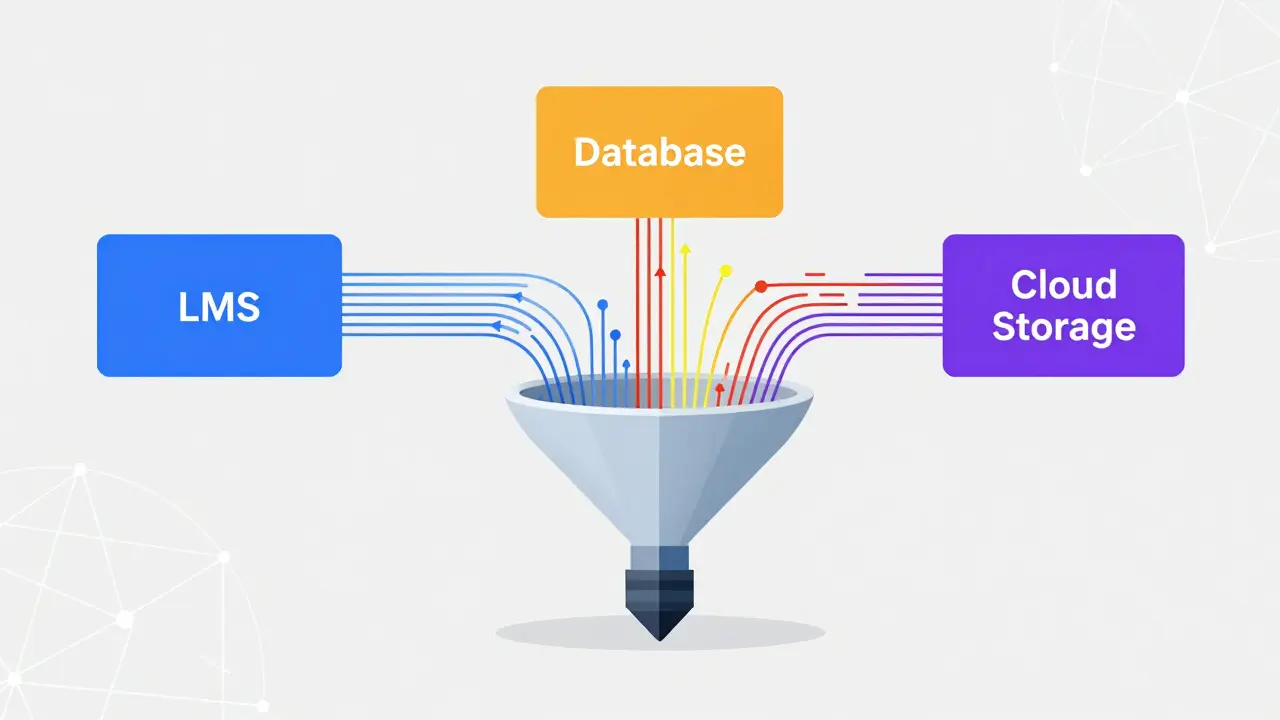
Integration sounds intimidating, but it boils down to three phases: collect, normalize, analyze. Here’s how to execute each phase cleanly.
Phase 1: Collect Logs From All Sources
Your learning system likely includes several components: authentication server, database, web application layer, cloud storage, and maybe third-party plugins. Each needs to emit logs.
- Web Application: Enable HTTP request logging with status codes, URLs, and user agents.
- Authentication Service: Capture successful/failed logins, MFA challenges, password resets.
- Database: Track queries accessing sensitive tables (e.g., student_records, payments).
- Cloud Storage: Monitor uploads, downloads, deletions via AWS CloudTrail or Azure Blob Logs.
- Third-Party Plugins: Require vendors to expose API endpoints for log retrieval.
Use lightweight agents like Fluentd or Filebeat to forward logs to your SIEM collector. Avoid sending raw syslog directly unless necessary-it lacks structure.
Phase 2: Normalize Data Formats
Different systems speak different languages. One calls it “userId,” another uses “actor_id.” Your SIEM won’t understand either unless you standardize.
Create a mapping schema early. Example:
{
  "timestamp": "2026-05-03T14:32:00Z",
  "source_system": "Canvas_LMS",
  "event_type": "login_failure",
  "user_id": "usr_8921",
  "ip_address": "192.168.1.55",
  "reason": "invalid_password"
}
Consistent fields mean faster correlation rules later. Spend hours here now to save days during an incident.
Phase 3: Set Up Correlation Rules & Alerts
This is where magic happens. Define triggers based on behavior, not just volume.
Example rule: “If more than five failed login attempts occur from the same IP within ten minutes, flag as potential brute force.” Another: “Any admin exporting over 100 student records outside business hours requires review.”
Start simple. Add complexity only after testing. False alarms kill credibility. Tune thresholds until they reflect actual risk levels in your environment.
Common Pitfalls to Avoid
I’ve seen too many projects fail because teams skipped basics. Don’t let yours join that list.
- Logging everything indiscriminately: You’ll drown in noise. Prioritize high-risk actions first.
- Ignoring retention policies: Keep logs long enough to meet legal requirements (usually 1-7 years), but purge old ones to save space.
- Failing to test alert accuracy: Run simulations weekly. Adjust rules based on false positives/negatives.
- Neglecting staff training: Even the best SIEM fails if nobody knows how to interpret alerts.
- Assuming cloud = secure: Shared responsibility means you still own configuration and monitoring.
One school I consulted for spent six months building a perfect SIEM dashboard-then forgot to train their help desk team. Result? Critical warnings went ignored for weeks. Training matters as much as technology.
Real-World Scenario: Detecting Insider Threats
Let’s walk through a realistic case. A teaching assistant notices unusual downloads happening late at night. They report it. What next?
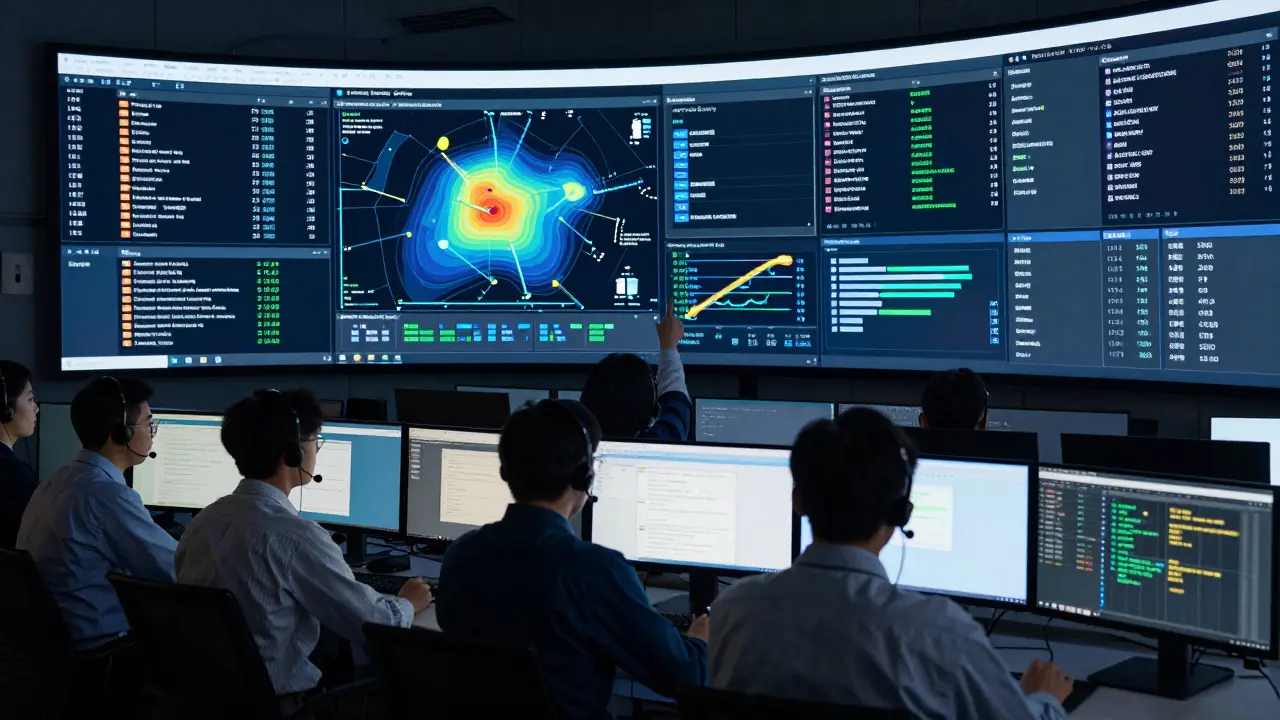
With proper logging and SIEM integration, your team can quickly pull up:
- Which files were downloaded?
- At what times?
- From which device/IP?
- Was the account used normally before?
- Did any other users exhibit similar behavior?
In one instance, analysis revealed a former employee had reused credentials after termination. Because logs showed abnormal access patterns, HR acted immediately-before any data left the institution.
Without logs, that breach would have gone unnoticed until parents complained about missing transcripts. With logs, it became a contained issue resolved internally.
Compliance Checklist for Educational Institutions
Regulations vary by region, but most share common expectations. Use this checklist to verify your posture:
- ✓ Logs capture all privileged actions (admin changes, bulk exports)
- ✓ Timestamps are synchronized and tamper-proof
- ✓ Access to logs is restricted to authorized personnel only
- ✓ Retention period meets local law (minimum 1 year recommended)
- ✓ Regular audits confirm log completeness and accuracy
- ✓ Incident response plan references log usage explicitly
- ✓ Staff receive annual refresher training on interpreting alerts
Keep copies of completed checks. Inspectors love documentation-and so do insurance providers when claims arise.
Next Steps Based on Your Situation
Where should you go from here? Depends on your starting point.
If you’re just beginning: Start with basic logging in your primary LMS. Enable audit trails for admin functions. Forward those logs to a simple ELK stack. Test one alert rule. Expand gradually.
If you already log but lack visibility: Audit existing logs. Identify gaps. Build normalization mappings. Connect to a commercial SIEM if resources allow. Otherwise, stick with open-source tools but invest in skilled labor.
If you’re under regulatory pressure: Focus on compliance first. Map required controls to specific log types. Document processes. Train auditors on your workflow. Then optimize for detection efficiency.
No matter your stage, remember: consistency beats perfection. Small improvements compound over time.
How long should I keep security logs for my learning system?
Most regulations require retaining logs for at least one year, though some demand up to seven. Check your local laws-FERPA suggests indefinite retention for certain records, while GDPR allows deletion once purpose expires. Store logs securely and compress older archives to save space.
Can I integrate my LMS logs into a SIEM without coding?
Yes, many modern LMS platforms offer pre-built connectors for popular SIEMs like Splunk or Microsoft Sentinel. Look for “export to SIEM” options in admin settings. If none exist, use middleware tools like Zapier or Make.com to bridge APIs temporarily until native support arrives.
What’s the cheapest way to start logging securely?
Begin with built-in audit features in your LMS. Export logs daily to encrypted cloud storage (like AWS S3). Use free tools like Winlogbeat to forward Windows-based logs. Later, add Elastic Stack for visualization. Total initial cost can stay under $50/month depending on volume.
Do I really need a SIEM if I’m a small school?
Even small schools benefit from centralized logging. While full SIEM suites may seem excessive, lightweight alternatives like AlienVault OSSIM or Graylog provide essential aggregation and alerting. Think of it as insurance-you hope never to use it, but glad it’s there when needed.
How do I prove my logs haven’t been altered?
Implement hash chaining: generate SHA-256 hashes for each log batch and store them separately. Alternatively, use append-only storage solutions or blockchain-backed logging services designed for compliance. Regularly verify checksums against originals to detect tampering.
Who should manage our SIEM alerts?
Assign a dedicated security analyst or rotate responsibility among IT staff trained in incident response. Include educators in awareness programs-they spot behavioral oddities better than machines alone. Automate routine triage, but always involve humans for final decisions.
Is cloud-hosted SIEM safer than on-premise?
Both have trade-offs. Cloud SIEMs reduce maintenance burden and scale easily, but introduce dependency on internet connectivity and vendor reliability. On-premise gives total control but demands hardware investment and skilled upkeep. Choose based on your team’s capabilities and risk tolerance.
What metrics indicate my logging strategy is working?
Track mean time to detect (MTTD) and mean time to respond (MTTR). Aim for MTTD under 30 minutes and MTTR under two hours. Also measure false positive rate-ideally below 15%. High volumes of unactionable alerts suggest poor rule tuning, not inadequate logging.
Should I log student browsing behavior inside courses?
Only if legally permitted and clearly disclosed. Tracking clicks, scroll depth, or quiz attempts raises privacy concerns. Stick to essential operational logs: logins, submissions, grade changes. Avoid surveillance-style tracking unless absolutely necessary for academic integrity enforcement.
How often should I review and update my SIEM rules?
Quarterly minimum. After major software updates, new hires, or policy shifts. Annually conduct tabletop exercises simulating breaches to test rule effectiveness. Update thresholds based on seasonal variations-exam periods naturally increase traffic, for example.