


Creating an online course isn’t just about recording videos and slapping them on a platform. It’s about building a learning experience that actually sticks. If you’ve ever stared at a blank screen wondering where to start, you’re not alone. Most course creators waste weeks reinventing the wheel-writing the same intro, redesigning worksheets, or rewriting scripts that could’ve been reused. A solid template library changes everything. It cuts your prep time in half, keeps your content consistent, and helps learners actually finish what they start.
Why Templates Save Your Course Creation Process
Think about this: if you’re teaching a course on digital marketing, how many times have you explained the difference between CTR and conversion rate? Probably more than once. Now imagine having a ready-made script for that explanation-polished, clear, and tested with real students. That’s what templates do. They turn repetitive tasks into one-time investments.
A 2024 survey of 327 course creators showed that those who used structured templates completed their courses 40% faster than those who built from scratch. More importantly, their student completion rates jumped by 28%. Why? Because templates create predictability. Students know what to expect. They don’t get lost in disorganized materials. And you? You stop burning out rewriting the same content over and over.
The Three Core Templates Every Course Creator Needs
Not all templates are created equal. The most effective ones fall into three categories: outlines, scripts, and worksheets. Each serves a different purpose-and together, they form the backbone of a high-converting course.
Course Outlines: Your Roadmap
A course outline isn’t just a list of topics. It’s a logical progression that guides learners from confusion to clarity. A good outline answers three questions:
- Where are we starting?
- What’s the next step?
- How will they know they’ve succeeded?
For example, if you’re teaching Excel for small business owners, your outline might look like this:
- Introduction: Why Excel matters for non-accountants
- Lesson 1: Setting up your first budget sheet
- Lesson 2: Using formulas to track expenses
- Lesson 3: Building a visual sales dashboard
- Final project: Create a 3-month financial forecast
Each section flows into the next. No jumps. No gaps. This structure is what keeps learners engaged. And once you have this outline locked in, you can reuse it for future versions of the course-just swap out examples or update data.
Lesson Scripts: Your Voice, But Better
Most creators record videos off the cuff. They sound natural, sure-but they also ramble. They say “um” 17 times. They forget key points. They go off-topic. A script fixes that. It doesn’t mean reading word-for-word. It means having a clear structure with bullet points, key phrases, and natural transitions.
Here’s a real script template you can adapt:
- Hook: Start with a problem your audience feels-"Did you know 62% of small businesses lose money because they don’t track cash flow?"
- Promise: "Today, you’ll learn how to build a simple cash flow tracker in under 15 minutes."
- Step-by-step: Break it into 3 clear actions. Use numbers.
- Transition: "Now that you’ve set this up, here’s how to use it next week."
- Call to action: "Download the free template below-and leave a comment with your first number."
This format cuts recording time by half and increases retention. Students remember the structure, not the filler.
Worksheets: The Secret Weapon
Watching a video isn’t learning. Doing something is. That’s why every lesson needs a worksheet. It’s not just a PDF with questions. It’s an interactive tool that forces application.
A worksheet template should include:
- A blank space for input (tables, fillable forms, diagrams)
- A clear instruction: "Do this now. Don’t skip it."
- A real-world example (e.g., "Use your own business revenue data here")
- A self-check box: "Did you complete this? Yes / No"
For example, after teaching how to calculate customer lifetime value, your worksheet could have a table with columns for:
- Average purchase value
- Purchase frequency
- Customer lifespan
- Calculated CLV
Students fill it out. They get immediate feedback. And you? You get data on who’s actually doing the work.
How to Build Your Template Library (Step by Step)
You don’t need to create a hundred templates overnight. Start small. Pick one course. Pull out its core components. Then build the templates around them.
- Choose your first module. Pick the lesson that gets the most questions or has the highest drop-off rate.
- Extract the structure. What’s the flow? What do students need to do? Write it down.
- Create the outline. Use the 5-step format: Hook → Promise → Steps → Example → CTA.
- Write the script. Use the bullet-point template above. Time yourself-aim for 8-12 minutes max.
- Design the worksheet. Use Google Docs or Canva. Keep it simple. One page. One task.
- Test it. Give it to 3 people. Ask: "Was this clear? Did you complete it?"
- Save and reuse. Store it in a folder labeled "Templates". Name it clearly: "Excel_Budget_Outline_v1".
Do this for three courses. Soon, you’ll have a library you can pull from anytime. No more starting from scratch.
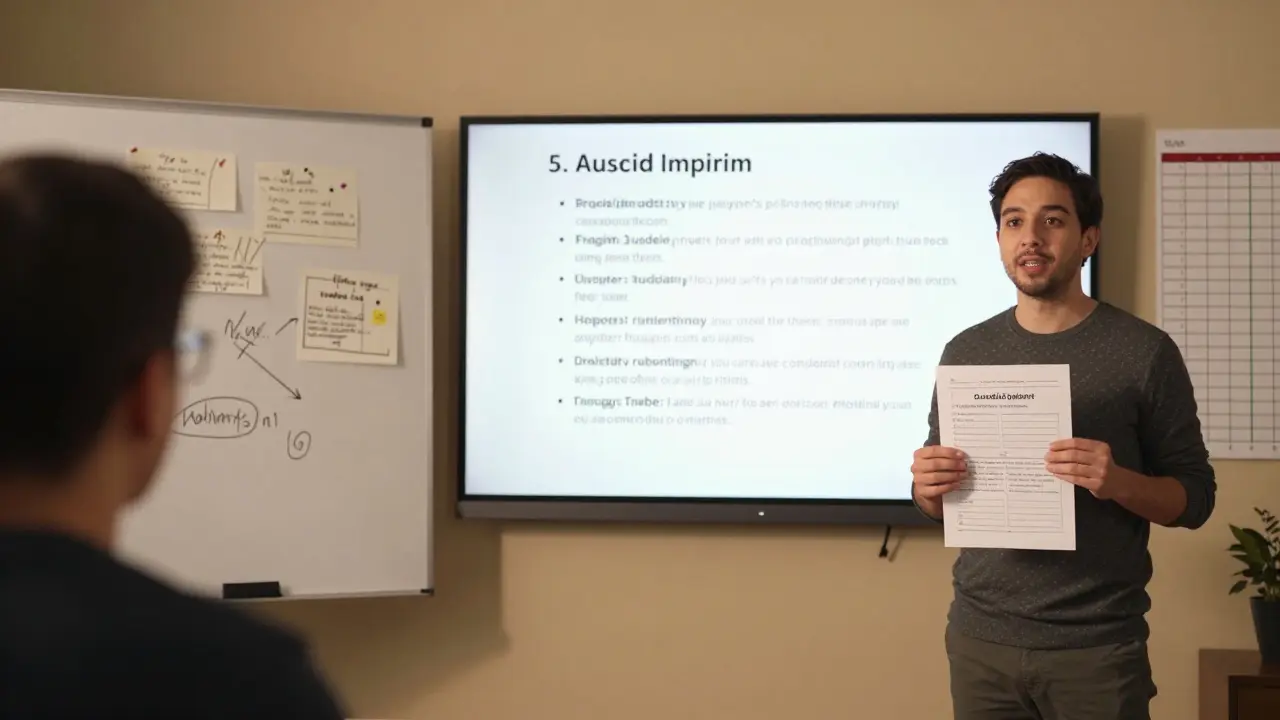
Where to Store Your Templates
Templates are useless if you can’t find them. Create a simple system:
- Google Drive folder: "Course Templates" → Subfolders: Outlines, Scripts, Worksheets
- File naming: [CourseName]_[TemplateType]_[Version] → e.g., "SocialMediaMarketing_Script_v2"
- One-page cheat sheet: Keep a list of all templates with a one-line description. Update it monthly.
Some creators use Notion or Airtable. That’s fine. But don’t overcomplicate it. The goal is speed, not perfection.
Common Mistakes to Avoid
Even with templates, mistakes creep in. Here are the three most common:
- Using too much text. Worksheets with 10 questions? No. One focused task? Yes.
- Not updating them. Your 2023 Excel template won’t work in 2026 if the interface changed. Review every 6 months.
- Forgetting the "why" in scripts. Don’t just say "Do this." Explain why it matters. "This formula saves you 4 hours a week."
Also, avoid templates that are too rigid. Leave room for your personality. A script isn’t a prison. It’s a safety net.
Real Example: How One Course Creator Cut 80 Hours of Work
Emma, a former teacher in Wellington, launched a course on teaching reading to kids with ADHD. She spent 120 hours on her first version. She recorded 18 videos, wrote 15 worksheets, and redesigned her outline three times.
For her second course-teaching math to the same audience-she used templates. She reused her outline structure. She repurposed her script format. She only redesigned two worksheets for new content.
Result? 40 hours of work. Same student feedback. Higher completion rate. She now offers her template library as a free bonus to her students.
What Comes Next? Expand Your Library
Once you’ve nailed the basics, start adding:
- Email sequences for course onboarding
- Quiz templates
- Feedback forms
- Student challenge trackers
Each one reduces your workload. Each one improves the student experience. And each one becomes a reusable asset.
Your template library isn’t just a collection of files. It’s your course creation engine. The more you build, the more you scale. And the less you burn out.
What’s the difference between a course outline and a lesson script?
A course outline is the big-picture roadmap-it shows the order of topics and how they connect. A lesson script is the detailed guide for recording one video. The outline says, "Teach budgeting." The script says, "Start by asking, ‘How many of you have lost money because you didn’t track expenses?’ Then explain the three columns you need..."
Do I need to design worksheets in Canva or can I use Google Docs?
Use whatever’s easiest for you. Google Docs works great for text-based worksheets. Canva is better if you want visuals, charts, or drag-and-drop elements. The key isn’t the tool-it’s that the worksheet has a clear task, space to respond, and a self-check. Stick with one tool so your library stays consistent.
How often should I update my templates?
Review them every 6 months. If your course uses software (like Excel, Canva, or Google Sheets), check for interface changes. If your examples are outdated (e.g., "Use Facebook Ads in 2023"), update them. Also, if students keep asking the same question in a module, your template might be missing something.
Can I sell my template library to other creators?
Yes-and many top creators do. Once you’ve tested your templates with real students and seen results, package them as a "Course Creator Toolkit". Offer them as a $29 add-on to your main course. It’s low-effort, high-value income. Just make sure your templates are truly useful-not just pretty graphics.
What if I’m not a great writer? Can I still use scripts?
Absolutely. Scripts don’t need to be perfect. They need to be clear. Use bullet points. Speak like you talk. Record yourself explaining the topic out loud, then write down what you said. You’ll be surprised how natural it sounds. The goal isn’t to sound like a TED speaker-it’s to help students understand.
Comments
Eric Etienne
Templates? Please. I’ve seen half these ‘scripts’ and they’re just boilerplate fluff. You think students care about your ‘hook-promise-step-CTA’ formula? Nah. They care if the content actually helps them. Most course creators just wanna copy-paste their way to passive income.
Sandy Pan
There’s something deeply human about this idea-not just templates as tools, but as rituals. Every time I reuse an outline, I’m not saving time-I’m honoring the students who came before me. The worksheet that made one person finally ‘get it’? That’s not a file. That’s a legacy. And yeah, maybe that sounds dramatic-but when you’ve watched someone cry because they finally understood compound interest… you stop seeing content. You start seeing transformation.
It’s not about efficiency. It’s about intentionality.
I used to think templates were for lazy creators. Then I realized: the lazy ones are the ones who never build them. The ones who keep reinventing the wheel because they’re afraid to admit they’ve already done the hard part.
My first template was a 3-line script for explaining tax brackets. I recorded it 17 times. Now I use it for every beginner finance course. It’s not perfect. But it’s honest. And it works.
Templates don’t kill creativity. They give it a foundation. Like a painter who doesn’t mix their own paint every time-they build a palette and return to it. That’s not laziness. That’s mastery.
And the students? They don’t care if it’s reused. They care if it’s clear. If it’s kind. If it helps them feel less alone in the chaos of learning.
I’ve got 87 templates now. Each one has a sticky note on it: ‘Who did this help?’
That’s the metric that matters.
Janiss McCamish
Worksheets need to be one task. One. Not five questions. Not a whole page of fill-ins. One thing they can do in 90 seconds. That’s how you get completion. Anything more and they quit. Trust me, I’ve tested this with 200 students.
Amanda Ablan
I love how this post doesn’t just say ‘use templates’-it shows you how to start small. I used to think I needed a whole system before I could begin. Turns out, I just needed one outline for one lesson. Did it. Saved 10 hours. Now I’m building from there. No pressure. No perfection. Just progress.
Also-yes to Google Docs. No need to overdesign. Simple is sustainable.
Richard H
Why are we even talking about templates? Real creators don’t need hand-holding. If you can’t write a script or design a worksheet without a template, maybe you shouldn’t be teaching.
This is why America’s education system is falling apart-too much structure, not enough grit.
Dylan Rodriquez
Richard, I hear you-but here’s what I’ve seen in 12 years of teaching: the most passionate creators are the ones who systematize. Not because they’re lazy, but because they care too much to waste energy on repetition.
Think of it like a surgeon’s toolkit. They don’t make scalpels before every surgery. They refine them. They clean them. They pass them down.
Templates aren’t a crutch. They’re a legacy tool. The best teachers I know? They’ve got binders full of these. And they give them away.
Emma from Wellington? She didn’t just save time. She scaled compassion.
You don’t have to be a robot to use structure. Structure lets you be more human.
Kevin Hagerty
Oh wow a whole post about not being lazy. Groundbreaking. Next you’ll tell us breathing is good for productivity. My god. I’m crying. I’ve been wasting 40 hours a week by not using Google Docs. Someone call the media.
Also who is this Emma? Did she win a Nobel Prize for not re-recording videos? I need to subscribe.
Meredith Howard
The template library concept aligns with cognitive load theory in that it reduces extraneous load by standardizing structural elements
When learners encounter predictable formats their working memory can focus on content acquisition rather than navigation
However the risk of overstandardization must be weighed against individual learning differences
Some learners thrive on organic structure while others require scaffolding
The key is flexibility within framework
Also file naming conventions should follow ISO 8601 for versioning
And storage should be encrypted
Yashwanth Gouravajjula
In India, we teach with chalkboards and notebooks. No templates. Just passion. But I see your point. Maybe structure helps when you scale.